Part Number: MSP430F5529
Tool/software: Code Composer Studio
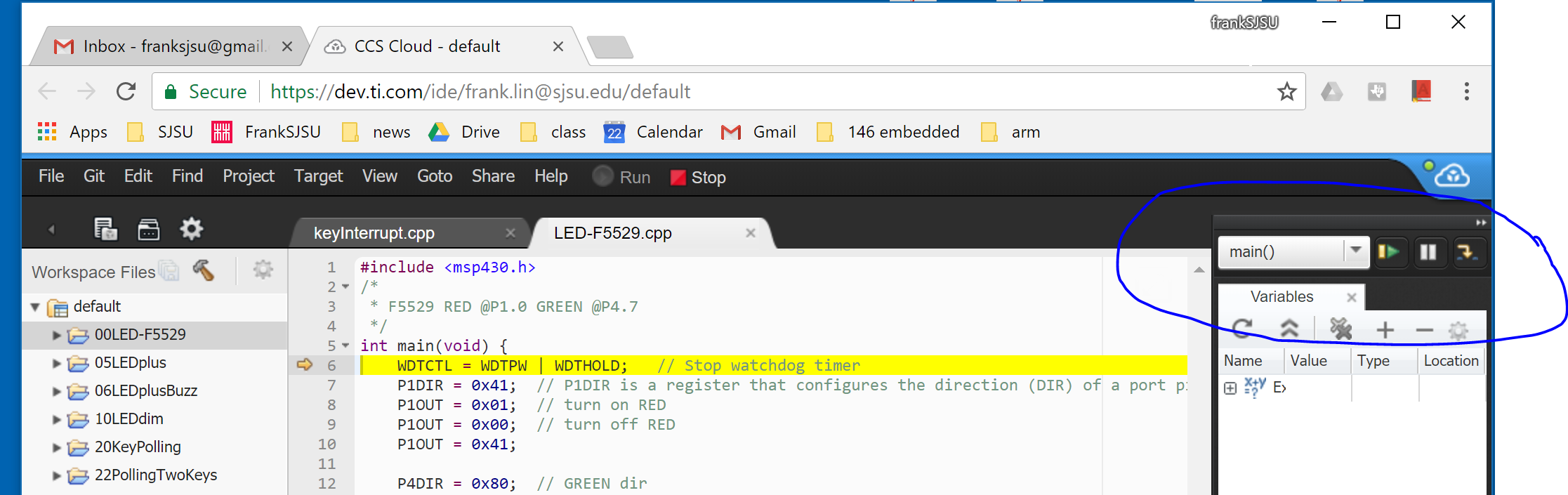
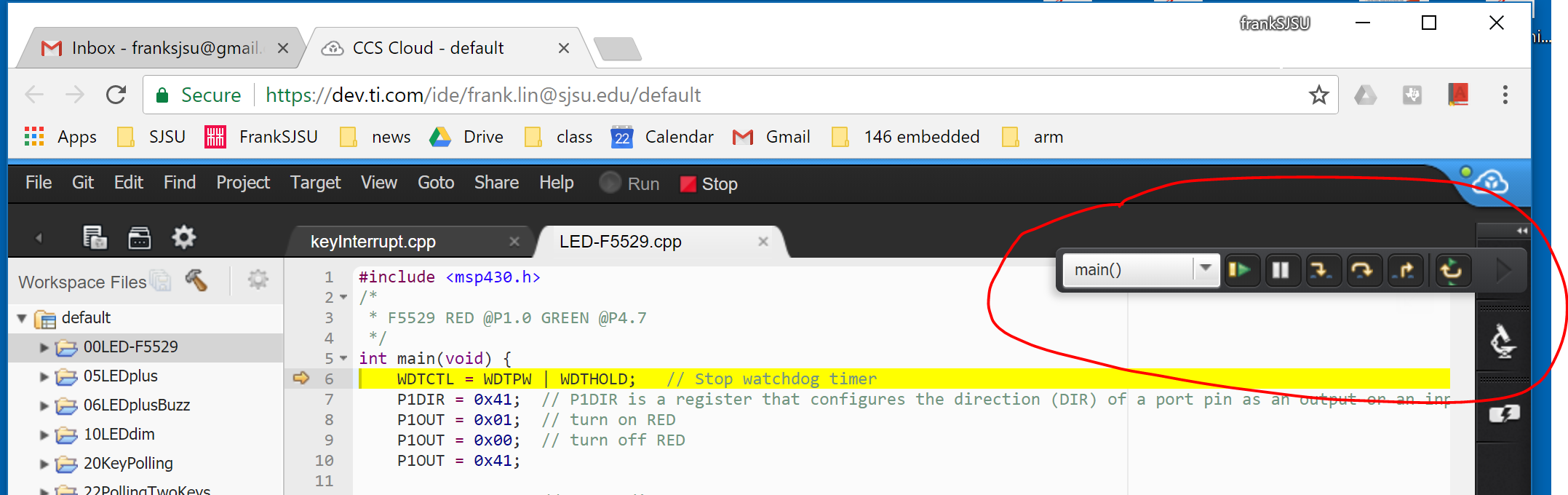
I have been using cloud CCS as demo tool. Recently, the debug mode shows only partial run commands (see jpg), probably because I did something funny. But, I couldn't get the missing buttons (step over, stop) back. I tried resize window boundaries and different machines. It seems the configuration is on the server side. One other info is that when I only view run command without variable window, then run command shows up fine (see jpg). Any help on how to "reset" the debug setting is appreciated.