Tool/software: Code Composer Studio
Hello,
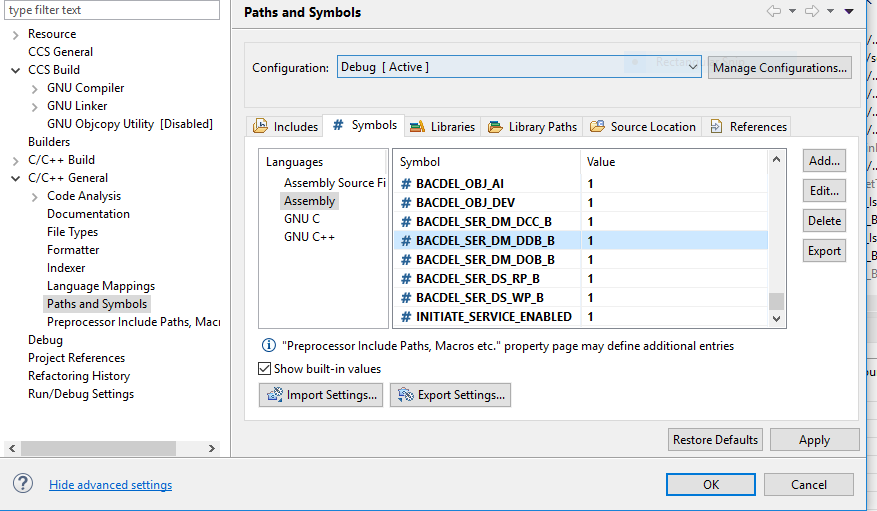
I am using TI launchpad with SimpleLink SDK version 1.6. My code has numerous conditional compilation symbols and even after adding those symbols in my project build settings, my compiler throws an error of "undefined reference" for the code that is enabled by the symbol. Only after I comment out the conditional compilation statement, it is able to find the reference. After enabling the symbol, its code area does become white from gray but still it does not allow to put a break-point until I comment out the symbol and let the code run as is. Why is it not compiling the code under enabled flags?
The below screenshot illustrates the scenario. BACDEL_SER_DM_DDB_B is made TRUE in project settings still it throws an error for all the functions defined in its scope
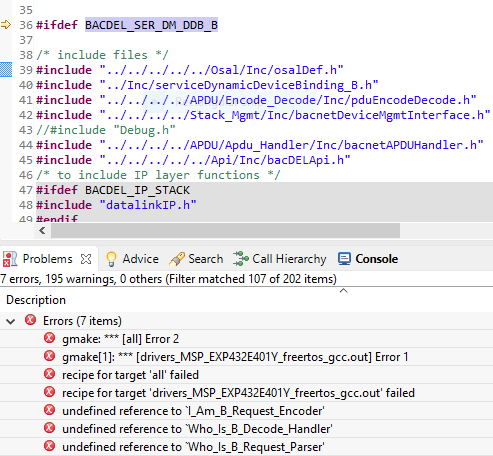
Now after commenting out the flag, compiler is able to link the definitions with their function calls

Flag enabled as shown below