This thread has been locked.

If you have a related question, please click the "Ask a related question" button in the top right corner. The newly created question will be automatically linked to this question.

CCS: XDS100 new version driver at CCS

Other Parts Discussed in Thread: UNIFLASH

Tool/software: Code Composer Studio

Hi Champs,

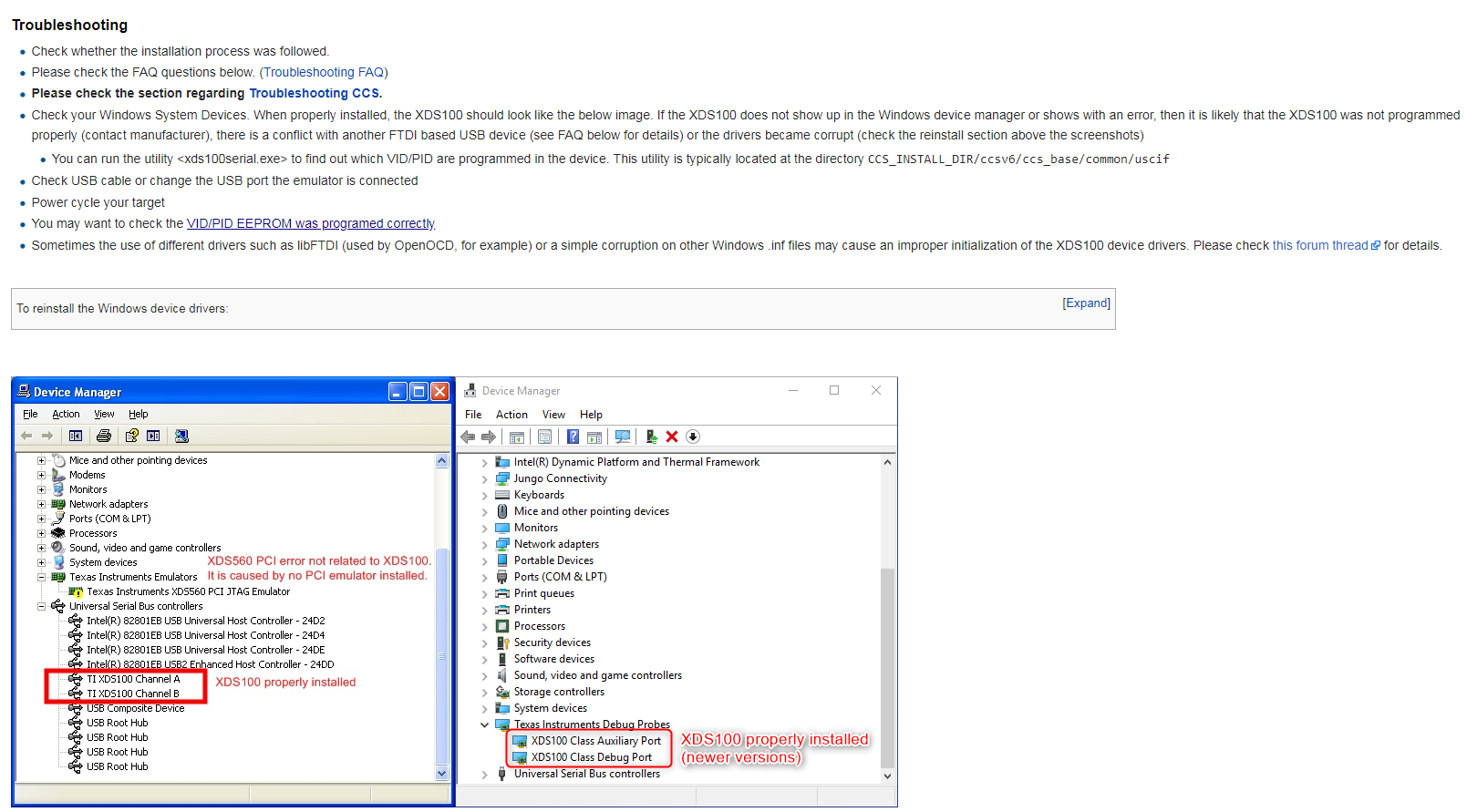
my customer meet an strange behavior. The XDS100 driver was show as the new version as wiki.

They can use it to debug and program C2000.

However , when they want to unlock the device through CCS and read the memory , the unlocking progress was always failed.

Using the same hardware with my computer will become okay becuase my system was still old version driver.
1.  May we what difference between new and old version at unlocking CSM function?

2. Is it possible to make the OS driver go back to old version?

Thanks

BR

Brian

  • Brian,

    I haven't seen any reports of problems with updated drivers and the CSM unlock; I myself had done this in the past without problems, therefore I suspect the origin of the problem may be somewhere else.

    In the offending host, can you try to unlock the device using, for example, Uniflash? This could help rule out any issues with the drivers and focus the diagnostics on the CCS itself.

    Apart from this, I would also check the steps shown in the troubleshooting page below, as well as the CSM FAQ

    processors.wiki.ti.com/.../Troubleshooting_CCSv7

    processors.wiki.ti.com/.../Code_Security_Module_FAQ_for_C2000

    Hope this helps,
    Rafael
  • Hi Rafael ,

    At beginning customer's reporting was  the bin file was all zero when using Uniflash to read out the image after unlocking.

    The unlocking progess was show at console information and sucess.

    In order to itemize the step , i work with them to use CCS  in order to checking everything.

    I fund the condition at their PC was show the new driver so i use the same hardware at my PC.

    However , my PC was assigned the device with old driver and i can sucess to unlock device and read out the device image.

    They try to reinstall CCS but not workable.

    Customer would like to try the old version driver so they ask it is possible to down grade the driver version or not.

    BR

    Brian  


  • Brian,

    I really couldn't find any incompatibility between the newer XDS100 drivers and CCS in any modern operating system (Windows 7 or 10), but I will watch out for other reports that may be indicative of a problem.

    Addressing your question: if the customer installed an older version of the drivers, they are most probably still located in the Windows driver store and can be changed from inside Control Panel.

    From the Control Panel:

    - Right-click on one of the XDS100 entries and select Update Driver Software...

    - Click on Browse my computer for driver software

    - Click on Let me pick from a list of device drivers on my computer

    - The view should show all the driver versions available in your system as shown below. Select the TI XDS100 Channel A (or B) and click Next to finish the driver switch.

    - Repeat for the other XDS100 entry

    Hope this helps,

    Rafael