Part Number: AM5728
Tool/software: Code Composer Studio
Dear TI,
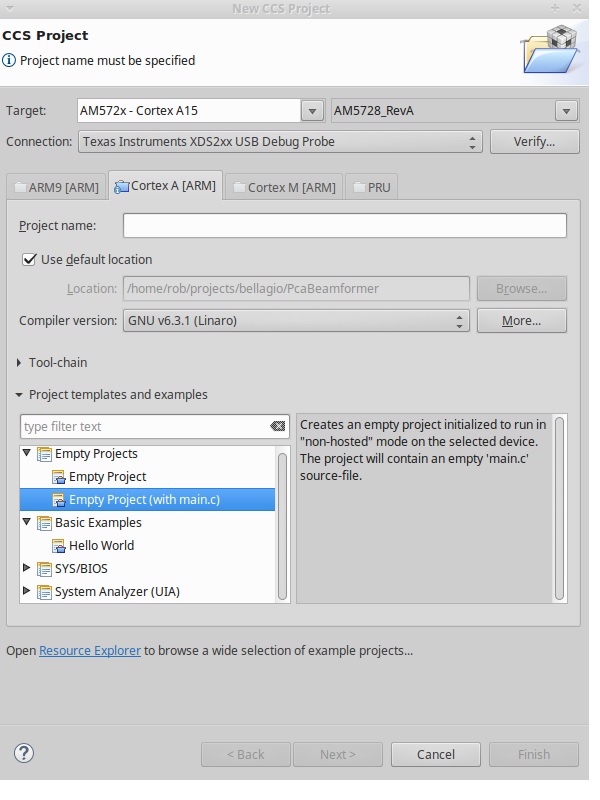
Why does the Linux code composer not allow you to select the DSP? how can I create a DSP project in Linux? I can do this in windows?
This thread has been locked.
If you have a related question, please click the "Ask a related question" button in the top right corner. The newly created question will be automatically linked to this question.
Part Number: AM5728
Tool/software: Code Composer Studio
Dear TI,
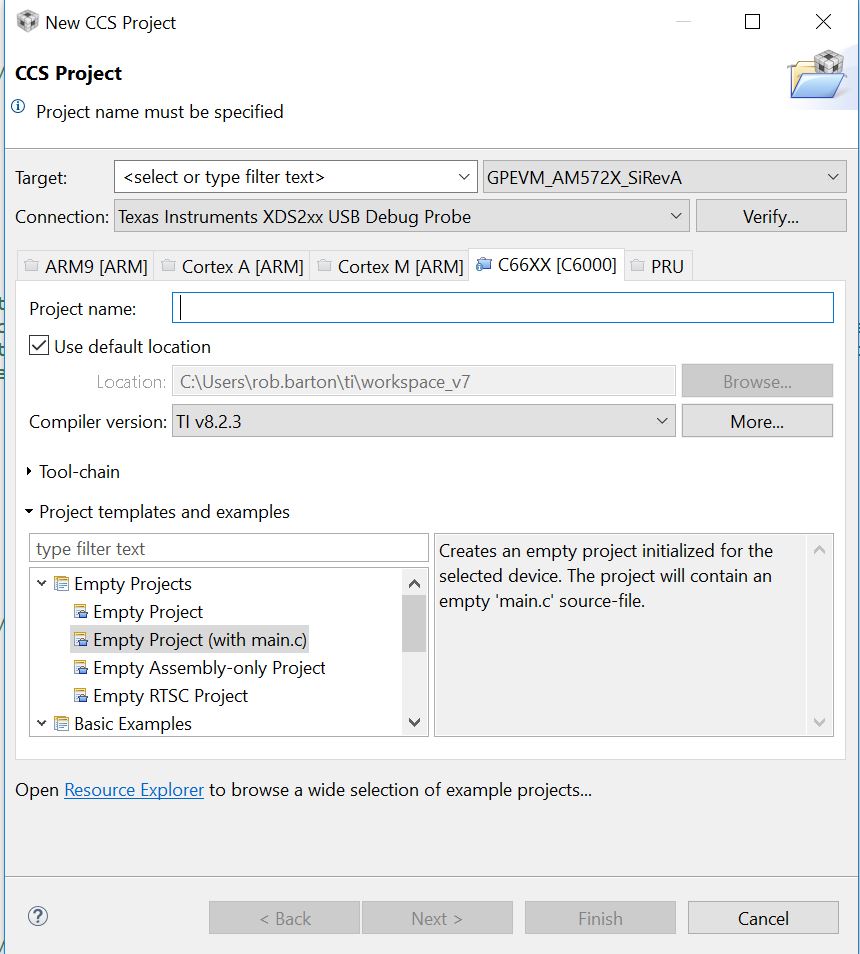
Why does the Linux code composer not allow you to select the DSP? how can I create a DSP project in Linux? I can do this in windows?
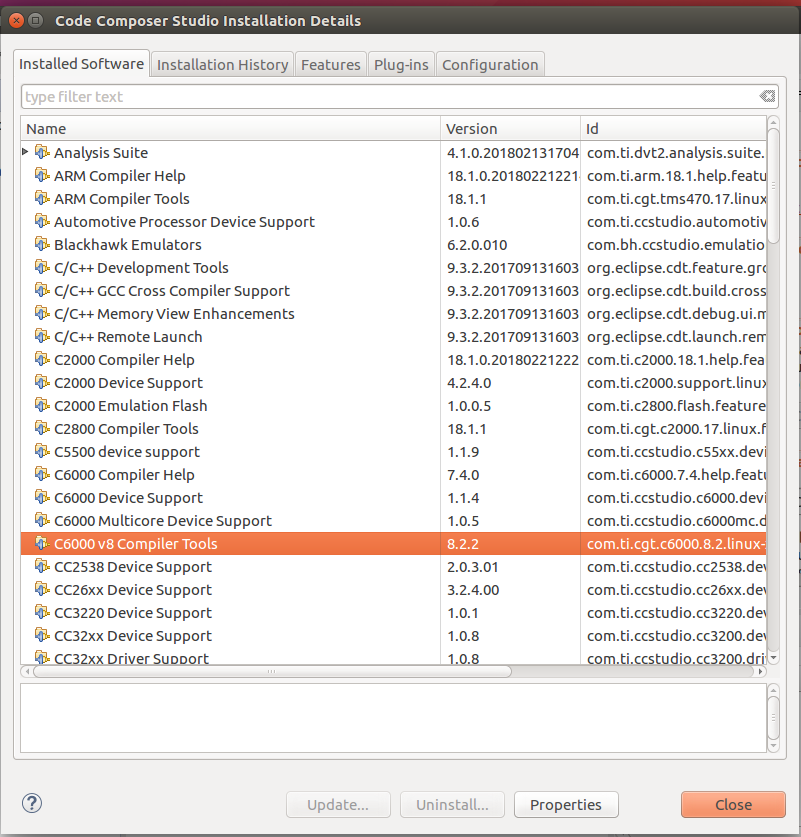
When I look at what software/compilers are installed, (the first link) it does not show the DSP compiler, however, in the listed directories above the compilers that it lists, the DSP compiler directory is present... but it's not picking up that it's there for some reason.
In the 2nd link you refer to getting updates, but how can I just tell it that the compiler is there locally, when I point to it it complains that it's not a site.
The company wishes to 'control' which version is being used in the build, so it's only updated when we have tested the released software with a particular version, as such I don't want to have any automatic updates, I just want to use the supplied version which is tracked by us as to what version has been tested with our software.
Thanks.
Hi,
Rob Barton said:When I look at what software/compilers are installed, (the first link) it does not show the DSP compiler, however, in the listed directories above the compilers that it lists, the DSP compiler directory is present... but it's not picking up that it's there for some reason.
That may indicate an incomplete install or inaccessible directory that prevents CCS from properly acknowledging the tool. From a terminal I would inspect permissions and, if the ccsv8/tools/compiler/ti-cgt-c6000_8.2.2/bin/cl6x executable works fine (you can issue ./cl6x -version).
Rob Barton said:In the 2nd link you refer to getting updates, but how can I just tell it that the compiler is there locally, when I point to it it complains that it's not a site.
To know which components are installed, check the menu Help → About Code Composer Studio → Installation Details and look for the C6000 Compiler
The issue with the site itself may be due to proxy or other restrictions to prevent the updates from taking place.
Also, as I asked before, the versions of CCS and the OS and the install logs could also help in finding out if something went wrong during install.
Hope this helps,
Rafael