This thread has been locked.

If you have a related question, please click the "Ask a related question" button in the top right corner. The newly created question will be automatically linked to this question.

CCS/MSP-EXP430F5438: Meta-data cannot be interpreted on sample program for brand new dev. board.

Part Number: MSP-EXP430F5438
Other Parts Discussed in Thread: MSP-FET

Tool/software: Code Composer Studio

I am trying to get an MSP-EXP430F5438 board up and running using code composer and an MSP-FET. Both HW pieces are fresh out of the box. I installed Code Composer twice.

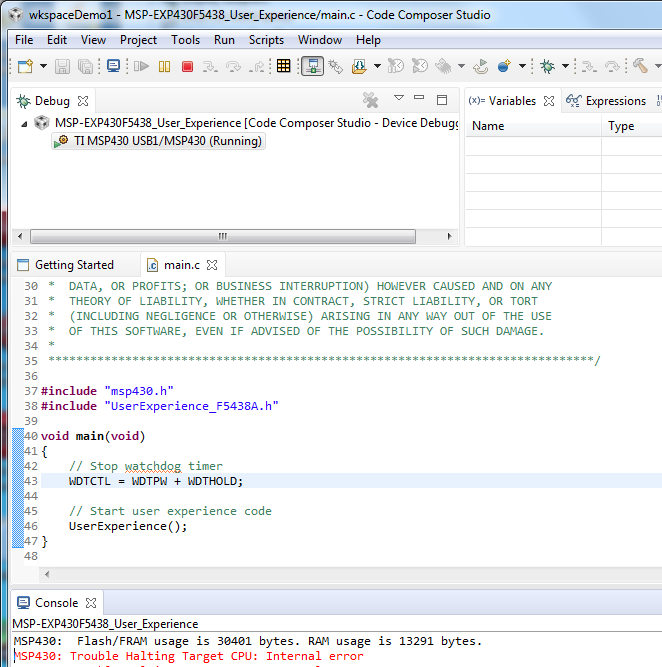
The error message and context can be seen in this screen shot.

I was trying to import the demo project "UserExperienceDemo" which appears on my directory with this structure:

However, I tried a couple of the others with same results.

I am on a Windows 7 64-bit machine.

  • Here is an update and clarification of this problem.
    I started a new project and copied-and-pasted some of the stuff from the sample program into main.c, just to see if I could make everything work. Indeed, I can build a project, load it, and step through it. However, when I try to do the UserExperienceDemo, there are too many side-effects and implications if I try to do it by hand cutting and pasting. So I feel the need to be able to assign a pre-defined project that has all the files, includes, libraries, constants, and so forth set up in their proper places. I think the "meta-data" error message indicates that the project file is incompatible?
  • Tim,

    Your screenshots did not come through. Could you try attaching them again please?

    How did you import the project, was it via the CCS menu Project->Import CCS Projects? And which version of MSPWare are you working with?
  • Not sure what "MSPWare" is. The version of code composer is 8.0.0.00016.

    I tried to load it again and was able to get the project to build this time.

    For the sake of others that have come here with the same problem: you must import through the directory src\CCS, not src\UserExperienceDemo.

    Now I can build and load the code, and single-step. But if I let it go, there is no apparent action e.g. the LCD display does not display anything. Then I can't stop it, getting this message when I try:

    But I am still able to load and stop my LED blinky code, so it is not a fundamental problem with the HW I think.

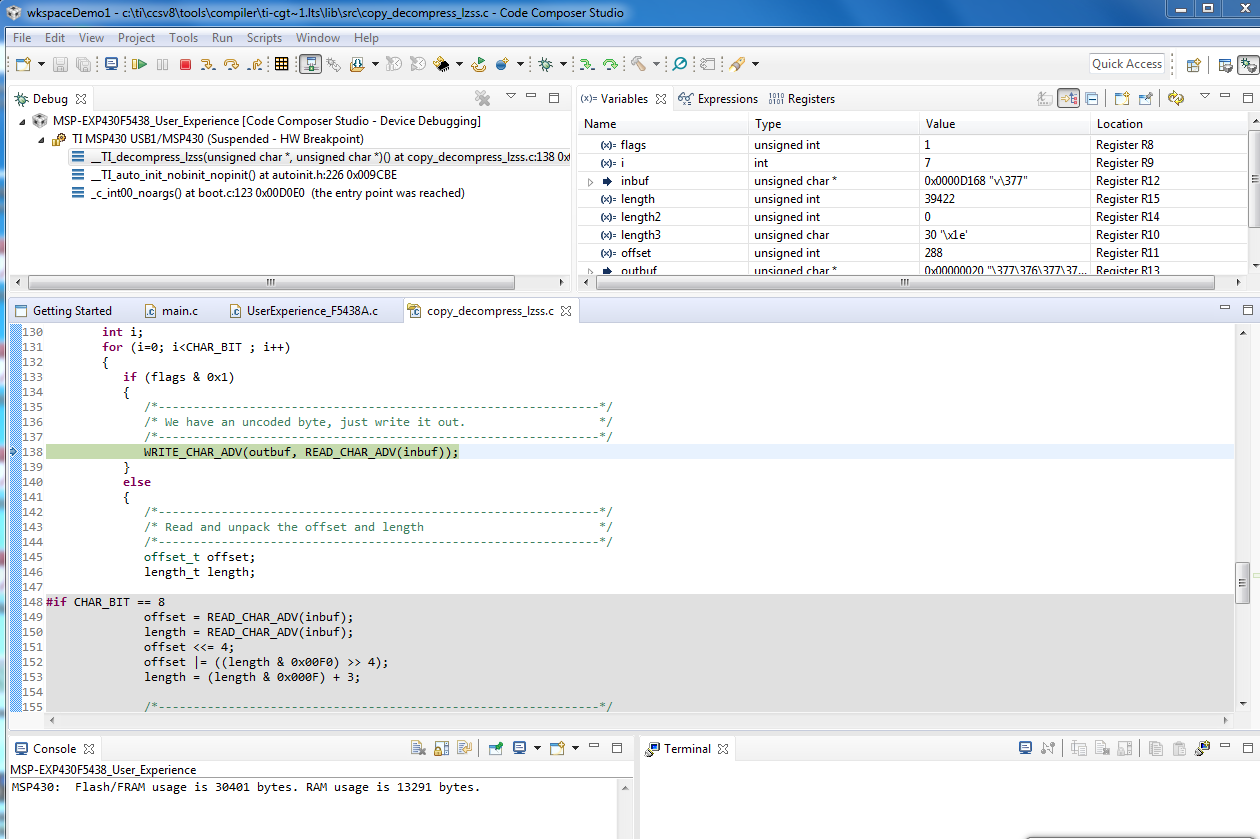
    After many system resets, I did observe another behavior in addition to that one. It looks like once, it ran until reaching a "HW breakpoint." It showed

    My board is version 0-04 while the documentation assumes 0-02. Don't know if this matters or not.

    Tim

  • The screen shots (including the new ones) appear when I am editing, but they disappear when I post.
    I am using the "Snipping tool" and copying/pasting via the clipboard. Is there a standard way to do this?
  • Tim Harris12 said:
    Now I can build and load the code, and single-step. But if I let it go, there is no apparent action e.g. the LCD display does not display anything. Then I can't stop it, getting this message when I try

    Tim, since you are past the build issues and are now on to issues with running the demo, I would request that you kindly start a new post in the MSP430 device forum as the experts there would be able to assist better with questions specific to the demo. 

    With regards to attaching screenshots, it is best to save your screenshots (in a format like .png). Then when posting a reply, click on "Insert Code, Attach Files and more" at the bottom right and use the icon to "Insert/Edit Media" to browse and attach your image file.

  • Yes, good advice. I will do that. Thank you.