This thread has been locked.

If you have a related question, please click the "Ask a related question" button in the top right corner. The newly created question will be automatically linked to this question.

CCS/AM5K2E02: Getting Trace Error "Programming bit is not set" when using ETB trace

Part Number: AM5K2E02
Other Parts Discussed in Thread: 66AK2E05

Tool/software: Code Composer Studio

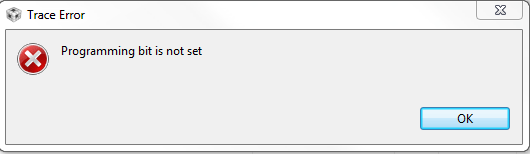
I am trying to use PC Trace with a USB560v2 System Trace debugger to get an export of the program counter during execution. I have set the transport type to "ETB" for core 0 and left all the other settings at their default. When I apply the settings and click on the Run Analyzer button I get a Trace Error that says "Programming bit not set". Attached is the screenshot of the error.

Any ideas what this means and how I can resolve it?

Thanks!
  • Hi,

    At the moment I don't have this specific board to test this functionality, but I will try to get one and reproduce this scenario. It is probably a configuration XML file missing information.

    I apologize for the inconvenience,
    Rafael

  • Good morning,

    Have you had a chance to look into this issue?

    Thank you,

    Nuri

  • Nuri,

    Please apologize for the huge delay on this issue; only now I was able to get a 66AK2E05 board to test this. 

    Unfortunately I can't reproduce this problem in both CCSv7.4.0 and CCSv8.1.0 - the PC Trace finishes its setup correctly and captures the data stream in both versions. 

    Two details that may help:

    - During Trace setup, click on the small Red Arrow to reset everything

    - If that does not work, close CCS and remove the Trace temporary directory at \Users\user\.TI-trace

    These two options should be enough to remove any possible temporary settings that are getting in the way of a good connection.  

    Hope this helps,

    Rafael