This thread has been locked.

If you have a related question, please click the "Ask a related question" button in the top right corner. The newly created question will be automatically linked to this question.

CCS/CODECOMPOSER: How to export data from CCS to a file

Part Number: CODECOMPOSER


Tool/software: Code Composer Studio

Hello,

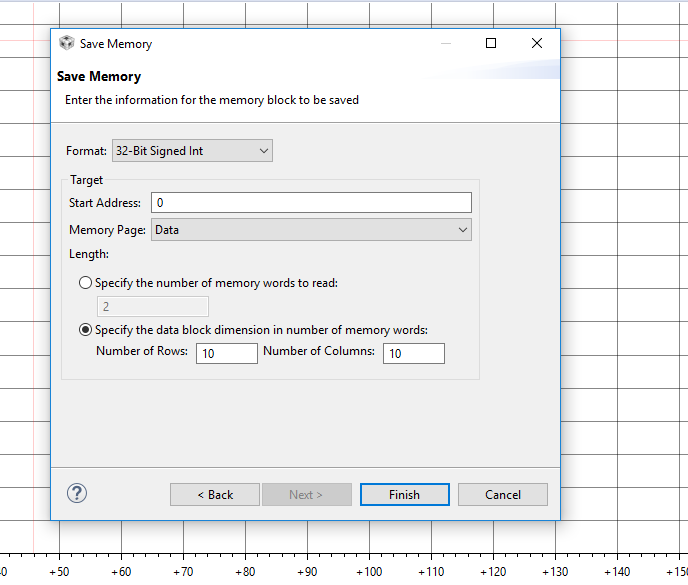
I would like to export data collected from CCS V7 to a file using Tools ->Save Memory. However, I get to the following screen and I am clueless as to what this means. Can someone please explain this window to me or point to a resource that will explain the window I have shown below? I would like the data to be displayed as an integer, so I chose format to be 32-Bit Signed Int. I'm not sure what to put for start address or length.
  • Hi Andrew,
    Check the CCS Help that comes with the product. You can access it under 'Help -> Help Contents'. Once the Help dialog opens, browse to 'Code Composer Studio Help -> Views and Editors -> Memory View'. There are two topics of interest for the 'Memory View'. They are 'Saving and Loading Memory Data Files' and 'Data File Formats'.

    Hope this helps
    ki