This thread has been locked.

If you have a related question, please click the "Ask a related question" button in the top right corner. The newly created question will be automatically linked to this question.

CCS/MSP430FR5969: cannot able to access resource explorer even internet is provided

Part Number: MSP430FR5969


Tool/software: Code Composer Studio

Iam using ccs 7.3 and 7.4 versionss, cannot able to access ti resource explorer,it asking ti rex update . 

for going ti rex update , going for this link http://downloads.ti.com/ccs/esd/tirex/updates/tirex-3.6.10  , site showing site cant be reached .

  • Are you clicking on the link to get that error or do you get the error from CCS when you add the update site?

    I just went through the process on my 7.4 install and here are the steps.

    Get the error:

    I go to the link and copy the url shown.  

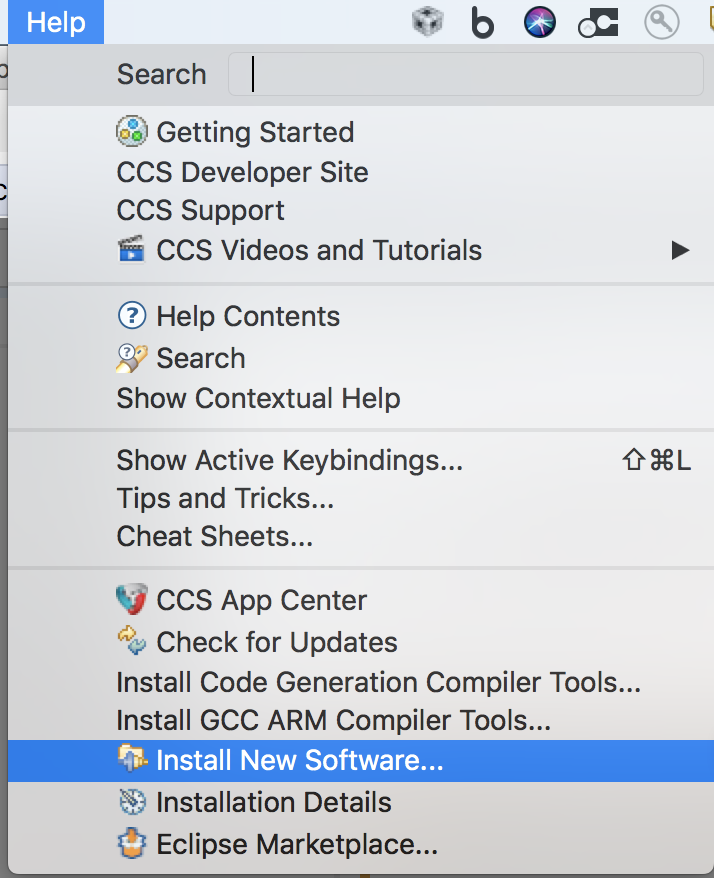
    I go to the help menu and select Install New Software

    In the dialog that opens I put the url in the box at the top and hit enter.  The contents of the update site are shown and I select them and click next.

    I will have to click through a couple more screens and accept a license.  Once I have done that it will install the updates.

    At some point during the install it notices that something isn't signed and prompts me to continue.  I do so.

    When done it prompts me to restart which I do.

    After restart Resource Explorer then works:

    Are those the steps you followed?

    Regards,

    John

  • not solved , not connecting to t hat  url .

  • From what I can tell the url you have entered is incorrect.

    You have entered:

    software-dl.ti.com/.../tirex-6.1.0

    the correct url is:
    software-dl.ti.com/.../tirex-3.6.10

    Just copy and paste the url

    Regards,
    John