This thread has been locked.

If you have a related question, please click the "Ask a related question" button in the top right corner. The newly created question will be automatically linked to this question.

CCS/TMS320F28035: Gui Composer not binding with debug session in CCS

Part Number: TMS320F28035
Other Parts Discussed in Thread: C2000WARE

Tool/software: Code Composer Studio

I started a new project in CCS for the TMS320f28035, and developed a GUI interface for the project with GUI Composer v2. My issue is that I cannot make the global variables in the C code to be seen by GUI Composer, and they show NaN. Its like something is wrong with the XDS interface.

Thanks in advance for any advice you can give me.

  • Could you provide additional details on how you are binding the variable to GUI Composer widget? A screenshot of the widget properties would be helpful. Also how is the variable defined in the C source file?
  • Thanks for your cooperation

    Here you may see the configuration of the binding in Gui composer

    and here you can see how it is declared in CCS

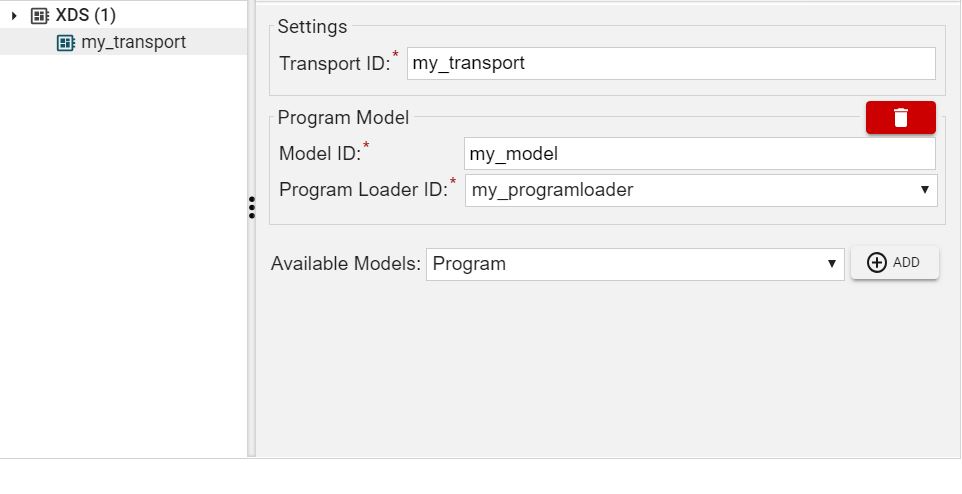
    here you may see the configuration of the target communicatino protocol

    I hope this would be useful for your help

    Regards

    Maximiliano

  • Those configurations look ok.

    What type of widget are you binding the variable to? Do any other bindings work? For example, are you able to bind a global variable to a simple text box and see its value? I just tested this with the timed_led_blink example for F28035 from C2000Ware and it worked fine. I added a couple of global variables to the code that get modified/incremented inside the cpu_timer0_isr. I bound them to LED and text box widgets and when put to run they displayed correctly in the GUI. 

    Could you give this simple example a try to confirm that a basic GUI app is working?

  • Thanks again for your cooperation.

    I actually had done your proposal before and it did work, but could not identify why it was not working with my real project.

    I could solve my issue deleting every target programming and communication config in the Gui Composer project properties window, and deleting every binding, and reconfiguring everything again.

    After all, It worked. In the middle of doing that, I have seen that one of the values of a widget (i have like 30 widgets objects in my project) was not properly configured. I was thinking that maybe that was why the Gui did not worked, do you agree? Maybe it loads the GUI but while implementing the binding to this widget it detected an error and stop working, so then I see the Gui drawn, but not updating?

    Thanks

    Maximiliano