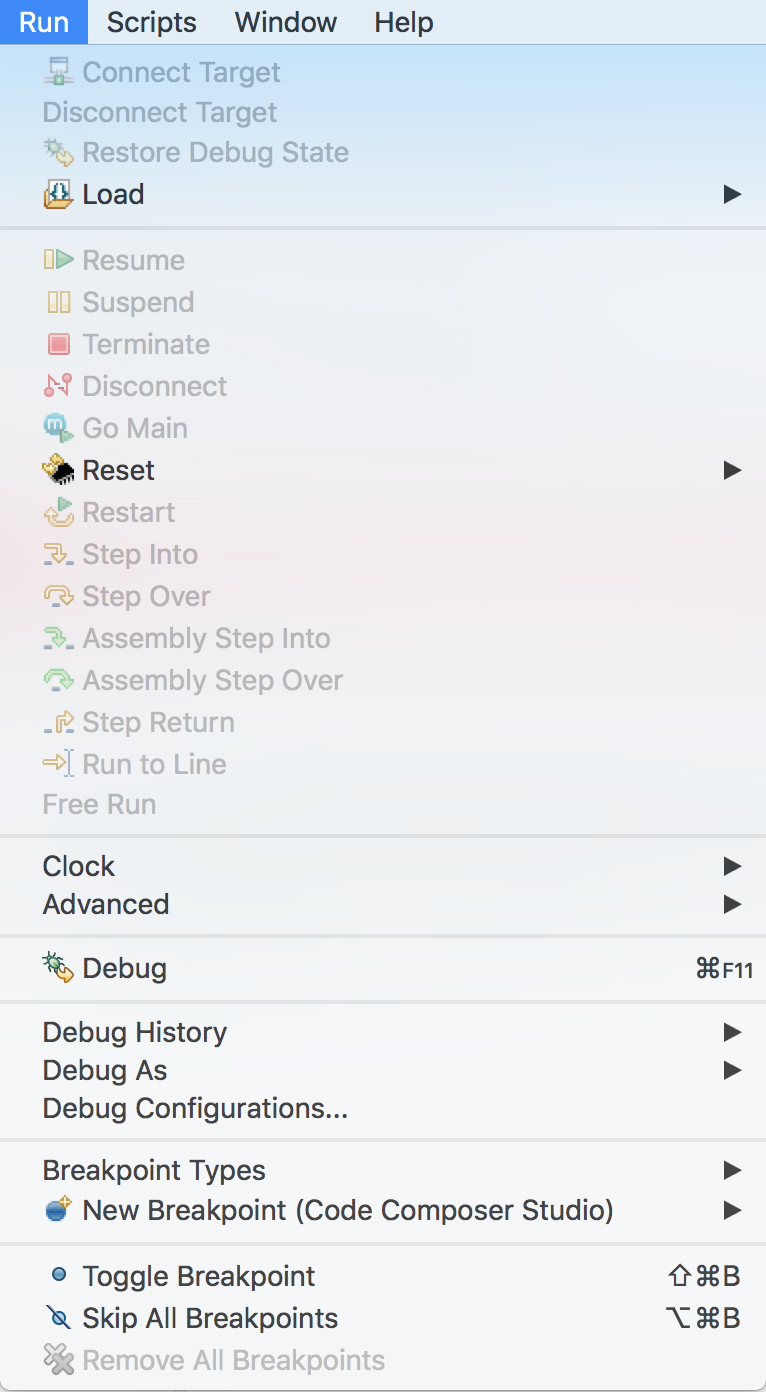
I just started programming with Code Composer Studio. I am using MSP430G2553 MCU. I followed this tutorial, added code to toggle LED and built the project to which I got following output:
**** Build of configuration Debug for project Float Precision ****

"C:\\ti\\ccsv8\\utils\\bin\\gmake" -k -j 4 all -O

gmake[1]: 'Float Precision.out' is up to date.

**** Build Finished ****
After this I am supposed to click on 'Run -> Debug'. However, all options in Run menu are grayed out. I see following:

How do I get a normal menu?
Thanks