This thread has been locked.

If you have a related question, please click the "Ask a related question" button in the top right corner. The newly created question will be automatically linked to this question.

How to enable memory map?

Anonymous
Anonymous


Hi All,

My memory map is disabled by default:
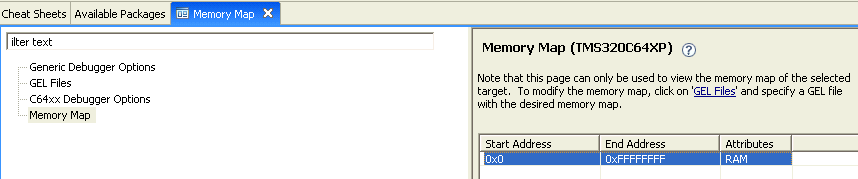


And when I am trying to follow the steps in http://processors.wiki.ti.com/index.php/Memory_map to get it enabled:

Select->CCS->Option->Memory map->enable memory mapping.

I could not find "Option" at first.


Where should I find it? My CCS version is 4.1.2.00027.


Sincerely,

Zheng


  • Zheng,

    That view just shows what your memory map is.  To modify it or to turn it on or off you need to change your GEL startup file.  If you click on GEL Files on the left it will show you what is loaded and you can double click on the file to edit it.  If there is nothing loaded for your target configuration you can take a look at some of the other GEL files provided in the installation.

    Regards,

    John

  • Anonymous
    0 Anonymous in reply to JohnS

    Dear John,

    Got it, thanks.


    Zheng