This thread has been locked.

If you have a related question, please click the "Ask a related question" button in the top right corner. The newly created question will be automatically linked to this question.

CCS: TMS320F28069

Other Parts Discussed in Thread: SYSBIOS

Tool/software: Code Composer Studio

Hello,

I have installed a SYSBIOS 6.73  and I am trying to use RTOS Analyzer and System Analyzer but it showing the Warning / Error message: Could not detect a UIA configuration. 

I do not have installed a ti-RTOS, I've tried to download ti-RTOS but the strange thing is that I haven't found a ti-RTOS for C2000 microcontrollers.

Please, help me to resolve this error.  

Thank you.

  • Chintan,

    There are a few steps that need to be taken before you can have RTOS Analyzer running on the F28069. 

    chintan sharma said:
    I've tried to download ti-RTOS but the strange thing is that I haven't found a ti-RTOS for C2000 microcontrollers.

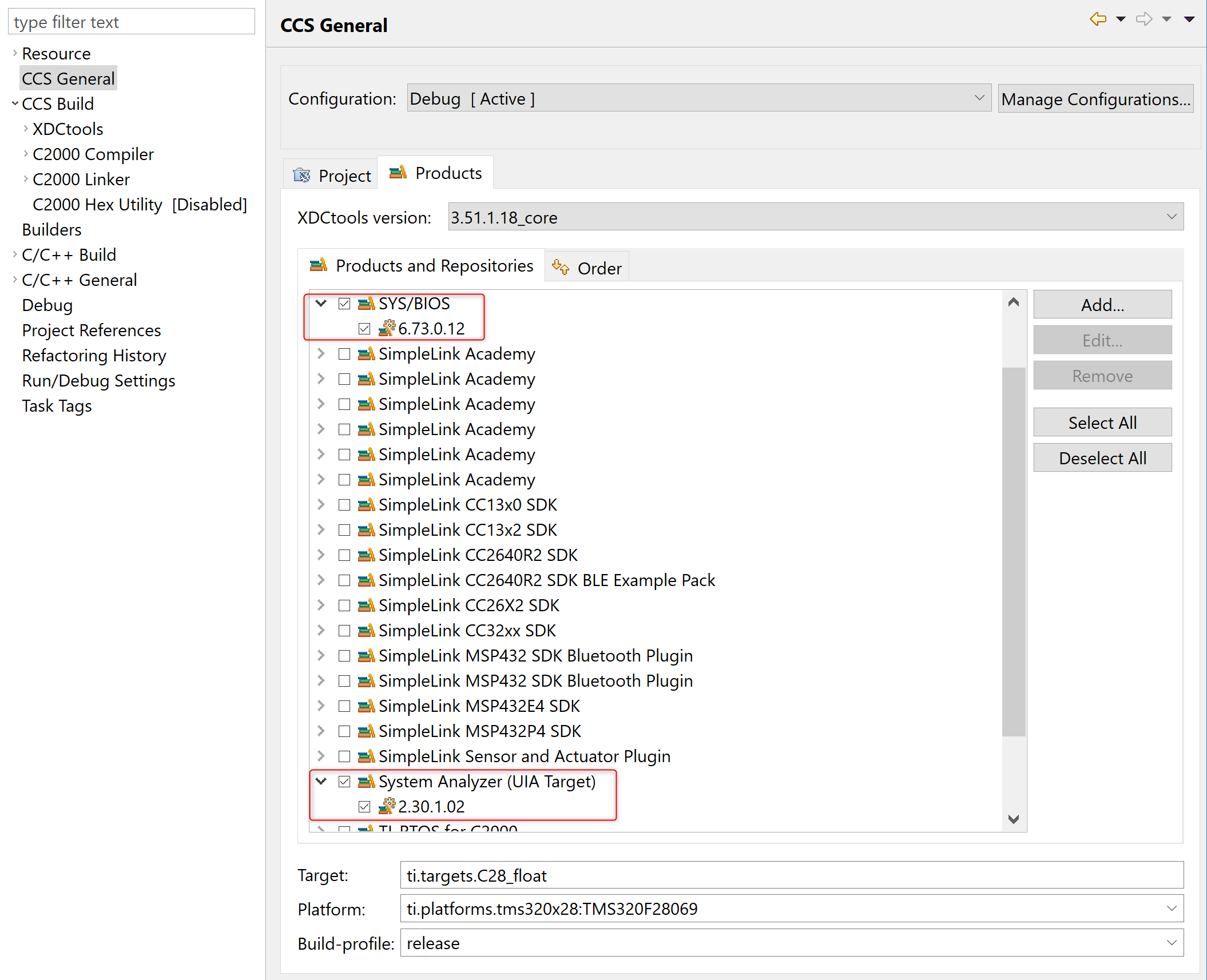
    TI-RTOS for C2000 is mainly focused on the Concerto (F28M3x devices). For other C2000 devices, we recommend using SYS/BIOS along with UIA for instrumentation. Since you already have SYS/BIOS installed, you can download and install UIA from this page. After UIA is installed, make sure that the product is discovered and installed into CCS. Also ensure that both SYS/BIOS and UIA are enabled for your project (under Project Properties->Products tab).

    After that follow the steps in section 5.1 of the System Analyzer User's Guide to enable UIA instrumentation for your project. Please make sure to read the entire section before following the steps as there are a few different ways to enable logging and you may choose the one you are most comfortable with.

    Hope this helps.

  • Thanks for the reply,

    I've downloaded the UIA 2.30.1.02 as you suggest from the link which you provided. But In that Zip there is NO installation file. So, I can't able to install that. 

    Please guide me on this front that how would I install it or add it into my project. Thank you.

  • chintan sharma said:
    But In that Zip there is NO installation file.

    Just unzip the folder uia_2_30_01_02 to c:\ti. Then upon restart of CCS it should discover and install UIA.