


Part Number: PROCESSOR-SDK-AM335X
Tool/software: Code Composer Studio
Hi,
I've been trying to install Processors SDK for AM335X to my Code Composer Studio v8 for a while; however, I've come across the following error that does not clearly specify what the error may be stemming from.
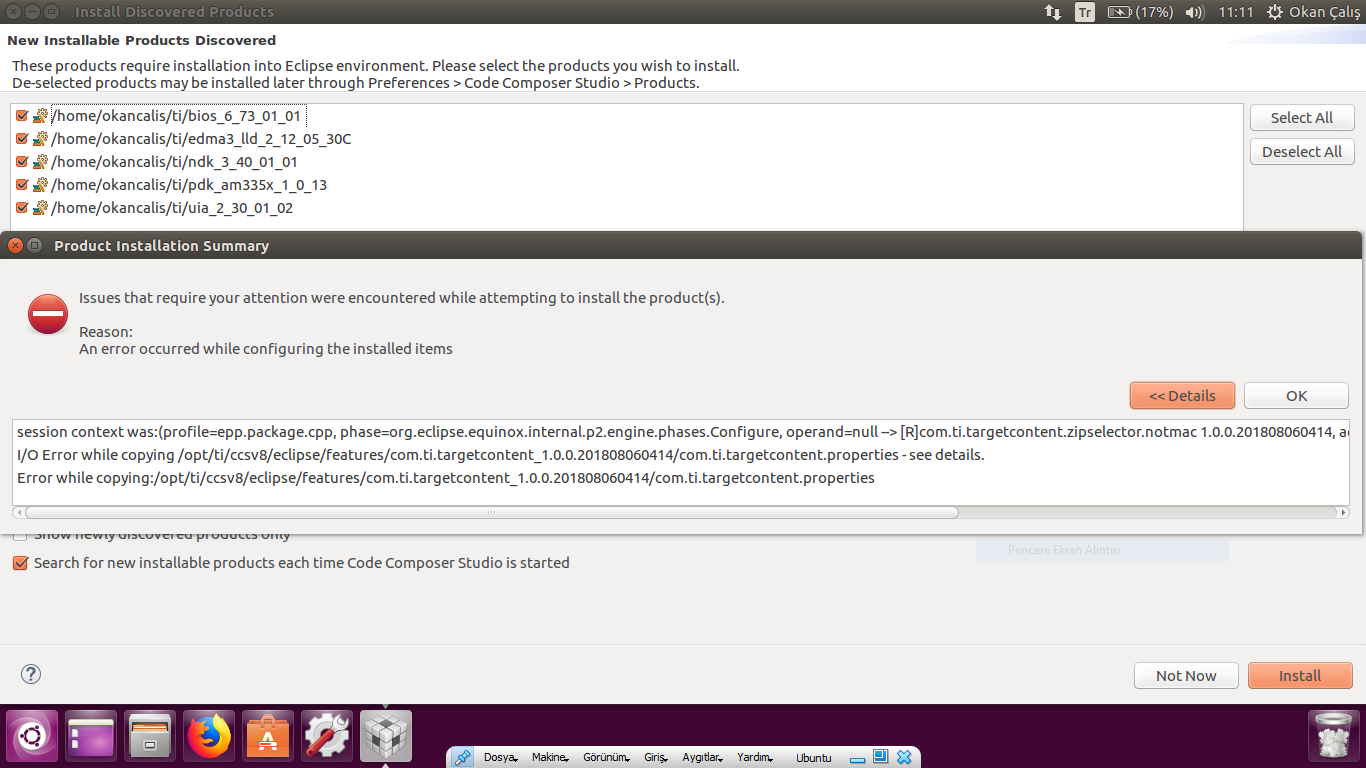
I acquired the Processor SDK from this link:  which includes both Code Composer Studio (v.8.2.0.00007) and TI-RTOS components (SYS/BIOS v.6.73.01.01 and others, as can be seen in the attached screenshot), so I doubt they could be incompatible.
I'm attempting this on my Ubuntu 16.04 virtual machine installed on a Windows PC.
What could be going wrong? Is there any kind of error log etc. that I can include for you to help me solve the issue?
Thanks in advance,
OkCalis

