This thread has been locked.

If you have a related question, please click the "Ask a related question" button in the top right corner. The newly created question will be automatically linked to this question.

CCS: Cannot install CCS 8.3.0 on Ubuntu 18.04.1


Tool/software: Code Composer Studio

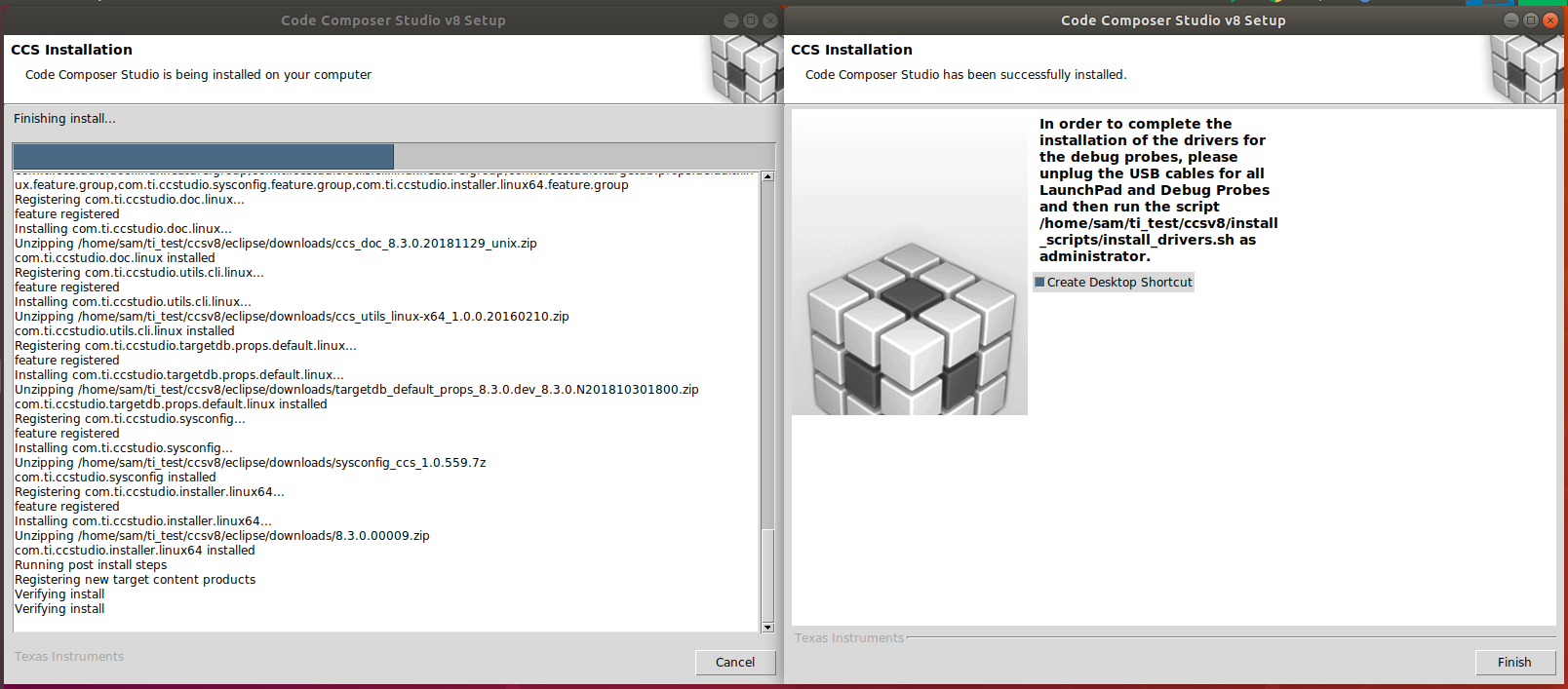
Hi I cannot install CCS 8.3.0 on Ubuntu 18.04.1. It seems the Installation goes well, however, at the end of the installation I cannot click the button "Finish". The button doesn't get clicked and I cannot click anything else.
0552.install_logs.zip

  • Hi,

    Just before I left for the holidays I had this issue under the same conditions (CCSv8.3.0, Ubuntu 18.04.1, installing as user). If I recall correctly, I simply killed the installer as I knew the software was fully installed, but I haven't got around to further analyze this and file a bug report.

    I can't help but wonder if there is a problem when creating the Desktop Shortcut or perhaps a lag between the end of the install operations and the moment the user clicks on the Finish button.

    At any rate, I can test this later today. If this happens again, I will kill the installer (either click on the Cancel buton of the progress window or issue kill -9 <tclsh PID>), wipe the install directory and run the installer again. This second time I will monitor the installation closely and, soon after the finish screen appears, I will try to uncheck the option "Create Desktop Shortcut" and see if it finishes successfully.

    I apologize for the convenience,
    Rafael
  • Hi,

    I was able to reproduce it again in my PC here, but only on Ubuntu 18.04.1 and if I install as a regular user.

    Unfortunately not all machines can reproduce this issue - the tclsh process runs forever at the end of the install.

    Despite the annoyance, the install process is complete at this point and it only requires you to kill the tclsh process and copy the desktop shortcut if you intend to do so.

    To kill the process, from a terminal you can issue the command "top", which should show the tclsh process at the top of the list taking a considerable amount of CPU time. Then, hit the "k" key and type the PID number relative to the tclsh process. After that, type 9 to send the signal "9" to kill the process.

    I filed the bug report CCDSK-3408 for analysis. In about half hour you can check its status in the link SDOWP in my signature below.

    I apologize for the inconvenience,
    Rafael
  • Hi,

    Further investigation found that this issue manifests itself when installing CCS to a place other than the default /opt/ti (if installing as sudo) or /home/user/ti (if installing as user).

    The root cause was not yet found, though.

    Regards,
    Rafael
  • For others following this thread, the root cause of this issue was found to be a timing issue on the tclsh script. The bug is fixed and will be released in CCSv9.0.0.

    I apologize for the inconvenience,
    Rafael