This thread has been locked.

If you have a related question, please click the "Ask a related question" button in the top right corner. The newly created question will be automatically linked to this question.

CCS/CODECOMPOSER: Build Settings Says Cannot Accept Changes When Opened

Part Number: CODECOMPOSER
Other Parts Discussed in Thread: IWR1642, IWR1642BOOST

Tool/software: Code Composer Studio

I am currently writing code for the IWR1642 in CCS.  When I open up the "show build settings" for the project I now get an error message as soon as it comes up.(shown below)
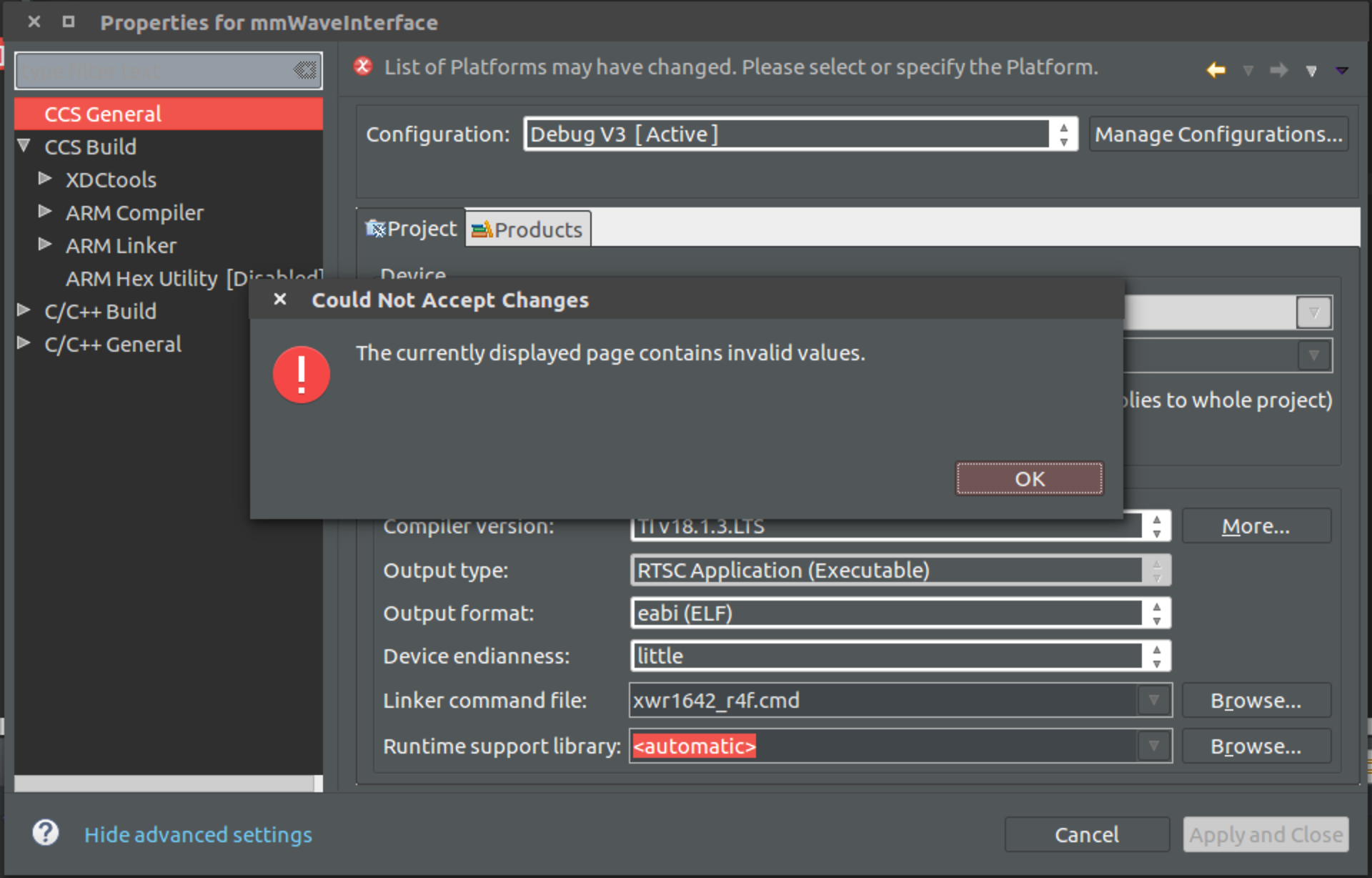
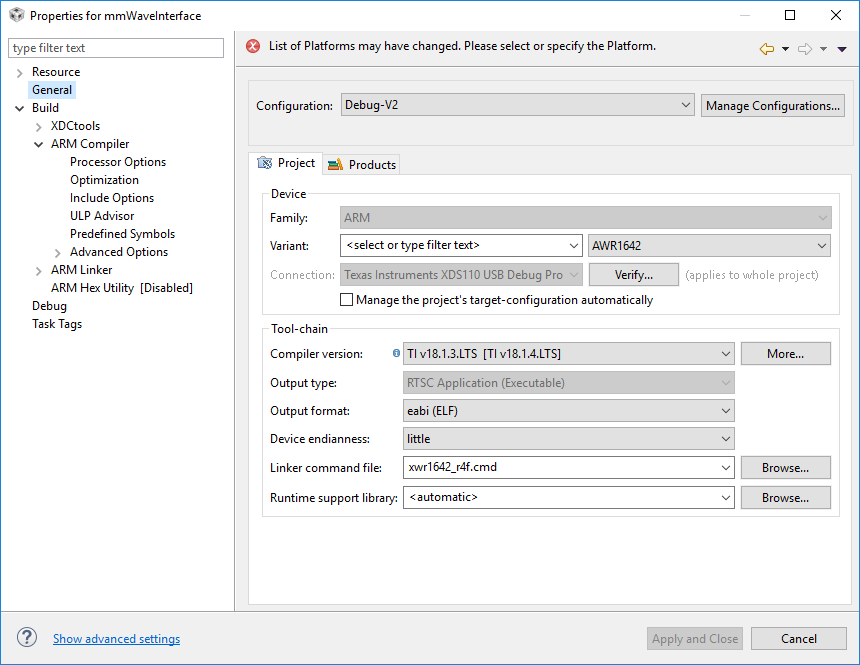
Once I press OK there are no settings on this page that I can change in order to make the "Apply and Close" button clickable.  Below is a screenshot of all of my current settings.

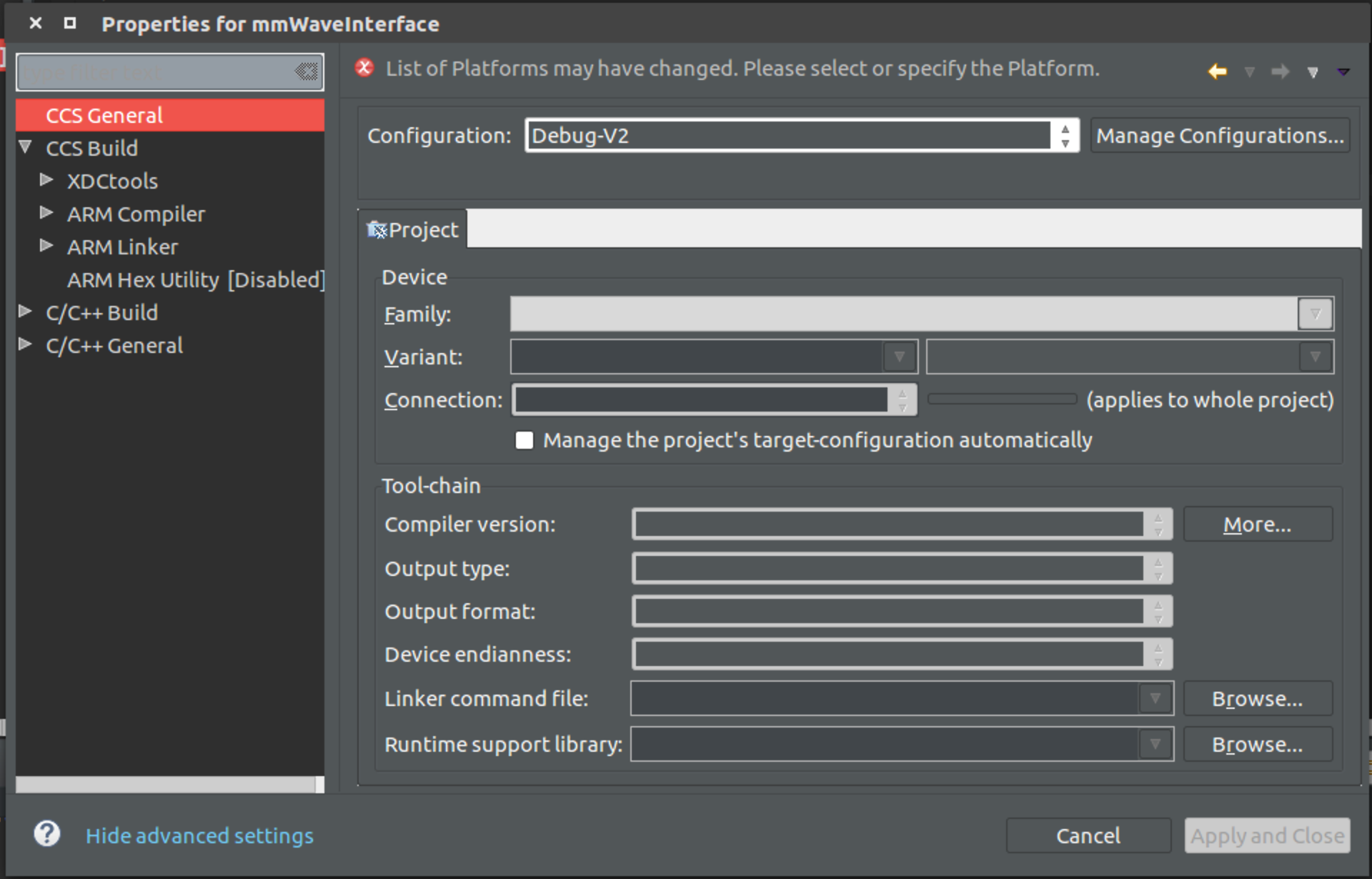
Once here I have tried to go back to earlier debug configurations, but then I get an Index Out of Bounds error and all of the fields are filled in with blanks (shown below)
I am using CCS version 8.2.0 with the IWR1642BOOST, mmwave SDK 2.01 

Thanks,

Davis

  • Davis,

    You appear to be hitting a known issue in CCS 8.2 as described in this thread. The bug is fixed in CCS 8.3, so you can update to 8.3 if you are able, or use the workaround mentioned in the referenced thread if you need to stay on 8.2.

    Let us know if that does not address your issue.

  •  I uninstalled CCSv8.2 and then installed ccsv8.3 and now am still having the same problem (picture is attached).

  • After installing CCS 8.3, did you open your prior 8.2 workspace? If so, could you try opening a new workspace and importing your project into it to check if the issue remains? If the issue persists, could you please share your project so we can reproduce this and look into it? You can zip up the project folder and attach the zip file here. Thanks.
  • I made a new workspace and imported the project over, but the same issue persists. I have attached a zip of my code.  The code will not build as well because i cannot add sdk 2.01 to the project as I cant' get off of the general page.mmWaveInterface.zip

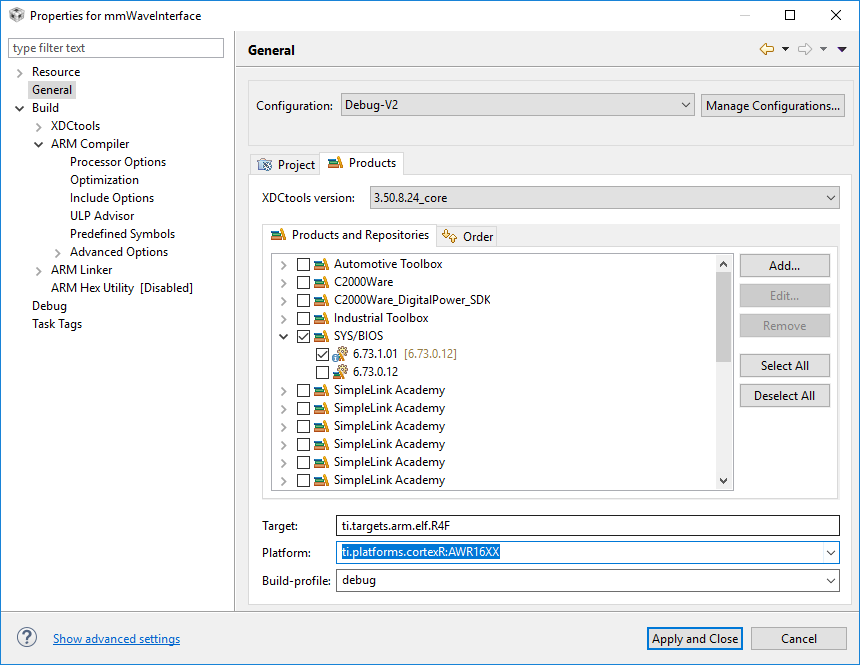
  • Thank you for sharing the project. I am able to reproduce the error and it is related to the Platform field (under Products tab) not being populated for that build configuration. The build configurations that generate the error may have been created with an empty Platform field so when you switch to that build configuration it does not allow you to make any change to the settings until that field is populated. There is also a message displayed at the top to select or specify a Platform.

    After the Platform is selected, there are no errors when you navigate to the other pages. 

    To avoid hitting this in the future, I would suggest starting with a build configuration that has the Platform field populated and then make a copy of that configuration that you can then further customize/edit. 

    Let us know if this helps resolve the issue.