This thread has been locked.

If you have a related question, please click the "Ask a related question" button in the top right corner. The newly created question will be automatically linked to this question.

CCS/CODECOMPOSER: How to create a new MSP432 with sysconfig enabled

Part Number: CODECOMPOSER
Other Parts Discussed in Thread: SYSCONFIG, CC1310

Tool/software: Code Composer Studio

Hi

I have successfully used on of the existing projects gpiointerrupt_MSP_EXP432P4111_tirtos_ccs_syscfg with the SysConfig Tool enabled.

But how can I create a new project from scratch (with CCS New Project) ?

When I add a *.syscfg file , CCS asks me if I want to use the SysConfig Tool. When I say yes, the tool crashes:

Oh snap! It's a Beta...

TypeError: Cannot read property 'push' of null at LaunchFromEclipse.render ....

<snip>

Note that this doesn't happen when I start from an existing template project like the one mentioned above.

Thanks

Peter

  • Peter,

    Peter Vittali said:
    When I add a *.syscfg file , CCS asks me if I want to use the SysConfig Tool. When I say yes, the tool crashes:

    Which CCS version and OS are you using? I did not experience a crash when I did this with CCS 8.3 on Windows 10.

    As an alternative, you could also use the "empty" project as a starting point.

  • Hi AartiG

    I am using CCS 8.2.0 on Linux Mint / Ubuntu 18.
    In fact, I started from an "empty" project ( created with CCS "New CCS Project" wizard).
    I mean "empty" in the sense, that it is what I get once the wizard has finished.

    Thanks
    Peter
  • Peter,

    Thanks for the details. I will try to reproduce it on Linux.

    For "empty" project, I was actually referring to the empty example in the SDK rather than creating a new project using "New CCS Project" wizard.

  • Hi AartiG

    The empty project from the SDK works fine. Maybe the CCS wizard needs an update for SysConf ?

    Many thanks
    Peter
  • Hi Peter, if possible could you install CCS 8.3 and let us know if that crashes in a similar manner as well? You can install 8.3 to a different directory to keep your current installation unaffected.
  •  Hi AartiG

    I just installed 8.3.0 and nothing else, created a new project with "New CCS Project" and added a conf.syscfg file. CCS asked me if I wanted

    to add the SystemConfigTool and the screenshot shows what happened next.

    This is on Linux Mint 18.2 Sonya

  • Peter,

    I still have not been able to reproduce this. I tried on two Ubuntu systems, 14.04 and 18.04.1 and did not see a crash.

    You mention adding a conf.syscfg file. How did you create that file, and how do you add it to the project (drag and drop, copy/paste)? I'm just wondering if I'm missing some detail that triggers the crash, but I believe I tried all those scenarios.

    Does it also crash if you copy/paste the .syscfg file from one of the example projects in the SDK (like the empty example under TI Drivers) into the project you created using the "New CCS Project" wizard? If so, I wonder if it might be specific to the Linux Mint OS.
  • Hi AartiG

    In fact, the crash I have shown is when I create a new file from scratch ( with the Eclipse  "New File"  menu).

    When I copy an existing sys.cfg from another project (here from gpiointerrupt_MSP_EXP432P4111_tirtos_ccs_syscfg) , I get another crash:

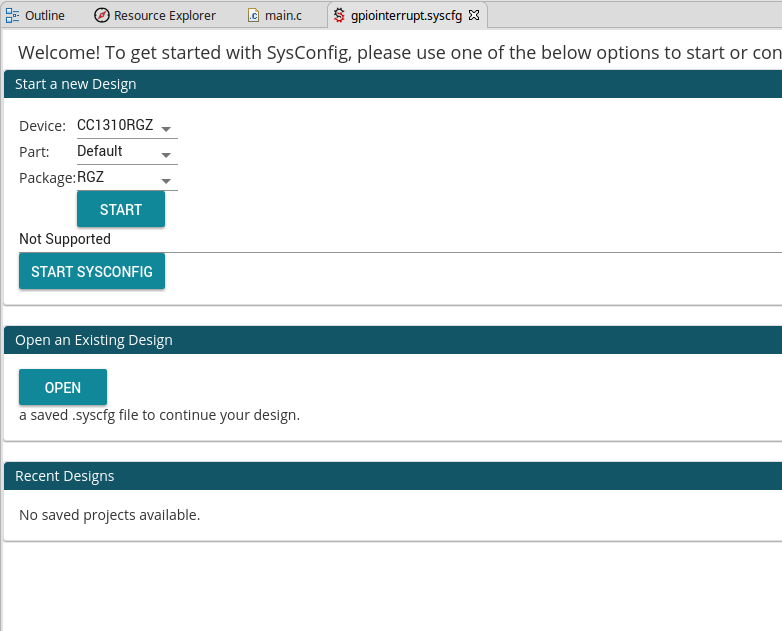
    1) I open the newly copied (with Copy / Paste inside Eclpise/CCS) and I get this:

    This is weird, because the device is not set to MSP432P4111 any more ( but to CC1310)

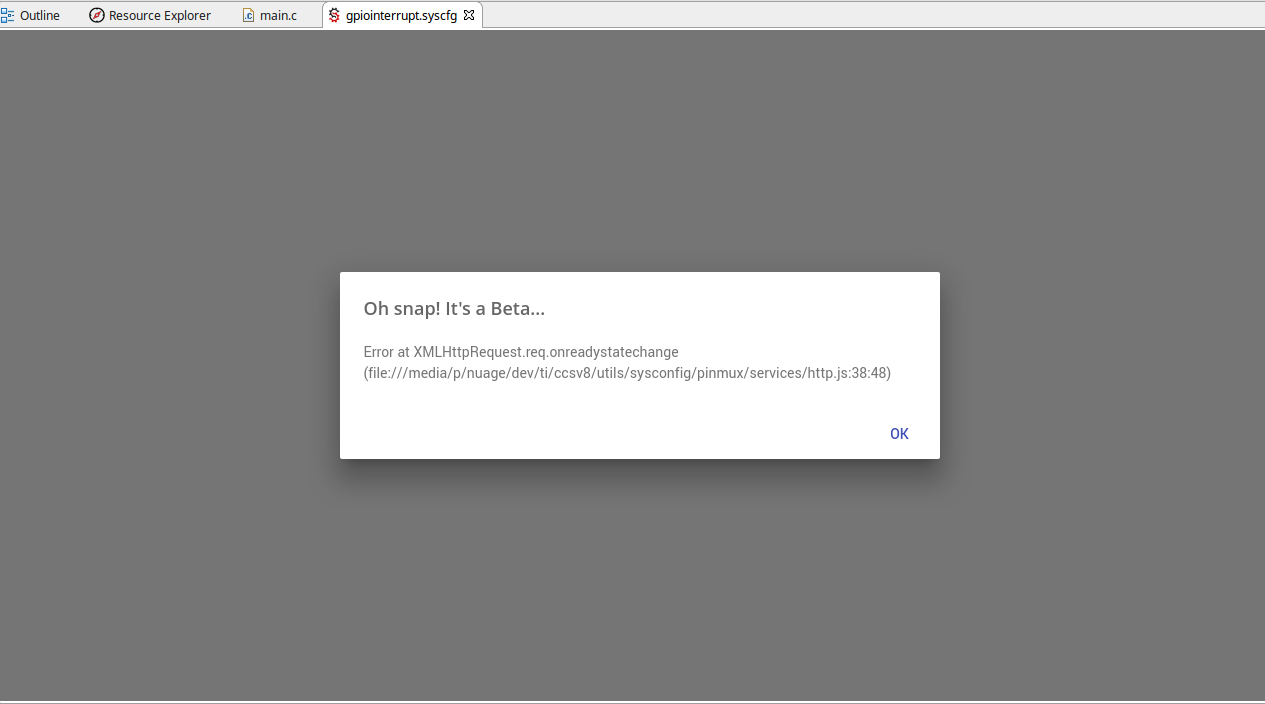
    I then select MSP432P4111 under device and say Start, I get another, slightly different type of crash screen:

    This seem to be related to an Ajax request, so I tried all possible combinations of internal and external webbrowser settings (System, Firefox, Chrome) but the result is always the same

    Thanks

    Peter

  • Peter,

    Peter Vittali said:
    In fact, the crash I have shown is when I create a new file from scratch ( with the Eclipse  "New File"  menu).

    I can recreate the error when I follow your procedure to create the .syscfg file from "New File" menu. Also it seems to happen only for the first .syscfg file newly created for a new project. If I delete the .syscfg file that generates the error, and create another one using the "New File" menu on the same project, it does not generate the error.

    I have filed defect ID PMUX-1782 for us to investigate and fix this issue.

    Peter Vittali said:
    This is weird, because the device is not set to MSP432P4111 any more ( but to CC1310)


    In this case, it is presenting you with a blank sysconfig so you can start designing from scratch. That is why it is defaulting to the first device in the list. 

    Peter Vittali said:
    I then select MSP432P4111 under device and say Start, I get another, slightly different type of crash screen:

    I have not been able to reproduce this error. However, this tool is still in Beta and we are continually working to flush out many of these issues and improve the stability and user experience of the tool. For now, I would suggest using the empty example in Resource Explorer (found inside TI Drivers examples) as a starting point.

    Thank you for your feedback and help in improving our tools!