This thread has been locked.

If you have a related question, please click the "Ask a related question" button in the top right corner. The newly created question will be automatically linked to this question.

CCS/CODECOMPOSER: Can't start out of the box demo for Launchpad MSP432 P4111 on Linux

Part Number: CODECOMPOSER


Tool/software: Code Composer Studio

Hi,

I use CCS 8.2 on Linux Mint 18.2 Sonya. When I try to start the out of the box demo from TIREX I get the install screen asking me to install the browser extension and TI Cloud.

The browser extension is installed ( Firefox 64.0 Quantum), libudev.so.0 is here and the Ti Cloud log is here:

❯ cat /tmp/my_ticld.log
2019-01-21T22:01:11.831Z: main_chrome: Staring directory = /media/p/nuage/dev/ti/TICloudAgent/src
2019-01-21T22:01:11.832Z: Starting Agent!
2019-01-21T22:01:11.844Z: Module( Agent )->Web socket server started!
2019-01-21T22:01:12.365Z: Overridden Proxy =
2019-01-21T22:01:12.372Z: Discovered Module : DeviceDetector
2019-01-21T22:01:12.373Z: Discovered Module : DS
2019-01-21T22:01:12.374Z: Discovered Module : EventBroker
2019-01-21T22:01:12.376Z: Discovered Module : File
2019-01-21T22:01:12.377Z: Discovered Module : Flash
2019-01-21T22:01:12.378Z: rov_server_redirect: looking in: /media/p/nuage/dev/eclipse/dropins
2019-01-21T22:01:12.378Z: rov_server_redirect: looking in: /media/p/nuage/dev/eclipse/plugins
2019-01-21T22:01:12.378Z: rov_server_redirect: looking in: /media/p/nuage/dev/eclipse/Eclipse.app/Contents/Eclipse/dropins
2019-01-21T22:01:12.378Z: rov_server_redirect: looking in: /media/p/nuage/dev/eclipse/Eclipse.app/Contents/Eclipse/plugins
2019-01-21T22:01:12.379Z: Failed to load module : rov_server_redirect.js : Error: rov_server.js was not found (this is expected in cloud)
    at Object.<anonymous> (/media/p/nuage/dev/ti/TICloudAgent/src/modules/rov_server_redirect.js:64:11)
    at Module._compile (module.js:652:30)
    at Object.Module._extensions..js (module.js:663:10)
    at Module.load (module.js:565:32)
    at tryModuleLoad (module.js:505:12)
    at Function.Module._load (module.js:497:3)
    at Module.require (module.js:596:17)
    at require (internal/module.js:11:18)
    at module_1.createModule.then (/media/p/nuage/dev/ti/TICloudAgent/src/host_agent.js:22:42)
    at _fulfilled (/media/p/nuage/dev/ti/TICloudAgent/src/node_modules/q/q.js:854:54)
2019-01-21T22:01:12.420Z: Discovered Module : Serial
2019-01-21T22:01:12.421Z: Discovered Module : TargetSupport
2019-01-21T22:01:12.426Z: Discovered Module : USB-HID
2019-01-21T22:01:12.426Z: Agent main module running on port 43101
2019-01-21T22:01:12.426Z: len=
2019-01-21T22:01:12.427Z:
2019-01-21T22:01:12.427Z: buf=
2019-01-21T22:01:12.427Z: {"port":43101,"version":"4.7"}

Indeed , rov_server.js seems to be missing:

❯ print -l /media/p/nuage/dev/ti/TICloudAgent/src/modules/*.js
/media/p/nuage/dev/ti/TICloudAgent/src/modules/device_detector.js
/media/p/nuage/dev/ti/TICloudAgent/src/modules/dslite.js
/media/p/nuage/dev/ti/TICloudAgent/src/modules/event_broker.js
/media/p/nuage/dev/ti/TICloudAgent/src/modules/file.js
/media/p/nuage/dev/ti/TICloudAgent/src/modules/flash.js
/media/p/nuage/dev/ti/TICloudAgent/src/modules/rov_server_redirect.js
/media/p/nuage/dev/ti/TICloudAgent/src/modules/serial.js
/media/p/nuage/dev/ti/TICloudAgent/src/modules/target_support.js
/media/p/nuage/dev/ti/TICloudAgent/src/modules/usbhid.js

Thanks

Peter

  • Hi Peter,
    What is the exact issue that you are experiencing? Is the issue that you are unable to establish connection to the target, stuck on "Connecting to TI Cloud Agent..."? Or you keep getting prompted over and over to install the browser extension and agent, even though you already did so?

    Thanks
    ki
  • Hi ki

    Sorry, I wasn't clear. When I said:

    "I get the install screen asking me to install the browser extension and TI Cloud."

    I forgot to add: "over and over again, despite the fact, that both items are installed"

    Thanks

    Peter

  • Thanks Peter,
    I didn't have any issues using FireFox Quantum (64.0) but I am using a different Linux distro (Ubuntu 16.04 LTS).

    Can you try Chrome just to see if the issue is browser specific?

    Thanks
    ki
  • Hi ki
    I have tried the chrome version as well.

    Could you perhaps check in your installation if the file

    rov_server.js

    is in dir:

    ti/TICloudAgent/src/modules

    Thanks
    Peter
  • That file is also missing in my TICloudAgent/src/modules folder. Based on the message in the log, this appears to be expected.

    I will have to forward this thread to the engineering team most familar with TICloudAgent for further analysis.

    Thanks
    ki
  • The rov_server.js message is expected and would not be causing any issues.

    I'd like to make sure you are not running into a proxy issue.  Cloud agent tries to resolve the proxy settings itself and this usually works. If, for some reason, the proxy cannot be resolved automatically, it can be manually overridden.  If you open the proxy.js file in the TICloudAgent/utils folder you will find a statement like exports.proxy = ""; .  Assuming you are using a proxy, could you chang this to reflect your proxy settings and then refresh the cloud portal web page?  The statement should something look like 

    exports.proxy = "http://user:password@example_host.com:80";

  • Hi AndyW

    I am not using a proxy.

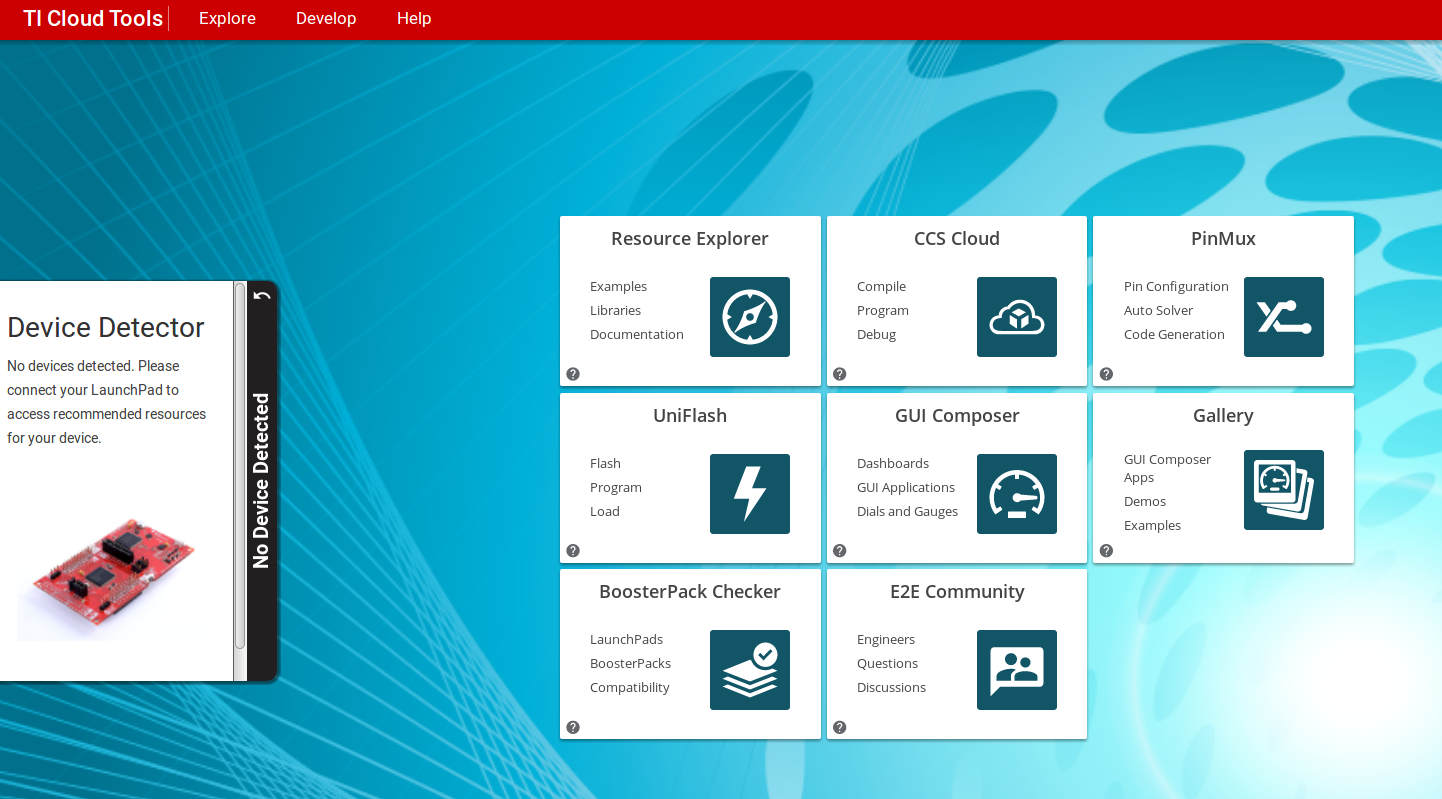
    I just reinstalled cloud agent on another computer (with  no launchpad connected) and both chrome and firefox seem to recognize it:

    Whereas TIREX continues to prompt me over and over again:

  • Hi Peter,
    Sorry for the delayed reply. It appears something specific to the environment of that specific PC. We are at a loss in regards to what else could be the issue. We may need to setup some webconference (webex) so a developer can take a look at your PC. Is this an option for you?

    Thanks
    ki
  • hi ki

    Thanks for getting back to me. I have never worked with webex but I suppose this would require me to set up some firewall things to grant access ?

    Another option would be for me to set up a virtual machine in VirtualBox with a fresh Linux Mint install and if I can reproduce the error here, it would be

    easy to share the virtual machine.

    Whatever option is easier ... What do you think

    Thanks

    Peter

  • Peter Vittali said:
    Thanks for getting back to me. I have never worked with webex but I suppose this would require me to set up some firewall things to grant access ?

    There is a one-time setup required for your browser when you first attempt to join your first webex meeting. It takes a few minutes and that should be it

    Peter Vittali said:

    Another option would be for me to set up a virtual machine in VirtualBox with a fresh Linux Mint install and if I can reproduce the error here, it would be

    easy to share the virtual machine.

    This could be an option if it is not too much trouble for you to do, and assuming we can reproduce it here when we run the vm. It is always best if we can reproduce an issue in house.

    Thanks

    ki

  • Hi ki

    I am going for the virtual machine option as it allows me to narrow down the problem. I'll be back in a couple of days.

    Many thanks

    Peter

  • Thanks Peter. I appreciate your efforts in helping us with out investigations.
  • Hi Ki

    After some investigations on different computers, I found the following:

    The MSP432P4111 out of the box cloud demo works only if - instead of running it from the Resource Explorer - I use Chrome ( 63.0).

    More precisely, within tirex, before the demo starts to run inside eclipse, I click on "Run in external browser". 

    The demo works partially in Firefox 64.0 , for example , I can flash the program and set the blinking rate. However the LED wheel doesn't show up and none of LCD

    demos works.

    This suggests that my local install is OK (otherwise it wouldn't work with Chrome) but that there are issues with the Linux version of the clould integration.

    Very impressive demo, BTW !

    Thanks

    Peter