This thread has been locked.

If you have a related question, please click the "Ask a related question" button in the top right corner. The newly created question will be automatically linked to this question.

CCS/MSP430FR4133: Missing driverlib' v2.91.8.00 Version, Unable to Build

Part Number: MSP430FR4133
Other Parts Discussed in Thread: MSP430WARE

Tool/software: Code Composer Studio

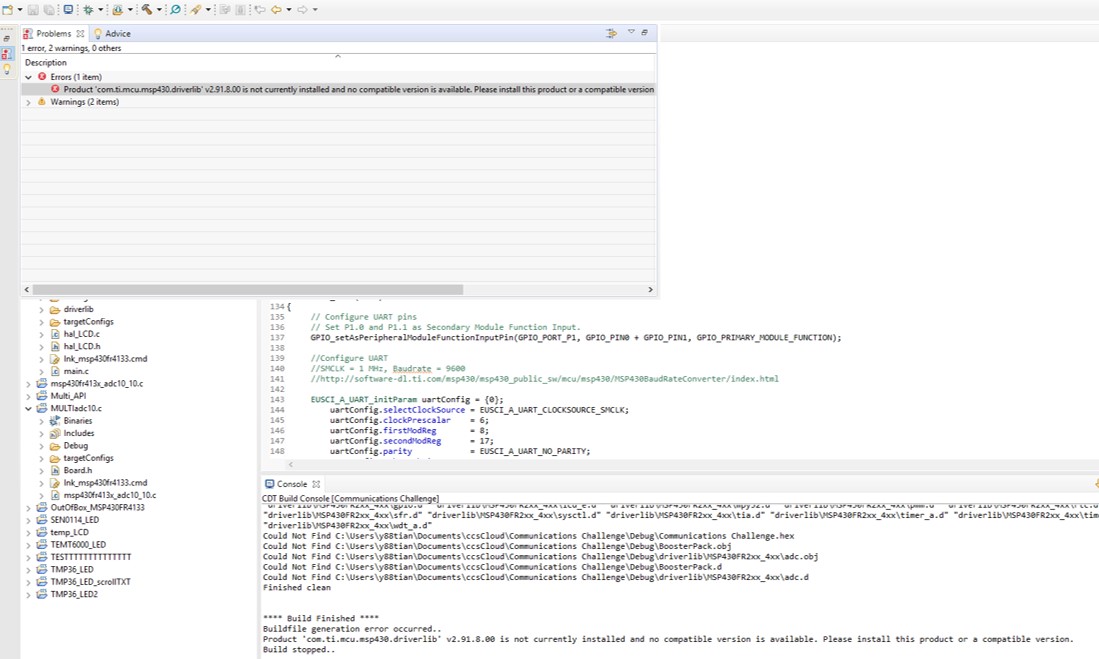
I am unable to build my project because of this error message. I can't find any information on how to resolve it. Has anyone gotten this before or know how to go about it? I'm on CCS Desktop version 8.3. Thanks.  
  • Yunfei Tian said:
    I'm on CCS Desktop version 8.3. Thanks. 


    Your statement above and Console log are a bit inconsistent.

    Assuming that your ptoject is on CCS v8.3.0 desktop, issue is like this: 
    Your project needs driverlib v2.91.8.00
    This lib is a part of the product called msp430ware v3.80.05.04

    The easiest way to install TI product I know is like this: 
    1. go to View -> Resource Explorer
    2. find MSP430Ware, select v3.80.05.04, use an icon on the right to version number to download and install this product

    Build your project.

  • I downloaded msp430ware_3_80_05_04. When you said "install this product" do you mean taking its driverlib folder and adding it to my CCS project? I copied driverlib v2.91.8.00 folder but am getting the same error.  

  • Diverlib is part of a product, as I said in my previous.
    You need to install MSP430Ware product according to the instruction from my previous post.
  • Sorry, I think the question I should've asked was how to install msp430ware_3_80_05_04.

    I was able to download the folder for v3.80.05.04 but I couldn't find any "set-up" file to launch.

    The only time I saw the option "download and install" MSP430Ware was through CCS's Resource Explorer, but that only had v:3.80.06.03.
  • Yunfei,

    After you install MSP430Ware you can go into Resource Explorer (CCS menu View->Resource Explorer) and from there navigate to the Empty Project inside Driver Library and import it into CCS.

    This will give you an empty project starting point that is already configured to use driverlib source files. From here, you can add your custom source files and other settings.

    Hope this helps.

  • Yunfei Tian said:
    I was able to download the folder for v3.80.05.04 but I couldn't find any "set-up" file to launch.

    From where did you download the folder?

    There are couple of ways to download and install MSP430Ware:

    1) From http://www.ti.com/tool/mspware - here you will get a .exe installer that you can run to install it
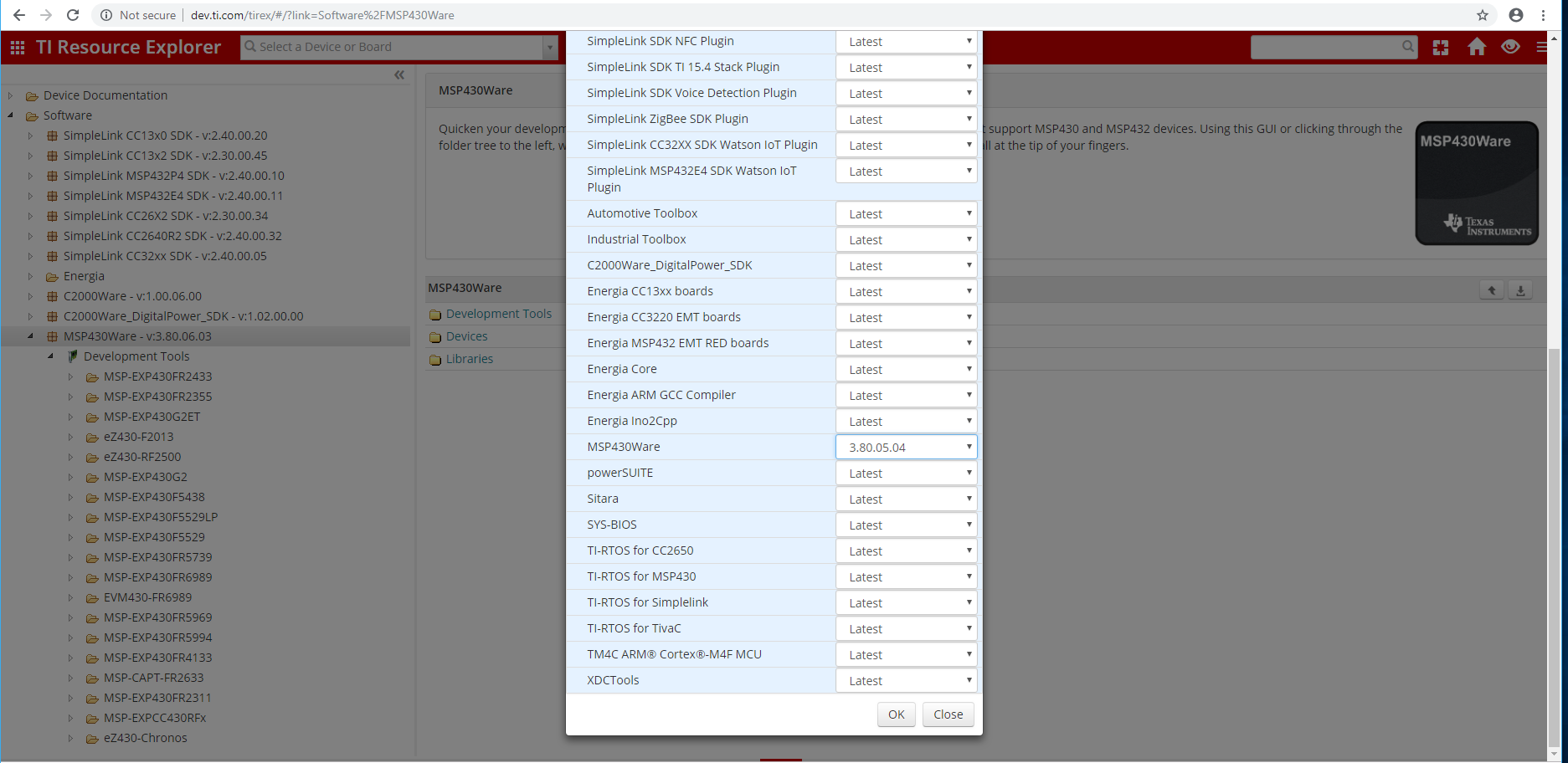
    2) From CCS Resource Explorer - here by default the latest version is shown in the left pane under Software. To choose a specific version, click on the Home icon at the top of the view, scroll down to MSP430Ware and select the desired version from the drop-down list (screenshot below). Then go back to the left pane, select MSP430Ware (it should show the new version you selected), and click on "Download and install". 

  • seems that the newest MSP430Ware has arrived after my response.

    Go to this link:dev.ti.com/.../

    Get "Package picker", the icon on the left to the "Home" icon and select the version you need.

    If you use default TI installation paths, all should be o.k.