This thread has been locked.

If you have a related question, please click the "Ask a related question" button in the top right corner. The newly created question will be automatically linked to this question.

CCS/TMS320F28035: How Connect CLA Debuger

Part Number: TMS320F28035


Tool/software: Code Composer Studio

Dear Support Team,

II'm in the process of programming the C2000. We are using the following controller:
TMS320F28035PAG
I have this programming adapter in the lab:
XDS100v2 USB Debug Probe

The problem I have is that I can't set any breakpoints in the CLA.
I'm thinking it's because he's not connected.

Unfortunately I don't know what I'm doing wrong or how I can connect them.

Below you see a picture which show the problem.

I hope you canhelp me.


Regards

Sascha


  • Sascha

    I am a bit worried about the error message shown in the console but lets ignore that for now.

    To connect the CLA select it in the Debug View. Basically in the area you have circled in your screen capture select the the line "Texas Instruments XDS100v2 USB Debug Probe/CLA_0" then click on the connect button on the toolbar. It is a few buttons over from the Red terminate button.

    Regards,
    John
  • Hi John,

    The error measage was from an other problem or mistake I was made.....

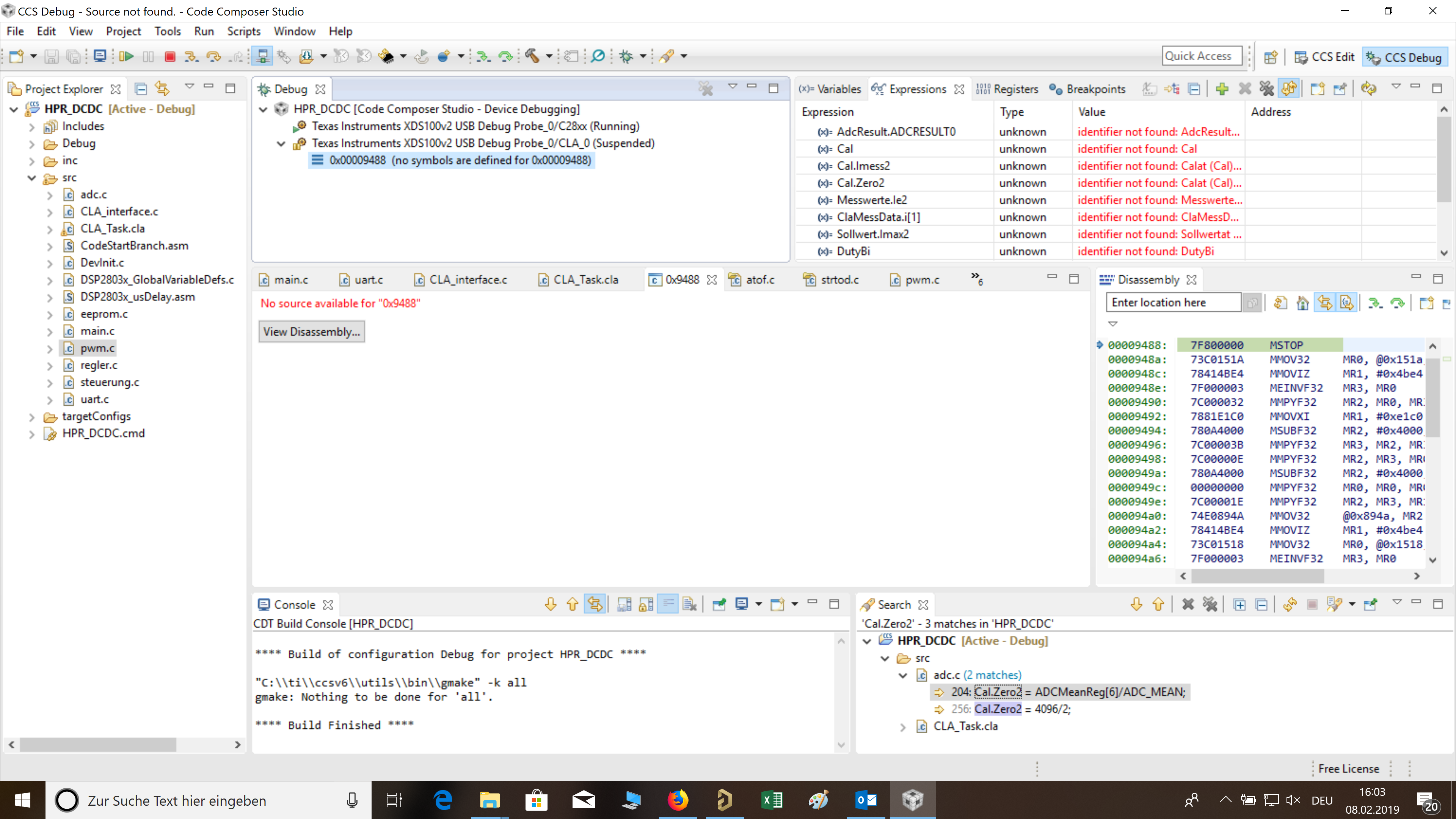
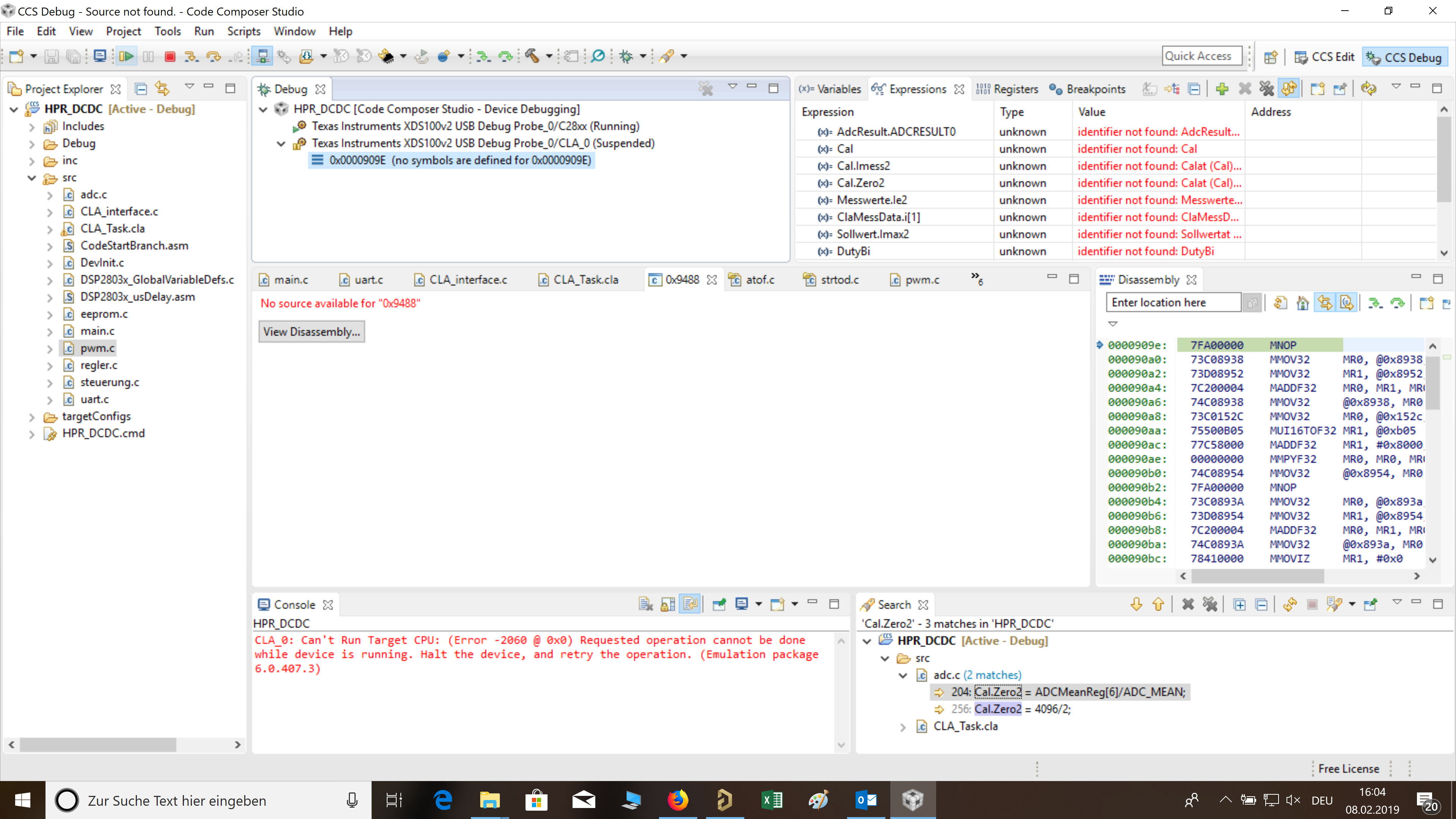
    I have try it, but now I get an other error measage, I have make some pictures:

    Is this what you mean?

    After connected I get no source avilable...

    After press start I get the error below. I migth I forgett any imoprten point inside the setting or generall inside the code.

    The CLA-Code basicaly work, we get it also work without the debuger, but with debuging it would be easier some times :-)

    Thank you for help.

    Have a nice weekend.

    Regards

    Sascha

  • Sascha,

    After connecting to the CLA you will need to load the symbols for the program to be able to effectively debug. I have not worked with CLA myself. I believe you can do typical stepping operations but breakpoints behave differently depending on the version of the CLA present in the device.

    I found a video here that goes through how to debug the CLA.
    training.ti.com/cla-hands-workshop-part-4-debugging-cla

    Regards,
    John