This thread has been locked.

If you have a related question, please click the "Ask a related question" button in the top right corner. The newly created question will be automatically linked to this question.

CCS/TIDA-00120: TIDA-00120 GUI: source code building issue

Part Number: TIDA-00120


Tool/software: Code Composer Studio

hi,

I am working with TI solar MPPT Charger controller(TIDA-00120).related to this download source code from www.ti.com/.../TIDA-00120 and import this source code to ccs8.0 ,then  build the code when i see an error message related to save problem.how to solve this issue
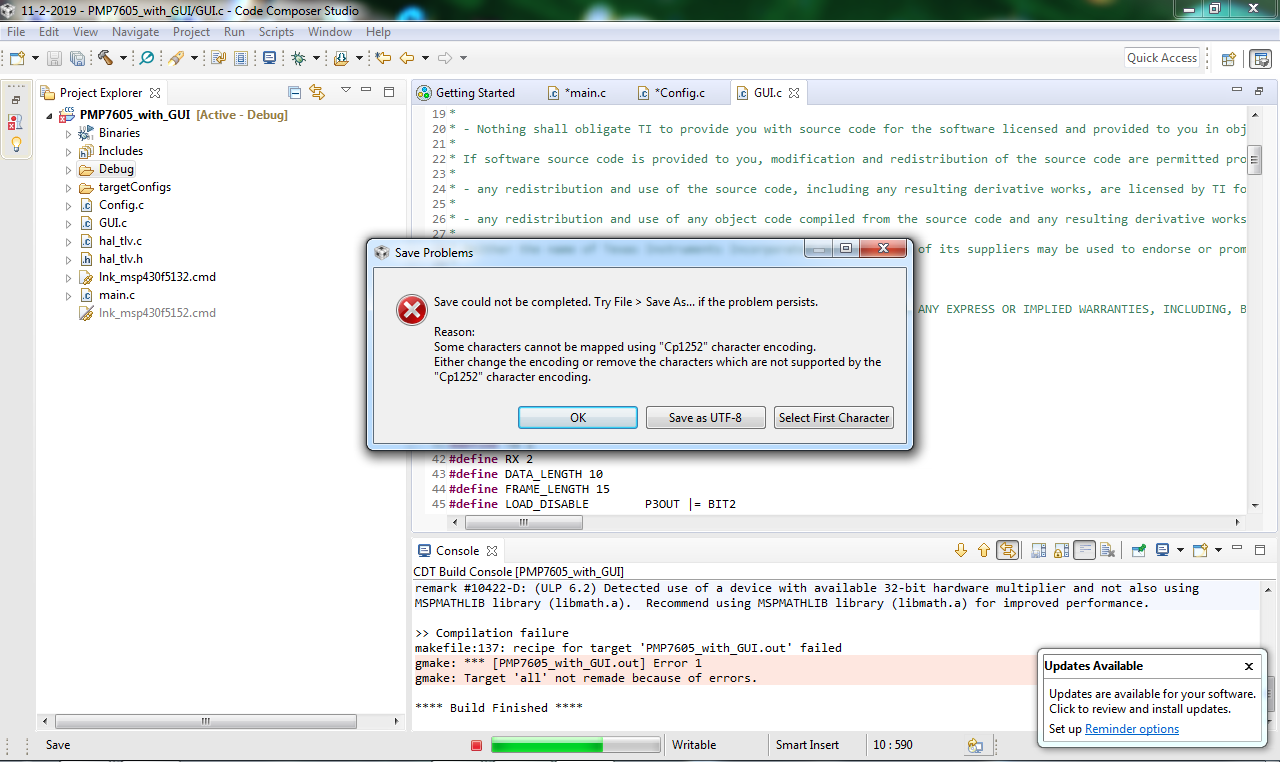
  • I can see the same when I modify one of the example files and try to save. They have been created with CP1252 encoding. Just click on the button "Save as UTF-8". Once you do that you that you won't see it anymore for that file. However if you modify a different file you will get the same dialog and have to click the button again.

    I don't know why the encoding is like that. I will try to find the team that created this example and bring it to their attention.

    Regards,
    John
  • Looks like the files have special characters in them that the default encoding in CCS does not like. Switching to UTF-8 in CCS lets it accept the characters.
  • Hi John,  


    Thank you very much for your effort !  

    aju