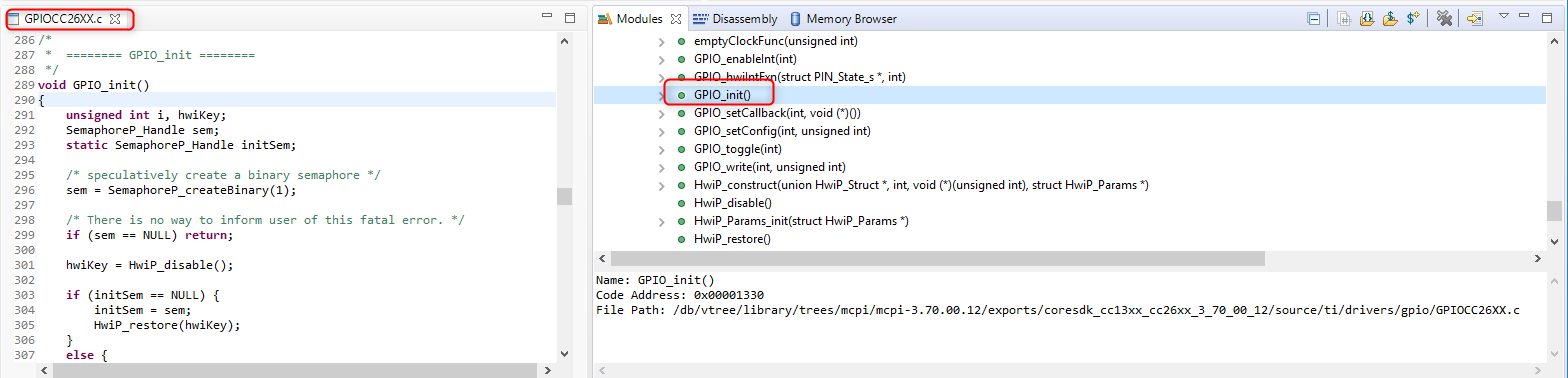
Part Number: CODECOMPOSER
Other Parts Discussed in Thread: CC2640R2F
Tool/software: Code Composer Studio
I'm new to Code Composer. We are trying to get some code written for a CC2640R2F processor on a custom designed board, NOT a standard TI SDK board.
So we need to be able to look at some of the basic TI source code, but are unable to do so. For example, we cannot see what the GPIO_init() code is doing. We cannot see what Board_initGeneral() is doing. We can call them. We can compile them. But we can't see what's inside them, specifically to perhaps modify the source code or copy it and modify it for our own use on our own custom designed board.
Is the source code for basic functions like these available? Or perhaps they are only available as libraries to compile into user code? If they are available, how can we see the source code for them?
If the source code for these low level functions are NOT available to the user, does that mean that if we don't know for sure what's in them, and perhaps can't use them, that we have to develop our own low level code for functions like GPIO_init() from scratch?
Thanks for any assistance you can give.