Tool/software: Code Composer Studio
Hello
This is becoming really annoying - but code composer (v8.3.0.00009 on 64-bit Windows 10) has a very slow response in too many situations:
(1) Mark occurrences - when i click on a variable etc in the editor, it is many tens of seconds before it and all occurrences are highlighted.
(2) Windows such as "Preferences" or "Show View" where you "type filter text" to narrow down the choices - it takes a very long time for this to work, if it works at all.
(3) As (2), filtering for keys in the "Preferences > Keys" window.
I found another thread about (1) e2e.ti.com/.../716970 and following that I turn off-then-on "mark occurrences" to speed up the response (a workaround, but not ideal), but have found no way round the others.
As suggested, I tried the "-clean" option, after which (2) might be fixed for one time, but then reappears. Index rebuild was no help in fixing (1).
This is a problem on at least 3 PCs with CCS 8.3.0 and Windows 10. I have tried going back to CCS 5 (which I used to use) and all is OK (although not officially supported on W10).
HELP!
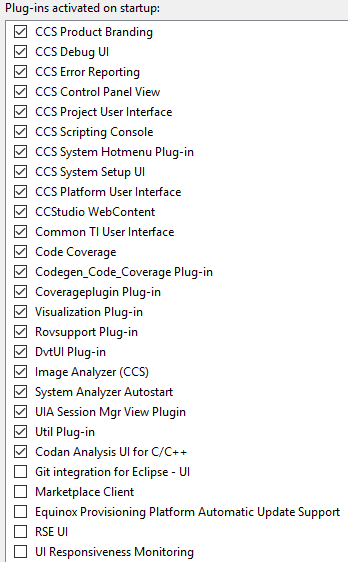
Are there any add-ins I could turn off?