This thread has been locked.

If you have a related question, please click the "Ask a related question" button in the top right corner. The newly created question will be automatically linked to this question.

MSP430FR6879: MASS ERASE in Uniflash

Guru 16770 points

Part Number: MSP430FR6879
Other Parts Discussed in Thread: UNIFLASH, MSP-FET

Hi

I have question for the following commands.
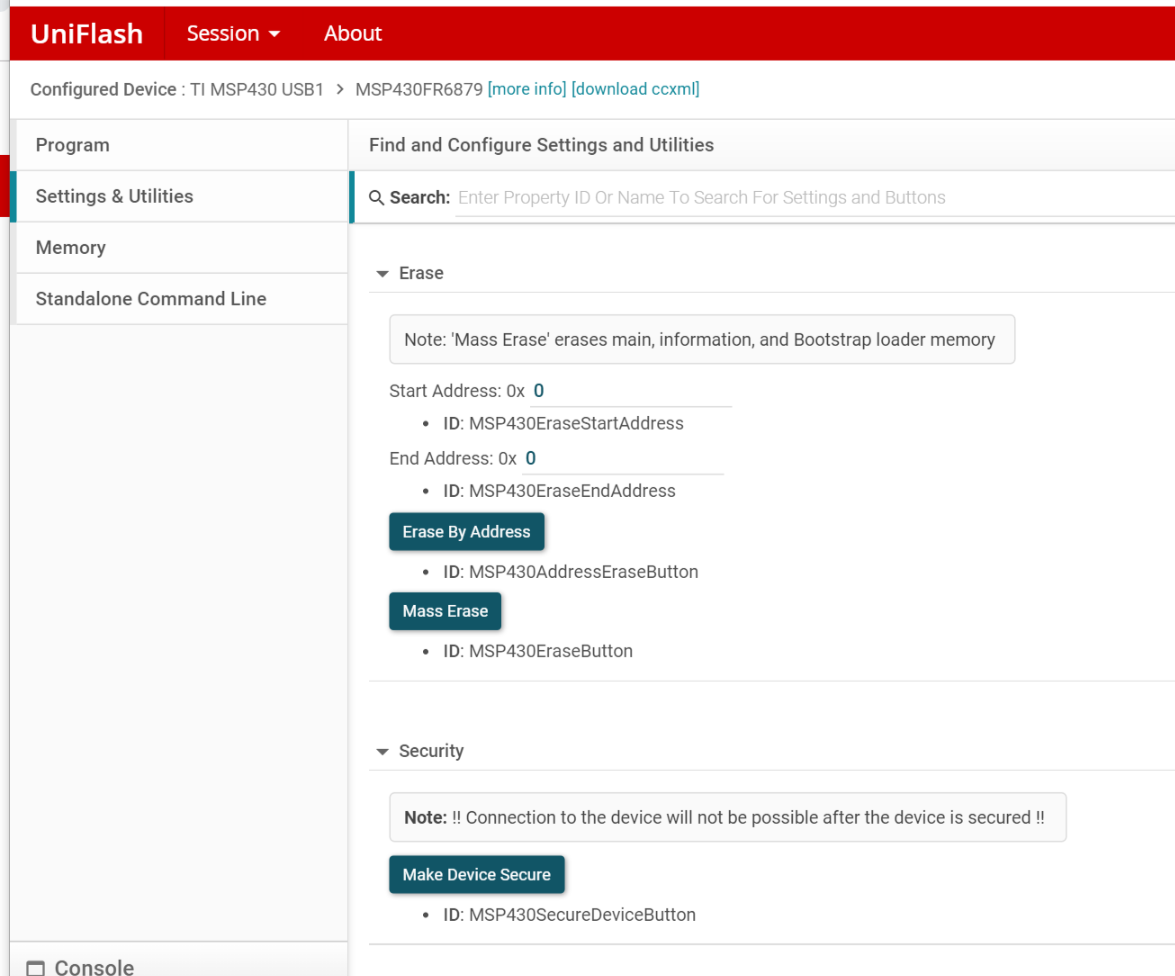
1. "Make Device Secure" button

Could it be used for enabling e-fuse of MSP430FR6879?

2. "MASS ERASE" button

Could it be used for MASSERASE for unlocking JTAG that is locked by E-fuse?

3. If MASSERASE button is used for unlocking JTAG, do we need particular tools and particular connection to MPS430 BSL pins?

BestRegards

  • Hello,

    Thank you for reaching out about more information regarding the "memory" and "security" features of Uniflash. Please give me some time to reach out to the team supporting this tool and I will get back to you with their feedback. Thank you for your patience!

    Best regards,

    Matt
  • Regarding GUI, someone  from TI will clear this up, but...

    MSP430FR6879 can be mass erased (MAIN_ERASE 0x1A1A or TOTAL_ERASE 0x1B1B) by SBW / JTAG mailbox system if device is not locked. If device is locked than can go back to factory (mass erased) state only by BSL using BSL connection (TEST / RESET / RX / TX) and related tool (USB / UART bridge or MSP-FET).

  • I just received confirmation to go ahead and pass this thread along to the CCS forum, where a TI employee will better be able to assist you with your questions regarding using the GUI. Thank you again for your understanding as we get this thread passed on to the correct forum.

    Best regards,

    Matt
  • Hi zrno

    Thank you for advice.

    Since our customer checked "Make Device Secure" accidentally, then JTAG access has been locked.
    Even more unfortunately, their board does not have BSL pin to be used for BSL access now, so we have to make BSL pins out of board.

    I think it would be useful that uniflash can be used for JTAG lock/unclock without password.

    BestRegared
  • Hi Matt

    Thank you for your cooperation.
    Could you please show me a new link about my question in CCS forum?

    I'm looking forward to answer.

    BestRegard
  • Here is the link to the thread in the CCS forum: e2e.ti.com/.../781837

    Best regards,

    Matt
  • Thank you for your reply.

    Oh, I didn't notice my question had already moved to CCS forum.
    I'm looking forward to reply from support team.

    BestRegards
  • Hello,

    Answering your questions,

    na na78 said:

    1. "Make Device Secure" button

    Could it be used for enabling e-fuse of MSP430FR6879?

    In a word, yes.

    More specifically, it will modify both the JTAG Signature1  (at address 0xFF80) and the JTAG Signature2 (at address 0xFF82) to 0x5555. See the excerpts from MSP430FR687x(1) Mixed-Signal Microcontrollers datasheet as well as MSP430FR58xx, MSP430FR59xx, and MSP430FR6xx Family User's Guide below.

    na na78 said:

    2. "MASS ERASE" button

    Could it be used for MASSERASE for unlocking JTAG that is locked by E-fuse?

    In a word, no.

    You need an unlocked JTAG interface for that "MASS ERASE" button in UniFlash. If your JTAG interface is already locked then you cannot use it.

    na na78 said:

    3. If MASSERASE button is used for unlocking JTAG, do we need particular tools and particular connection to MPS430 BSL pins?

    As described in the document excerpts above, the only way to unlock the device in this case is to use the BSL to overwrite the JTAG signatures with anything other than 0x5555 or 0xAAAA. One easy way to do this is to do a mass erase by BSL, so that the JTAG signatures will be erased to 0xFFFF and JTAG interface will be unlocked.

    You will need a MSP430-BSL programmer ("BSL Rocket") or a MSP-FET for BSL. For more information about BSL, please see the Bootloader (BSL) for MSP low-power microcontrollers page.