A related question is a question created from another question. When the related question is created, it will be automatically linked to the original question.
If you have a related question, please click the "Ask a related question" button in the top right corner. The newly created question will be automatically linked to this question.
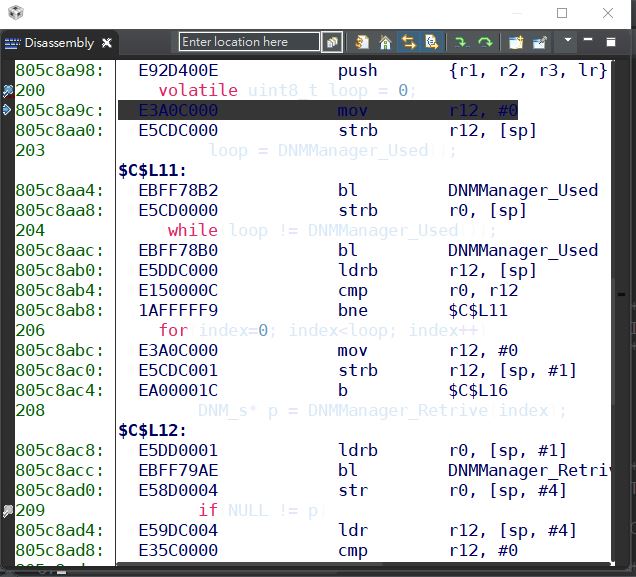
CCS: How to change shaded color on the assembly instruction that is about to execute in the disassembly window?
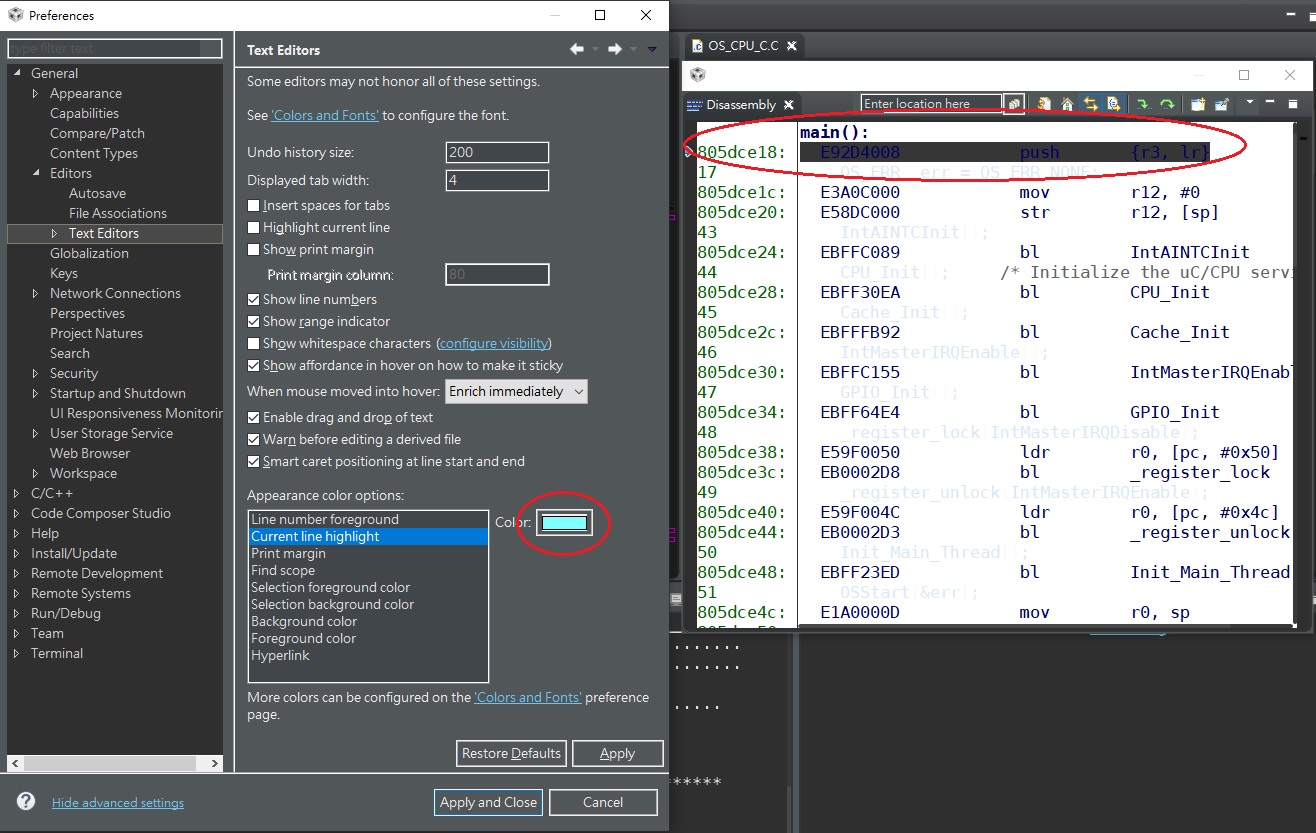
There are 2 settings. One for highlighting the current line. i.e. where your cursor is placed. This one impacts the editor and the disassembly view. That option is here (at the bottom):
That one impacts the line with the { in the editor and the printf line in the disassembly view in this capture.
For the line with the program counter in the disassembly window that option will change when I switch "Themes" in CCS but I don't see a way to change it directly. This is a bug filed with Eclipse tracking this but there is no resolution:
Using the Linux dark theme looks a little better on my machine but not much:
I installed the Color Theme plugin from the Eclipse market place. Using that I was able to apply some other settings that make it a lot better. That may be worth trying:
You can install this by going to Help. Select Eclipse Marketplace. Then search for theme and it will be the first result.
There are 2 line highlight instances that can occur. One is for the line that is selected in the view. i.e. where your cursor is located. The second is for the line where the program counter is. The selected line color can be changed in the preferences dialog. The PC line can only be changed by the theme. I would suggest installing color theme plugin and then trying some of the themes there like the minimal one in my capture.
To change the colouring using for the line where the PC is you have to change the theme. I would suggest trying the color theme plugin.