This thread has been locked.

If you have a related question, please click the "Ask a related question" button in the top right corner. The newly created question will be automatically linked to this question.

CCS: 9.0.1.00004 update problems

Other Parts Discussed in Thread: CCSTUDIO

Tool/software: Code Composer Studio

I am trying to update my current Windows 64-bit CCS from v 9.0.0.00018 to v 9.0.1.0004.

The update fails and the log shows:

2019-04-24 07:16:16.111: found manifest file c:\ti\ccs900\ccs\eclipse\downloads\ccs_manifest.xml
2019-04-24 07:16:16.112: copying ccs_update_9.0.0.00018_win64.exe
2019-04-24 07:16:16.113: in copyFiles, copying utils to downloads
2019-04-24 07:16:16.113: copyFile: c:\ti\ccs900\ccs\eclipse\utils\ccs_update_9.0.0.00018_win64.exe to c:\ti\ccs900\ccs\eclipse\downloads\ccs_update_9.0.0.00018_win64.exe
2019-04-24 07:16:16.698: ccs_update_9.0.1.00004_win64.exedoes not exist, copying to utils folder
2019-04-24 07:16:16.698: copyFile: c:\ti\ccs900\ccs\eclipse\downloads\ccs_update_9.0.1.00004_win64.exe to c:\ti\ccs900\ccs\eclipse\utils\ccs_update_9.0.1.00004_win64.exe
2019-04-24 07:19:23.946: Main: Find file to run c:\ti\ccs900\ccs\eclipse\downloads\ccs_update_9.0.1.00004_win64.exe
2019-04-24 07:19:23.958: Main: exec cmdargs[0] cmd.exe
2019-04-24 07:19:23.958: Main: exec cmdargs[1] /c
2019-04-24 07:19:23.958: Main: exec cmdargs[2] c:\ti\ccs900\ccs\eclipse\downloads\ccs_update_9.0.1.00004_win64.exe
2019-04-24 07:19:23.958: Main: exec cmdargs[3] --list-updates
2019-04-24 07:19:23.959: Main: exec cmdargs[4] true
2019-04-24 07:19:23.959: Main: exit code 0
2019-04-24 07:19:26.682: general exception Unable to read repository at software-dl.ti.com/.../content.jar.

Any ideas?  I am behind a proxy/firewall on a corporate network.

Thank you

Subu

  • Hi Subu,
    Did you try the suggestions in the troubleshooting steps? Also note that the part regarding the proxy setup
    software-dl.ti.com/.../ccs_troubleshooting.html

    Thanks
    ki
  • Yes, I did. The proxy settings are set to Native as described.

    Just the fact that it downloaded the update using CCS (when it notified me of the available update) tells me
    that the proxy settings are OK.

    As detailed in the log I included in my earlier message:
    general exception Unable to read repository at <a href="software-dl.ti.com/.../content.jar
    is the issue. I have no idea "what" exception this "general" exception refers to from the jar file.

    Thank you
    Subu
  • Please provide ALL the installation logs.
    software-dl.ti.com/.../ccs_diagnostic-logs.html

    Zip up the folder and attach it to this thread

    Thanks
    ki
  • Hello,
    I haven’t heard back from you, hence this issue is being closed. If you wish to continue the discussion, please post a reply with an update below (or create a new thread).

    Thanks,
    ki
  • Sorry for the delay. I was out of town. Here is the zip file of the install_logs directory.

    The 20190327120458 is the initial 9.0 version install done on March 27.

    The 20190424071657 is the one for the 9.0.1 update.

    The only file I get in the install_logs directory for the update is ccs_setup_9.0.1.00004_install.log

    Elsewhere on the e2e site I have read that I should probably just install the new version completely instead of trying to update.

    I haven't tried that method yet.5270.install_logs.zip

    Thank you

    Subu

  • Hi Subu,

    When you say the "update failed" what did you see? Did it give you an eclipse popup with some information? Could you by any chance have said "no" when it asked you to restart eclipse? 

    Can you take a look in the eclipse/downloads folder and list what you see there?

    Thanks,

    Danish

  • I tried updating just now again and have different problems. It either gets errors or doesn't even find the update anymore.

    First I got a "computing size" error. So I cleaned up the cache as described at software-dl.ti.com/.../ccs_troubleshooting.html

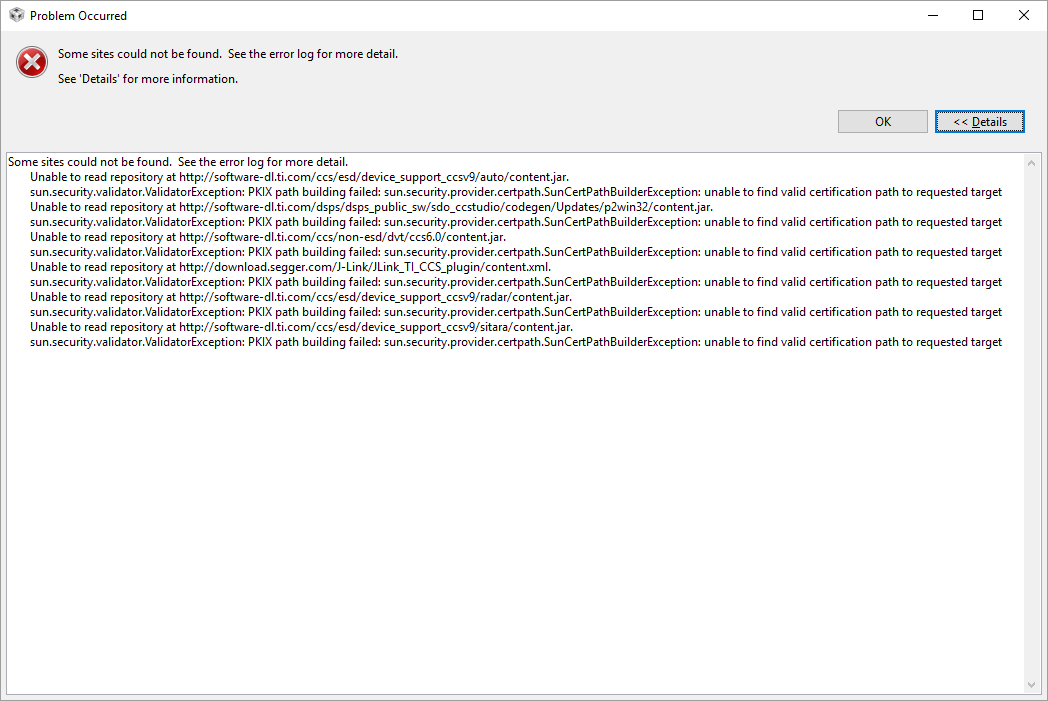
    Then I chose to update CCS from Eclipse itself as I did the first time. I get:

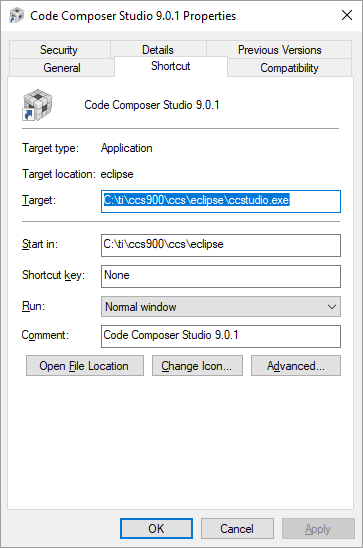
    And interestingly, a new shortcut saying CCS 9.0.1 appears on the desktop but it points to the older version of CCS. (Misleading shortcut).

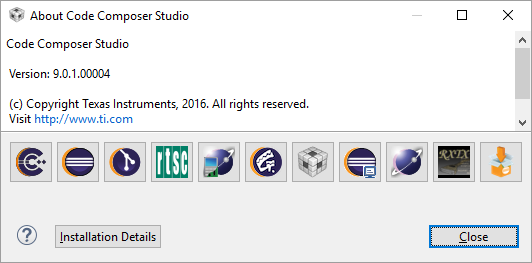
    The version of that ccstudio (the current one installed) is 9.0.0.0018

    If I attempt to restart ccstudio and attempt the update again from within it, I now get "no updates found".

    So I went ahead and downloaded the entire 901.zip file and ran the installer. It ran successfully, I have it updated now.

    It looks like the "update" mechanism from with CCS is not working properly and is not consistent at all.

    Subu

  • Subu Rama said:
    Then I chose to update CCS from Eclipse itself as I did the first time. I get:

    That error has been reported in the past. It is something we don't have a good answer for. Please see:

    https://e2e.ti.com/support/tools/ccs/f/81/t/745390

    Subu Rama said:

    And interestingly, a new shortcut saying CCS 9.0.1 appears on the desktop but it points to the older version of CCS. (Misleading shortcut).

    The version of that ccstudio (the current one installed) is 9.0.0.0018

    This will happen if you do an incremental update from 9.0.0 to 9.0.1. It will update the CCS in the 9.0.0 directory. The directory name remains the same. As for the version number in the Help, that should change. I'm not sure what happened there.

    Subu Rama said:
    If I attempt to restart ccstudio and attempt the update again from within it, I now get "no updates found".

    I think the update was successfully installed, just the version number not properly updated. I think it may have to do with the error messages you saw earlier. While the CCS update worked, other updates did not. This may have screwed up the update process (like not updating version numbers)

    Subu Rama said:

    So I went ahead and downloaded the entire 901.zip file and ran the installer. It ran successfully, I have it updated now.

    It looks like the "update" mechanism from with CCS is not working properly and is not consistent at all.

    We are working on improving the update process. But yes, the best way is installing a full install for now.

    Thanks

    ki