Part Number: LAUNCHXL-CC26X2R1
Tool/software: Code Composer Studio
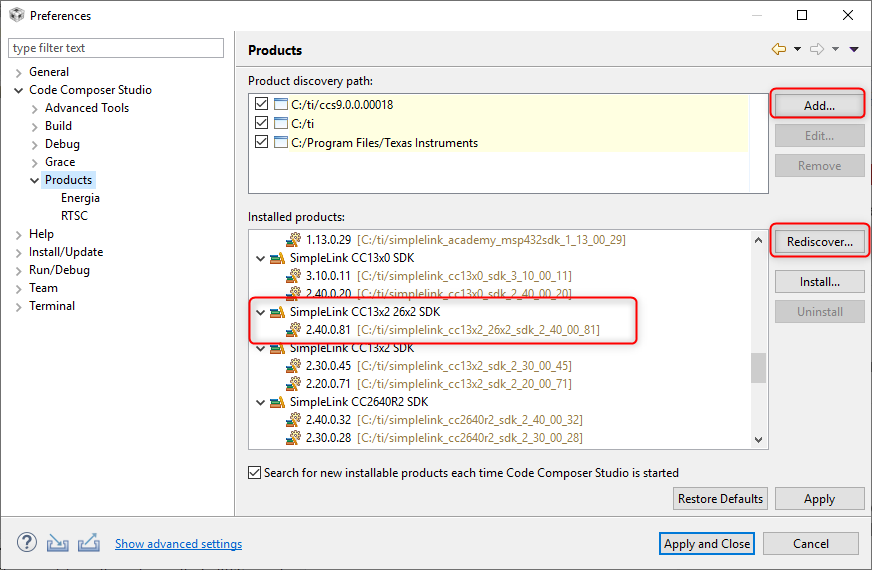
Can you please help how to add SimpleLink CC13x2 / 26x2 SDK to IDE and I didn't get what is this bellow.
1. Code Composer Studio automatically discovers the SimpleLink CC13x2 / 26x2 SDK if it installed in its default installation directory (c:/ti). Once discovered by CCS, it defines a build environment variable named SIMPLELINK_CC13X2_26X2_SDK_INSTALL_DIR which is used by all SimpleLink CC13x2 / 26x2 SDK projects. If a project is imported from a path other than what was specified during the SimpleLink CC13x2 / 26x2 SDK installation, the SIMPLELINK_CC13X2_26X2_SDK_INSTALL_DIR variable must be redefined after the import proceeding at a project-by-project basis. To redefine this variable: Open the CCS project’s properties (Project -> Properties) Navigate to Resource -> Linked Resources and edit SIMPLELINK_CC13X2_26X2_SDK_INSTALL_DIR and have it point to your imported root directory location.
2. I am unable to understand how can I dump the code into the Board. Can you please explain in clear...
3.And after setting IDE is it nedded to add that Zigbee SDK is it enough