This thread has been locked.

If you have a related question, please click the "Ask a related question" button in the top right corner. The newly created question will be automatically linked to this question.

CCS/MSP-EXP430FR2355: Uploading sample projects

Part Number: MSP-EXP430FR2355

Tool/software: Code Composer Studio

I am using a MSP-EXP430FR2355 Launchpad, and I am trying to run the sample project OutOfBox_MSP-EXP430FR2355. However, Code Composer Studio will not let me upload it as a project, only as a file. Whenever I load the files into an already existing, empty project, it always comes up with the error "fatal error #1965: cannot open source file "driverlib.h"". I am changing nothing about the code provided with the board's sample project, just simply trying to upload the files. Thanks!

  • Jackson,

    I am a bit confused as to what you are trying to do.  When you say upload files are you attempting to load the project files onto your device?

    You can import the out of box experience project to your CCS workspace by browsing to it in Resource Explorer

    Then click on the button on the right to import it into CCS

    You will then be able to build the project and then load it onto your LaunchPad.

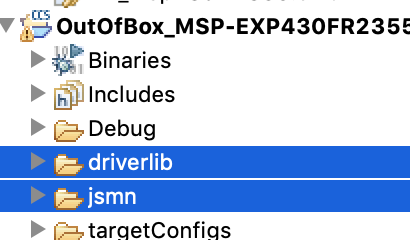
    If you are attempting to copy the code from the example project to your own project you will need to copy these folders:

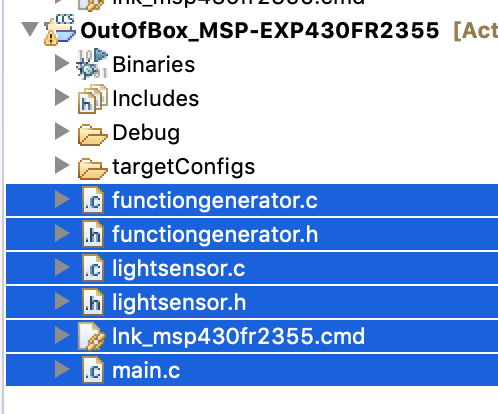
    And the source files

    Your project would then look like:

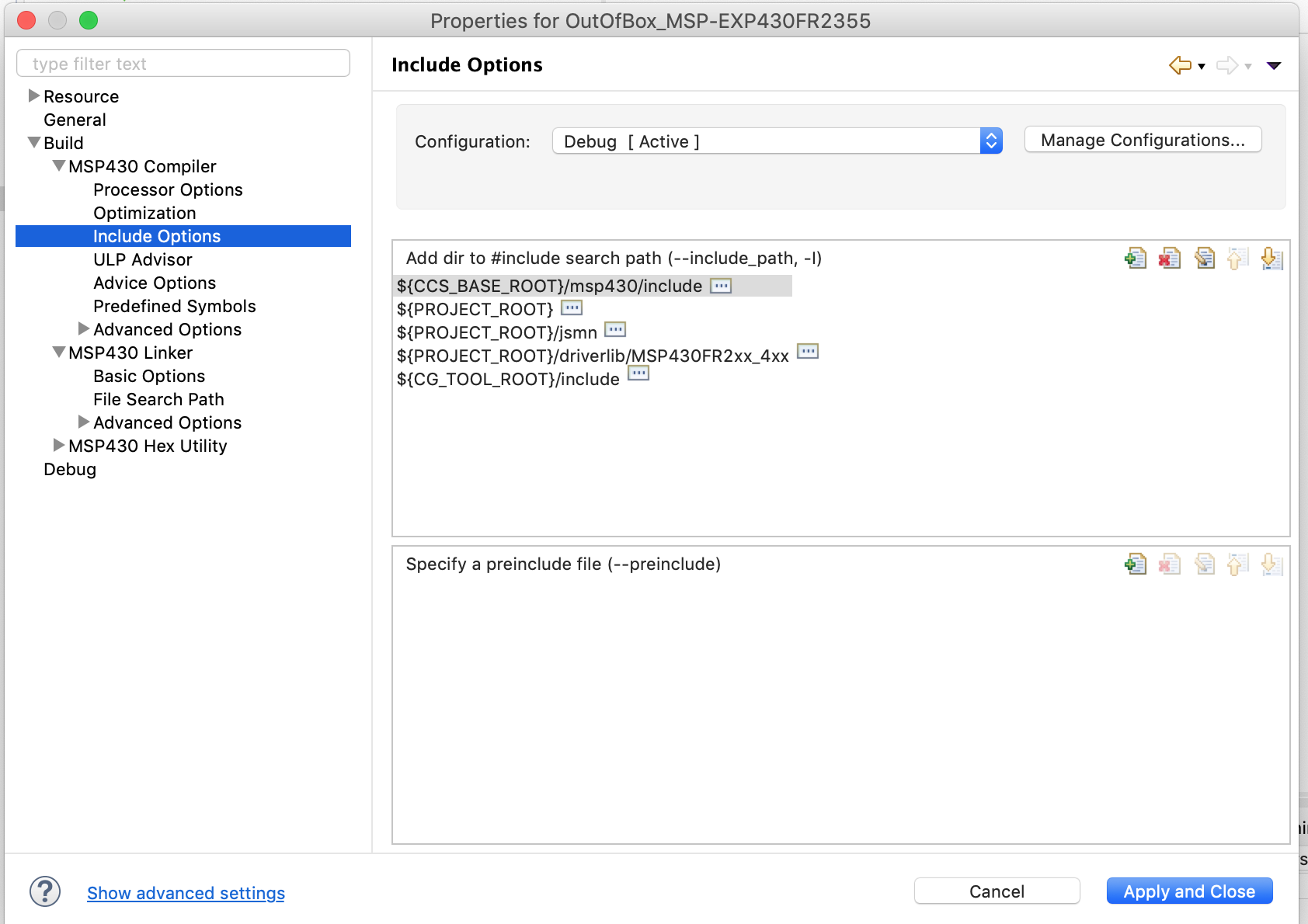
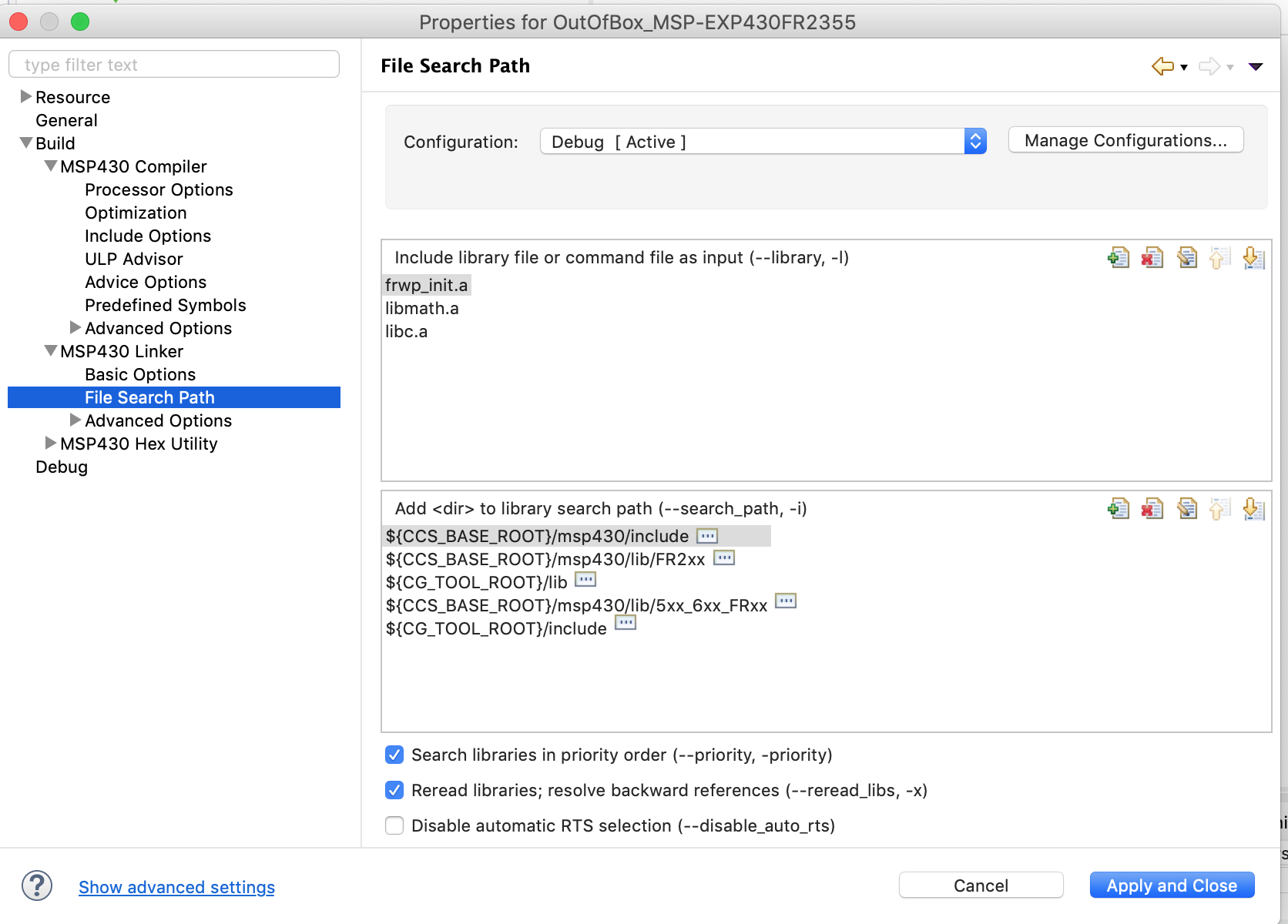
    You also will have to setup the compiler and linker search paths.

    Take a look at the paths that are setup for the example project.

    Here you can see the compiler search paths for the example project.  You will have to add the ${PROJECT_ROOT}/jsmn and ${PROJECT_ROOT}/driverlib/MSP430FR2xx_4xx paths

    Similarly if I look at the linker options I can see that you will have to add the libmath.a library and the search path ${CCS_BASE_ROOT}/msp430/lib/5xx_6xx_FRxx

    Regards,

    John