This thread has been locked.

If you have a related question, please click the "Ask a related question" button in the top right corner. The newly created question will be automatically linked to this question.

CCS/IWR1443: Issue with IWR1443EVM and CCS

Part Number: IWR1443
Other Parts Discussed in Thread: MMWAVE-SDK, UNIFLASH

Tool/software: Code Composer Studio

Hi, I am trying to connect the IWR1443 to the CCS IDE in debug mode following the pdf devlopper's guide (in attachements) and I have an issue when I try to connect the device (slide 30 and capture.png) even though the test connection successfully passes (see capture2.png) .

Could you please help me to resolve it ?

Thank you ,

DevelopersGuide.pdf

Best Regards

Sylvain

  • Sylvain,

    The connection is working fine - the Debug view shows the core Cortex_R4_0 connected just fine.

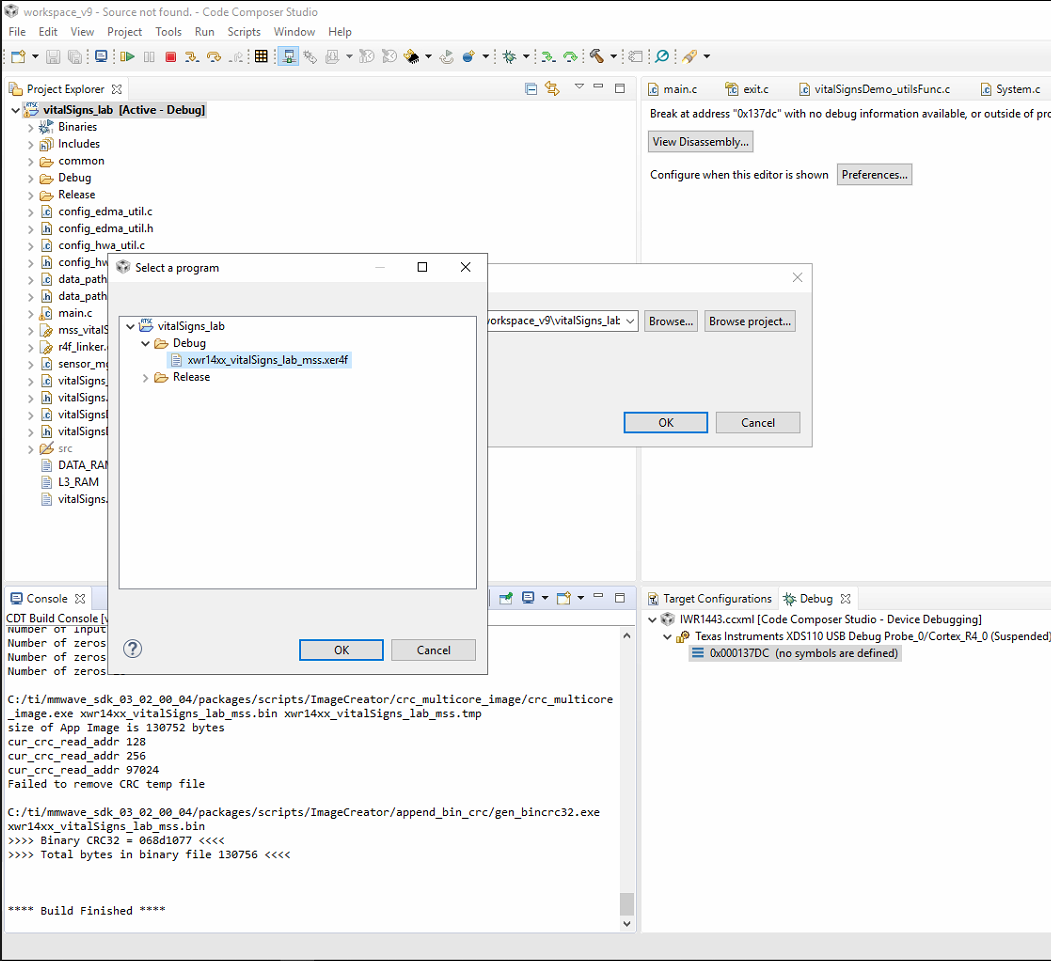
    The only issue I see is that you don't seem to have code loaded to the target, thus the message that "Break at address with no debug information available, or outside of program code" is shown.  

    Can you load an example code to the core (menu Run --> Load --> Load Program) and retry? 

    Hope this helps,

    Rafael

  • Hi thanks for answering,

    On the screen bellow, I have xdc.runtime.Error.raise and I don't know what to do. I have tried many times step by step and I still have the same error (I did not change the code).

  • Sylvain,

    The code was loaded properly, but the issue at this point is a runtime error. In general the program termination is caused by an ARM Exception, but I don't see any indication in the error message itself.

    In this case, I will contact other folks that are more experienced than I in the TI-RTOS implementation details to comment. 

    Regards,

    Rafael

  • Sylvain,

    Take a look at this video/presentation: https://training.ti.com/debugging-common-application-issues-ti-rtos

    Hopefully it can give you some clues on debugging your exception.

    Todd

  • Hi thanks for your help,

    Despite all the solutions you proposed, I still didn't succeed in making  the board work. Currently I need to talk to an expert. Please could you set up an appointement with one of your expert.

    Please note that, this evaluation board has been bought to to get familiar with programming on the board. In order to buy many other ones for teaching purpose. If we do not succeed making it work we will give up this kind of board.

    Awaiting for your reply.

    Thank you for your close attention on this issue.

    Regards,

    Sylvain

  • Sylvain,

    1. What example are you trying to run?

    2. Where did you get the example?

    3. For the example that is getting the exception, does it get to main()?

    4. What is the exact board you are using?

    4. Have you tried an out of the box SYS/BIOS example? Does it work?

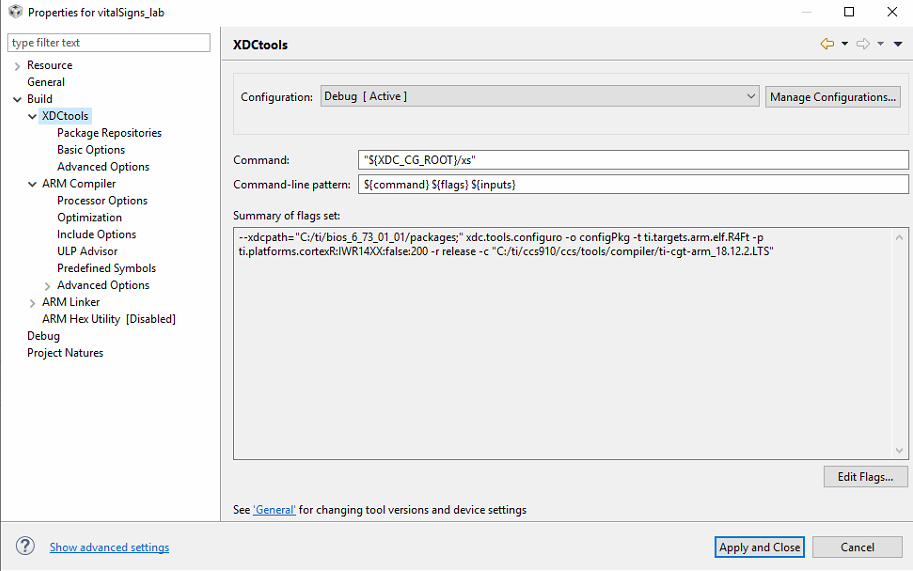
    5. What versions of SYS/BIOS, XDCtools, CCS and compiler are you using?

    Todd

  • Hi,

    1. What example are you trying to run?

    The following tutorial:

    dev.ti.com/.../node

    2337.DevelopersGuide.pdf

    2. Where did you get the example?

    This example is from TI at dev.ti.com/.../node

    3. For the example that is getting the exception, does it get to main()?

    I d'ont really know ... it seems not, I have this:

    4. What is the exact board you are using?


    That one:


    4. Have you tried an out of the box SYS/BIOS example? Does it work?

    Just before, I tried this following tutorial and it worked well:

    dev.ti.com/.../node

    5. What versions of SYS/BIOS, XDCtools, CCS and compiler are you using?

    SYS/BIOS and XDCtools: I down't know where to get these information, the best I have found is:

    CSS: Version 9.1.0.00010

    compiler: TI v18.12.2.LTS

    Tell me if any information is missing,

    Thanks

    Sylvain

  • Hy Sylvain,

    You will need to first flash your board with the CCS debug firmware and then load the device with the .xer4f executable. Can you confirm you have done this?

    Are you using IWR1443 ES2.0 or ES3.0?

    Have you been able to run any other labs such as the out-of-box mmWave-SDK demo in debug mode?

    Cheers,

    Akash

  • Hi,

    You will need to first flash your board with the CCS debug firmware and then load the device with the .xer4f executable. Can you confirm you have done this?

    Yes, I think :

    I flash the carde with the xw14xx_cssdebug.bin

    Then I loaded the . xer4f file after rebuilding the project

    Are you using IWR1443 ES2.0 or ES3.0?

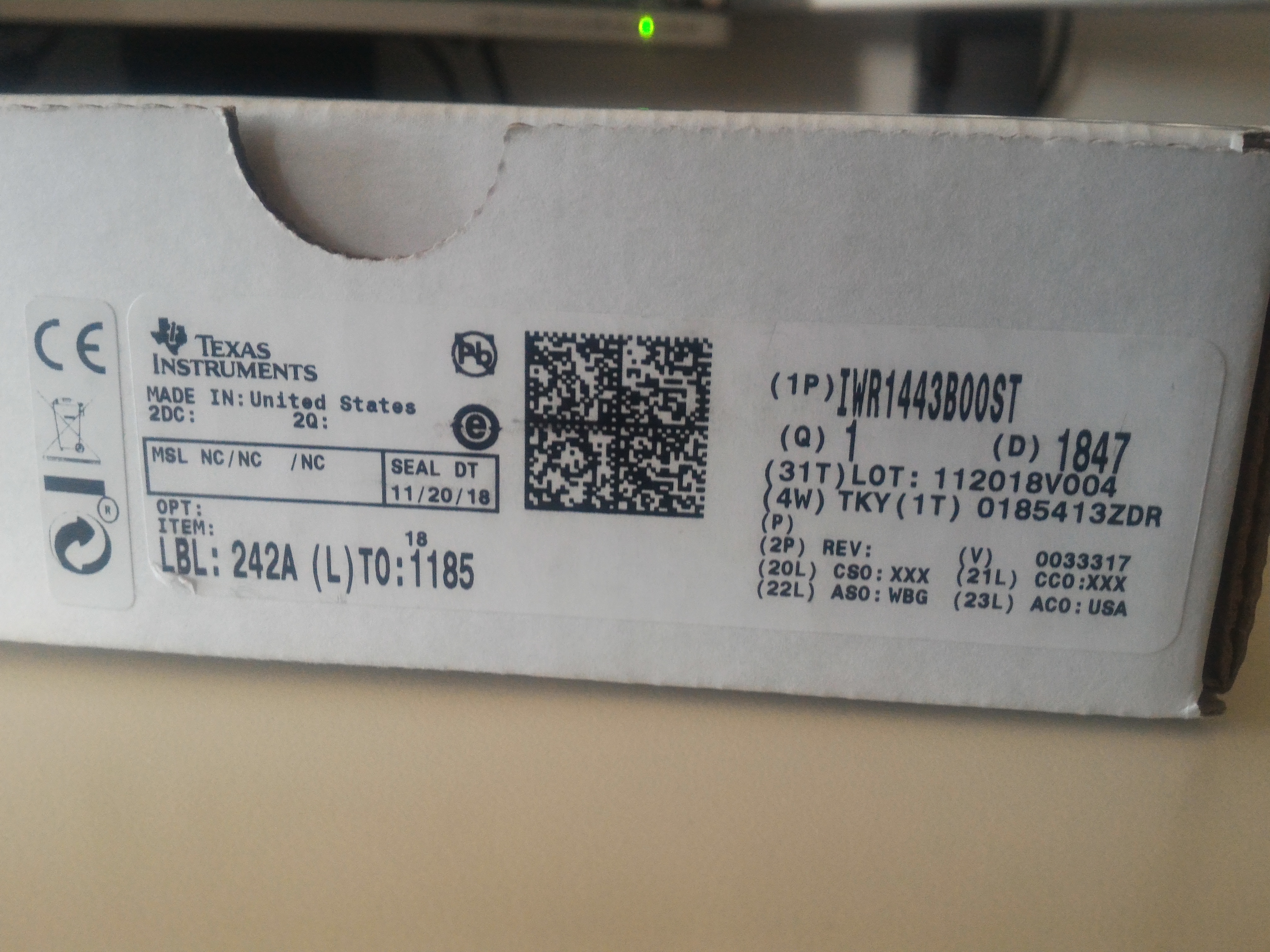
    I don't know - I did not find any information about it on the card and on the box. How can I check this out ?


    Have you been able to run any other labs such as the out-of-box mmWave-SDK demo in debug mode?

    Not really, VitalSignDetection is the only project compiling ..

    Thanks,

    Sylvain

  • Hi Sylvain,

    It appears you are using the wrong SDK, IWR1443 requires mmWave-SDK 2.1, it is incompatible with versions 3.0+. You should make sure the SDK 2.1 is installed, you have flashed your device with the debug firmware from this software package and then you have recompiled the project from a clean workspace.


    Cheers,

    Akash

  • Hi,

    Okay, what I've done is:

    1. I installed  mmWave-SDK 2.01 (I supposed it was 2.01 because there is not 2.1 version) from this installer: software-dl.ti.com/.../mmwave_sdk_02_01_00_04-Windows-x86-Install.exe

    2. I flashed the the card with uniFlash with the file C:\ti\mmwave_sdk_02_01_00_04\packages\ti\utils\ccsdebug\xwr14xx_ccsdebug.bin (It worked well)

    3. I remove the workspace folder of CCS, then I imported the the project by clicking on "Import to IDE"  through the Ressource Explorer

    4. I Rebuild the project

    4. I defined a new target configuration file

    5. I "Launch the selected Configuration"

    6. I have connected the target

    7. I have loaded the Program C:\Users\sdeker\Documents\workspace_v9\vitalSigns_lab\Debug\xwr14xx_vitalSigns_lab_mss.xer4f

    And I still have the same error.

    You did'nt answer my question : How check the ES version out ? It may be usefull later.

    It would be good to specify which sdk to use in the Developper's Guide pdf instead of "the latest version" or "version 2.1 or above"  if there no backwards compatibility with the 3.02.

    Thanks,

  • Hi Sylvain,

    We recommend you first try with the Prebuilt Binaries that are included with the software package. They are available in the following folder, lab0002-vital-signs\lab0002_vital_signs_pjt\Prebuilt_binaries

    Cheers,

    Akash