This thread has been locked.

If you have a related question, please click the "Ask a related question" button in the top right corner. The newly created question will be automatically linked to this question.

CCS/LAUNCHXL-CC1350-4: CC1350-4 launchpad/ Cannot import to ide from resource explorer

Part Number: LAUNCHXL-CC1350-4
Other Parts Discussed in Thread: CC1350

Tool/software: Code Composer Studio
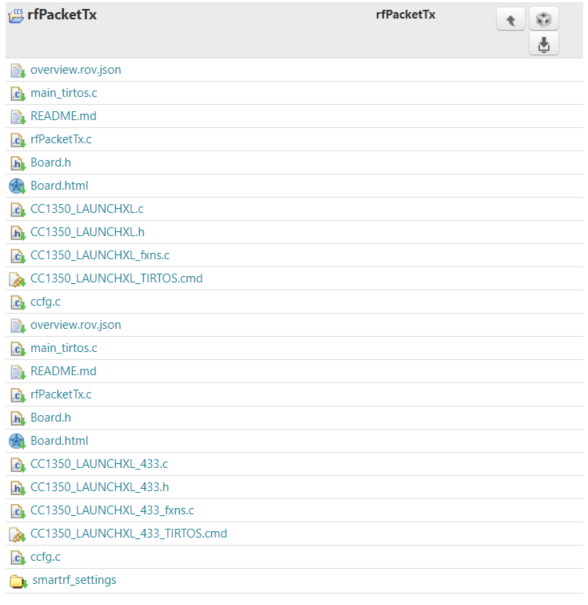
I want to import the files for the launchxl_433. However, if I click on import, I can only import the files for the launchxl files.

How do I import the launchxl_433 files?

  • Jihong,

    I can see the same thing.  The files are listed in Resource Explorer but after I import the project the _433 files are not part of the project.  The file are present in the SDK if you want to manually copy them into your project and exclude the non _433 files.

    The files are located in: <sdk install dir>/examples/rtos/CC1350_LAUNCHXL_433/drivers/rfPacketTx

    I will loop in the SDK team to comment on how to import the _433 example from Resource Explorer.

    Regards,

    John

  • If you use resource explorer online: http://dev.ti.com/tirex/explore/node?node=ALXtuj8L3tsFnDQBBG6djw__eCfARaV__LATEST you should be able to import the correct project since here the 868 MHz and 433 MHz version of the projects are split. 

    Also if you  install the SDK and go to the example folder, you will find a separate folder for CC1350_LAUNCHXL_433. To use this in the desktop version of CCS, 

    Go to File-> Import->Code Composer Studio->CCS Projects and browse to the correct SDK and select the example you want to use.