This thread has been locked.

If you have a related question, please click the "Ask a related question" button in the top right corner. The newly created question will be automatically linked to this question.

CCS/MSP432P401R: The CCS project compiled by your own computer cannot be used to import other computers.

Part Number: MSP432P401R

Tool/software: Code Composer Studio

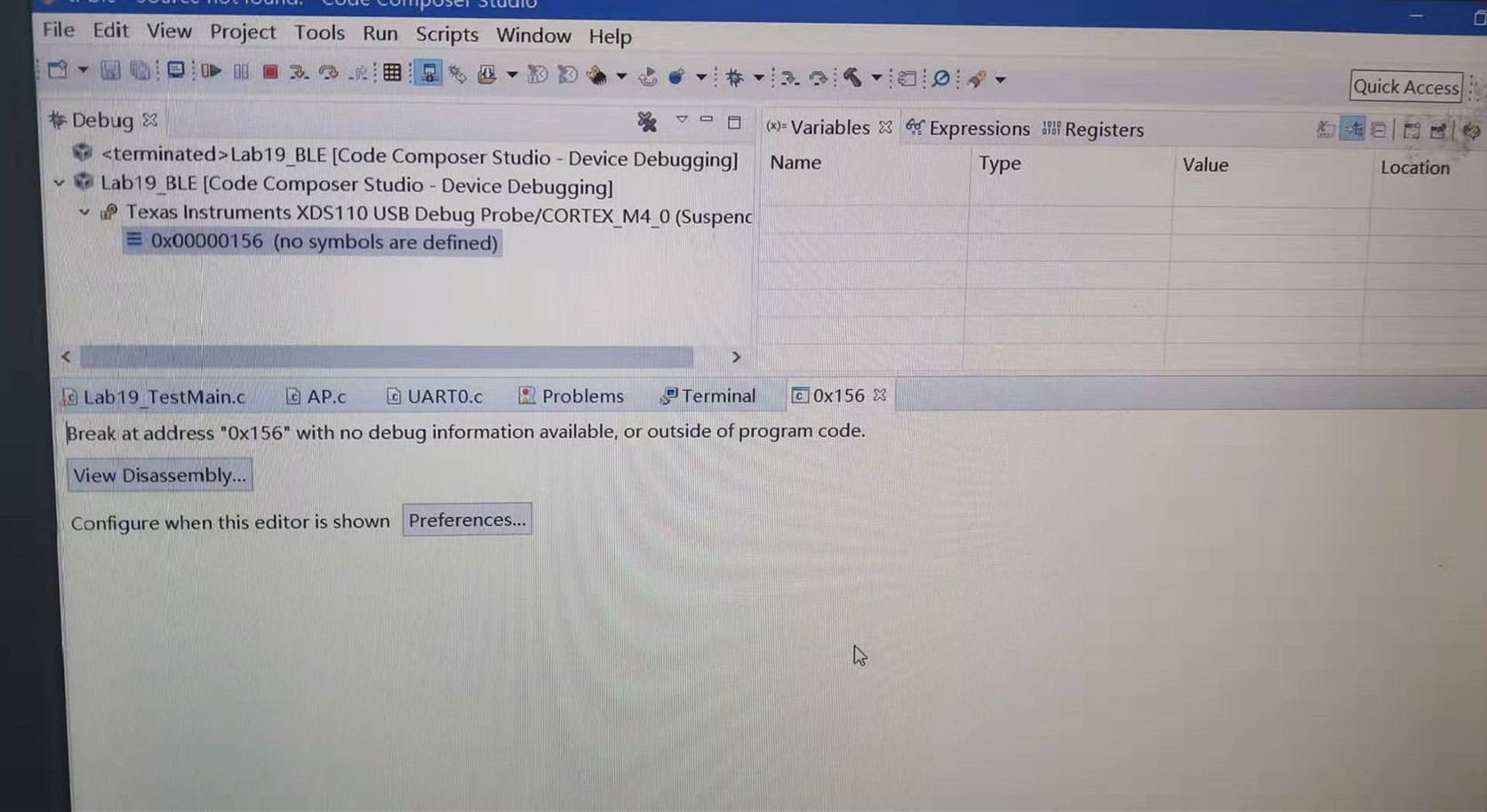
The CCS version we installed is CCS8.3.0.00009_win32, but as long as the program compiled by my computer, using other computer import engineering or directly into the workspace, will report the connection error shown above, view the driver The programs are all installed, and the programs that are normally used by my computer cannot be used on other computers. The programs imported from other computers can be used normally. There is no difference in the configuration options during the installation process. Reinstalling CCS also does not resolve this issue.

  • Hello,

    user5355349 said:
    will report the connection error shown above,

    I do not see any error in your screenshot. The only thing I see is the Debug view indicating a disconnected target.

    I believe the issue you are running into is that when you try to debug a project, the debugger is not auto-connecting to the target like it normally does. If that is the case, please see the thread below:

    https://e2e.ti.com/support/tools/ccs/f/81/p/793202/2933760#2933760

    Thanks

    ki

  • My CCS configuration is as shown in the figure below.

    But when I import the project that my computer normally compiles into other computers, the debug configuration becomes the option of the following figure, there is no first item.

    I checked the first option in the above figure to automatically connect, but the compiler has the error shown below, I don't know how to make the code I write can be used by others:

  • user5355349 said:
    I checked the first option in the above figure to automatically connect, but the compiler has the error shown below

    That is not a compiler error. It is actually a debug message that the target is halted at a program address where there is no code associated with it. Was the code actually loaded? Did you see a progress bar about code being loaded?

  • Can see the progress bar loaded, how to deal with this problem?

  • user5355349 said:
    Can see the progress bar loaded, how to deal with this problem?

    Assuming that the program is loaded fine, then there is no error. The target is simply halted at a location where there is no symbol association. The question is why (if the address is not a valid one). Since the program only runs on your environment and not others, look for the differences in environment. Is the same HW being used? Did you try having the other users use your target? Is the program generated from your PC identical to the ones generated from the other PCs? This issue is not really a tools specific issue, but likely an environment issue.

    Thanks

    ki

  • Hello,
    I haven’t heard back from you, hence this issue is being closed. If you wish to continue the discussion, please post a reply with an update below (or create a new thread).

    Thanks,
    ki

  • Both are win10 operating systems, the installed CCS versions are the same, and only my computer has problems.

  • user5355349 said:
    Both are win10 operating systems, the installed CCS versions are the same, and only my computer has problems.

    Is the same HW being used? Did you try having the other users use your target? Is the program generated from your PC identical to the ones generated from the other PCs?

  • Hello,
    I haven’t heard back from you, hence this issue is being closed. If you wish to continue the discussion, please post a reply with an update below (or create a new thread).

    Thanks,
    ki