This thread has been locked.

If you have a related question, please click the "Ask a related question" button in the top right corner. The newly created question will be automatically linked to this question.

CCS/IWR1642BOOST: Nothing works after the ccs revision.

Part Number: IWR1642BOOST
Other Parts Discussed in Thread: C2000WARE,

Tool/software: Code Composer Studio

Helle everyone;

I was using CCS version 8. when using it, there was no problem in any of my projects. But I switched to CCS version 9.1.0. As a result, I also updated the mmWave SDK and C2000Ware. Now I can't use the project files in mmWave SDK in any way. When I try to import project files, I get the following error.

When I build the project I get the following error.

Where could the RTSCs in the ready project file disappear? Although I made the relevant instructions in the forums to prepare the RTSC files, the errors did not improve.

  • Hello,

    Please make sure you have the proper version of the mmwave SDK installed:

    https://e2e.ti.com/support/sensors/f/1023/t/760779

    Thanks

    ki

  • Hello, 

    Faruk Sözüer said:
    As a result, I also updated the mmWave SDK and C2000Ware.


    The CCS update does not require update to products like mmWave or C2000Ware. 

    Have you installed a new mmWave version and deleted old one?
    Have you created a new workspace and imported your projects from an old v8 version into a new one?

    Your upper link shows a link to the Release Notes.
    Your example supports mmWave SDK 2.0.0.4

    According to your demo Setup Guide, you need the following prerequisites: 


    Install all needed products and libraries, delete the example from the workspace and import it again. 

    The import issues have to be resolved before you dive into RTSC details.

  • Hello;

    I have restored the mmWave SDK to v2.0.0. But now I get a constant error on the XDS110 debugger that is available in IWR1642BOOST. Once I disconnect and plug in the USB cable, the error goes away. The USB error report is below.

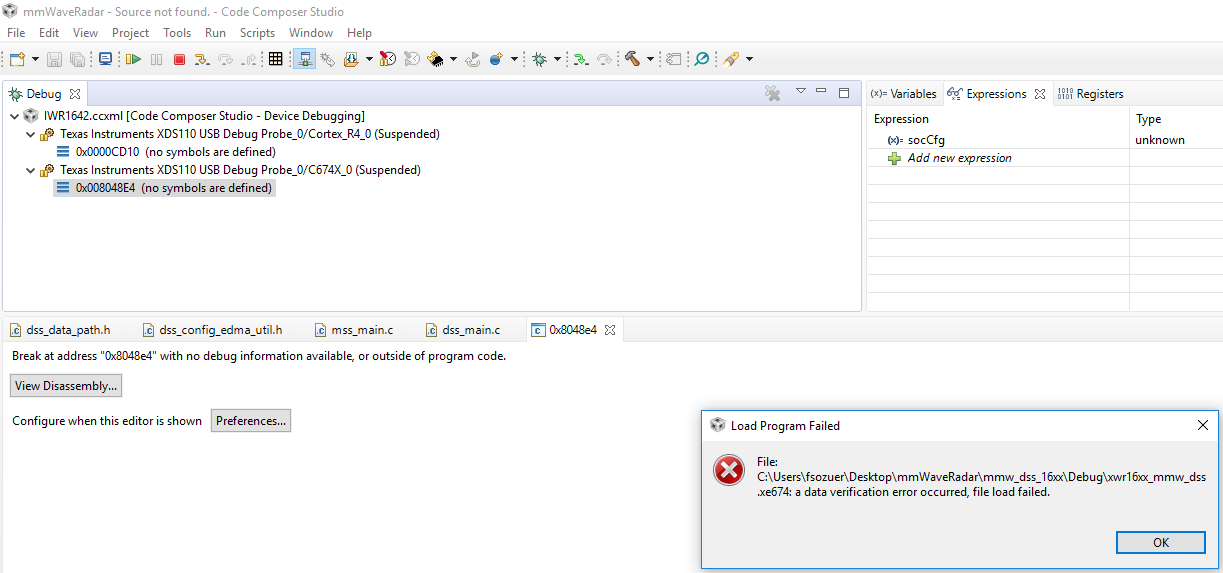
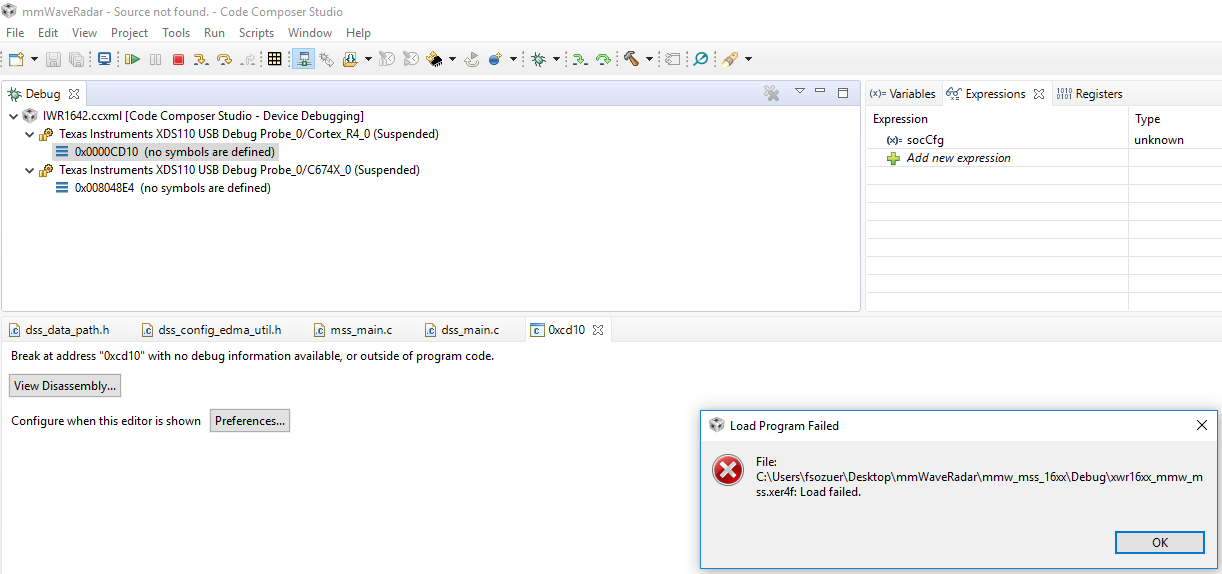
    This error goes away once I remove the USB and plug it in again. But after that, when I say Load program, I can't load "xwr16xx_mmw_dss.xe674" and "xwr16xx_mmw_mss.xer4f" files. The errors are below.

    Finally, I tried to update with the "xdsdfu.exe" program in the path "C: \ ti \ ccs_base \ common \ uscif \ xds110" that you suggested for the XDS110 debug update. However, "xdsdfu.exe" program does not open.

    Sincelery

  • Hello, 

    Faruk Sözüer said:
    Finally, I tried to update with the "xdsdfu.exe" program in the path "C: \ ti \ ccs_base \ common \ uscif \ xds110" that you suggested for the XDS110 debug update.


    I have not suggested xds110 update.

    Faruk Sözüer said:
    However, "xdsdfu.exe" program does not open.


    xdsdfu.exe is not a windows program. Call it from command prompt with admin privileges.

    Have you checked this:  https://e2e.ti.com/support/tools/ccs/f/81/t/821584

  • Hello Tomasz

    I have applied all the links in the link you gave. The result is the same. Frankly, I'm very sorry for the update. do I have the chance to undo all updates? In no way can I embed the files in the chip.

    Sincelery. 

  • Hello Faruk,

    Since you can connect to the device, I believe your main issue is the data verification error. This is a common error, with many potential root causes, that is described in detail in the below link:

    http://dev.ti.com/tirex/explore/node?node=APy2XbLelxyqBB2Yz0WR.w__FUz-xrs__LATEST

    Thanks

    ki

  • Hello Ki and Thomasz

    I solved the problem. code composer re-uploaded the old past. Based on this, I just updated the resource explorer. I installed mmwave 2.0.0.4. I re-installed mmwave industrial and automotive files in resource explorer. The problem was solved.

    I think the version problem I have experienced is that the new revision used was written according to another silicon family. I observed differences in linker files.

    Thanks for helping. Sincelery