This thread has been locked.

If you have a related question, please click the "Ask a related question" button in the top right corner. The newly created question will be automatically linked to this question.

CCS: Can't import CCS projects due to XDC Tools errors

Other Parts Discussed in Thread: CC1310

Tool/software: Code Composer Studio

I'm trying to import any project from simplelink_cc13x0_sdk_3_20_00_23/examples/rtos/CC1310_LAUNCHXL and I receive this error every time:

No XDCtools, equivalent to the specified version '3.51.3.28_core', are available - defaulting to '3.55.2.22_core'.

Any idea how to fix this?

  • Chris,

    What is happening is that the projects in that SDK are configured to use XDCTools 3.51.3.28.  However you don't have that version, you have 3.55.2.22.  So CCS is telling you this.

    What you can do is download and install the required version of XDCTools here:

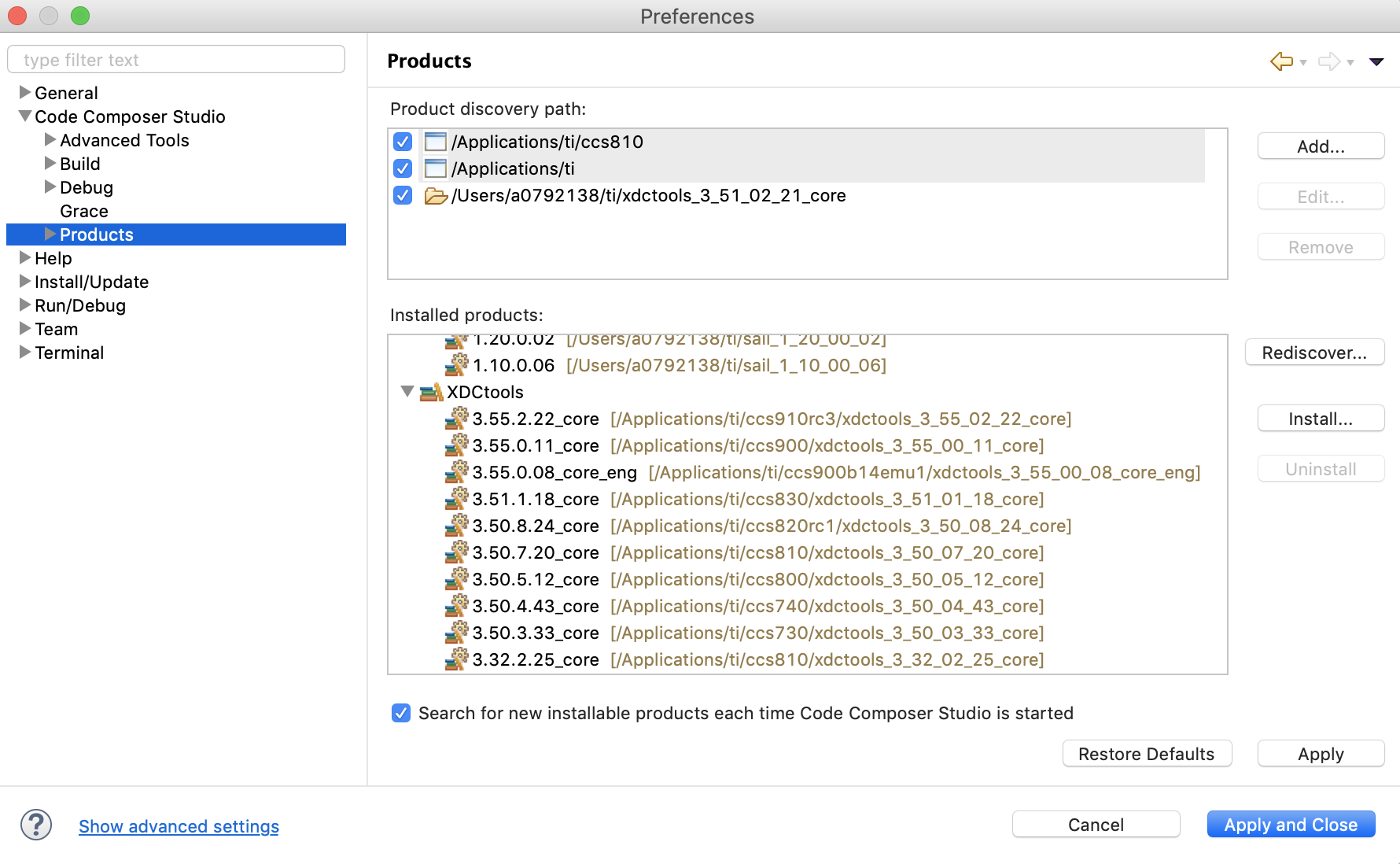
    If you install it under C:\ti then CCS should automatically discover it.  You can also tell CCS where on your machine to look for XDCTools in the Preferences dialog which is available from the Window menu (or Code Composer Studio application menu on MacOS).

    Regards,

    John

  • Thank you for your help.  I was able to solve the problem quickly.

    I definitely appreciated the screenshot too, Eclipse is my least favorite editor and can be a bit convoluted to find / change things.