This thread has been locked.

If you have a related question, please click the "Ask a related question" button in the top right corner. The newly created question will be automatically linked to this question.

CCS/TMS320F28379D: C28xx_CPU1: File Loader: Verification failed: Values at address 0x86000@Program do not match Please verify target memory and memory map.

Part Number: TMS320F28379D


Tool/software: Code Composer Studio

As the title presents, I encournter a critical issue when programming to the CPU TMS320F28379D using CCS v7.4.0.

I run demo code for Lunchpad 379D; It run ok in Ram but when i run in flash an issuse comes out. the error code is list bellow.

C28xx_CPU1: GEL Output:
Memory Map Initialization Complete
C28xx_CPU1: Loader: One or more sections of your program falls into a memory region that is not writable. These regions will not actually be written to the target. Check your linker configuration and/or memory map.
C28xx_CPU1: File Loader: Verification failed: Values at address 0x86000@Program do not match Please verify target memory and memory map.
C28xx_CPU1: GEL: File: D:\hoc_tap\ccs7_workspace\Example_28379D_LaunchPad\CPU1_Flash\Example_28379D_LaunchPad.out: a data verification error occurred, file load failed.

  • Hi,

    This error is due to an invalid or misconfigured linker CMD file.

    If you haven't modified the example code, it is possible this memory is somehow protected and/or secure for writing.

    Can you check the e2e post below that contains a tip to verify if this memory is valid?

    https://e2e.ti.com/support/tools/ccs/f/81/p/667611/2457623#2457623 

    To do that, you need to create a target configuration that is independent from your project and manually launch it. Please check the short youtube clip below on how to proceed:

    How to use the CCS Target Configuration View

    Then, open a Memory Browser view. Check section 7.4.5 of the CCS User's Guide at:

    https://software-dl.ti.com/ccs/esd/documents/users_guide/index.html 

    Hope this helps,

    Rafael

  • Hi,

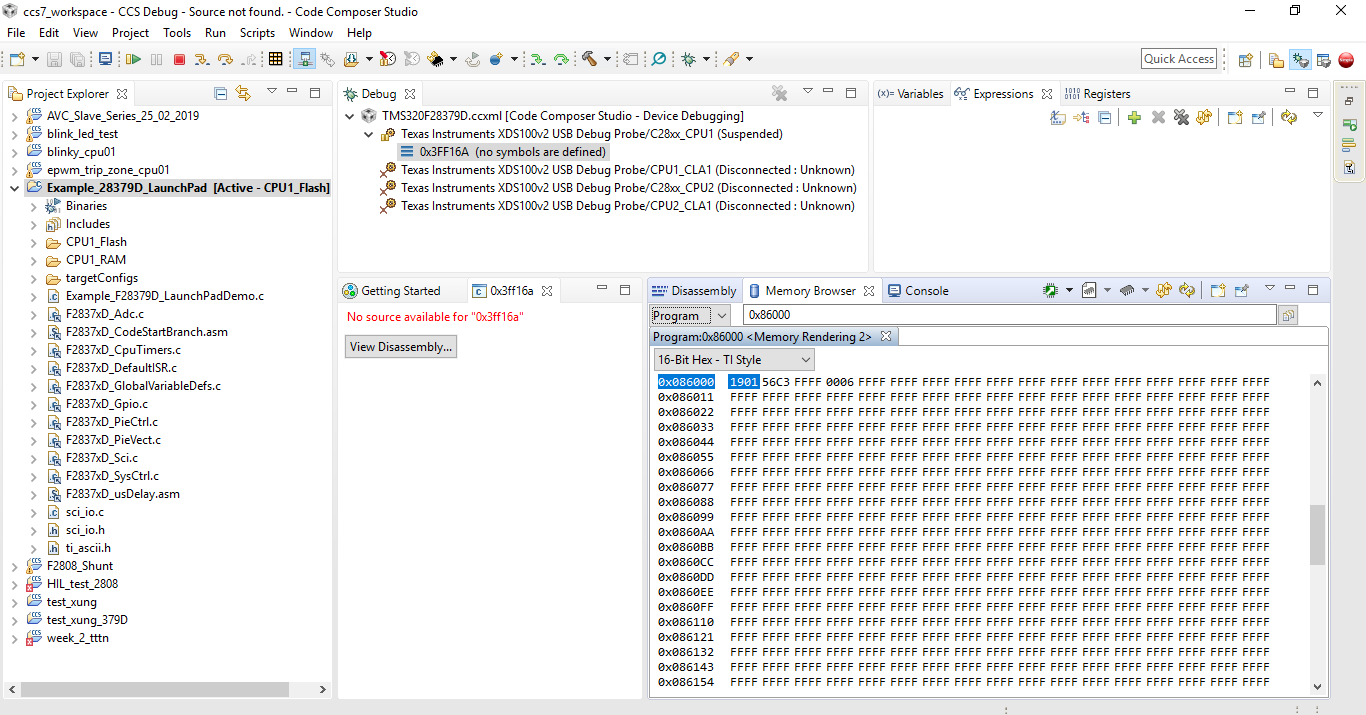
    I still couldn't find the cause of the problem( memory broser like picture below). But now when I run in flah another error occur . can you give me your advice

    C28xx_CPU1: Trouble Halting Target CPU: (Error -1138 @ 0x6) Device refused to allow debug mode. Power-cycle the board. If error persists, confirm configuration and/or try more reliable JTAG settings (e.g. lower TCLK). (Emulation package 7.0.100.0)
    C28xx_CPU1: Error: (Error -1141 @ 0x0) Device is not responding to the request. Reset the device, and retry the operation. If error persists, confirm configuration, power-cycle the board, and/or try more reliable JTAG settings (e.g. lower TCLK). (Emulation package 7.0.100.0)
    C28xx_CPU1: Unable to determine target status after 20 attempts
    C28xx_CPU1: Failed to remove the debug state from the target before disconnecting. There may still be breakpoint op-codes embedded in program memory. It is recommended that you reset the emulator before you connect and reload your program before you continue debugging
    C28xx_CPU1: GEL: Error while executing OnTargetConnect(): Could not write 0x0005F412@Data: target is not connected
    at *((int *) 0x5F412)=0x000F [f28379d_cpu1.gel:80]
    at OnTargetConnect()

  • Hi,

    The errors you mentioned are shown at the same Debugging JTAG page I mentioned in your other post, but without context it becomes quite difficult to make an assessment on what may be going on. 

    Were you able to follow the steps I mentioned above? It seems the first screenshot matches what I suggested, but did you try to write to the memory address that was failing with the original post? 

    Also, in your original post you mentioned the code failed when running in Flash, but both your screenshots indicate you are building to run it from RAM. 

    I suggest you to try a very methodic approach to build the project, connect to the target, load the code and run. This way you can get a consistent way to report any failures. 

    Regards,

    Rafael

  • Hi ;

    Sorry for the delay; We had a vacation in my country last weeken.

    I have tried your suggestion and when i connect targer this error  occoured :No source available for "0x3ff16a" 

    And when I try loading file( D:\hoc_tap\ccs7_workspace\Example_28379D_LaunchPad\CPU1_Flash\Example_28379D_LaunchPad.out) this error appeared :

    C28xx_CPU1: File Loader: Verification failed: Values at address 0x86000@Program do not match Please verify target memory and memory map.
    C28xx_CPU1: GEL: File: D:\hoc_tap\ccs7_workspace\Example_28379D_LaunchPad\CPU1_Flash\Example_28379D_LaunchPad.out: a data verification error occurred, file load failed.
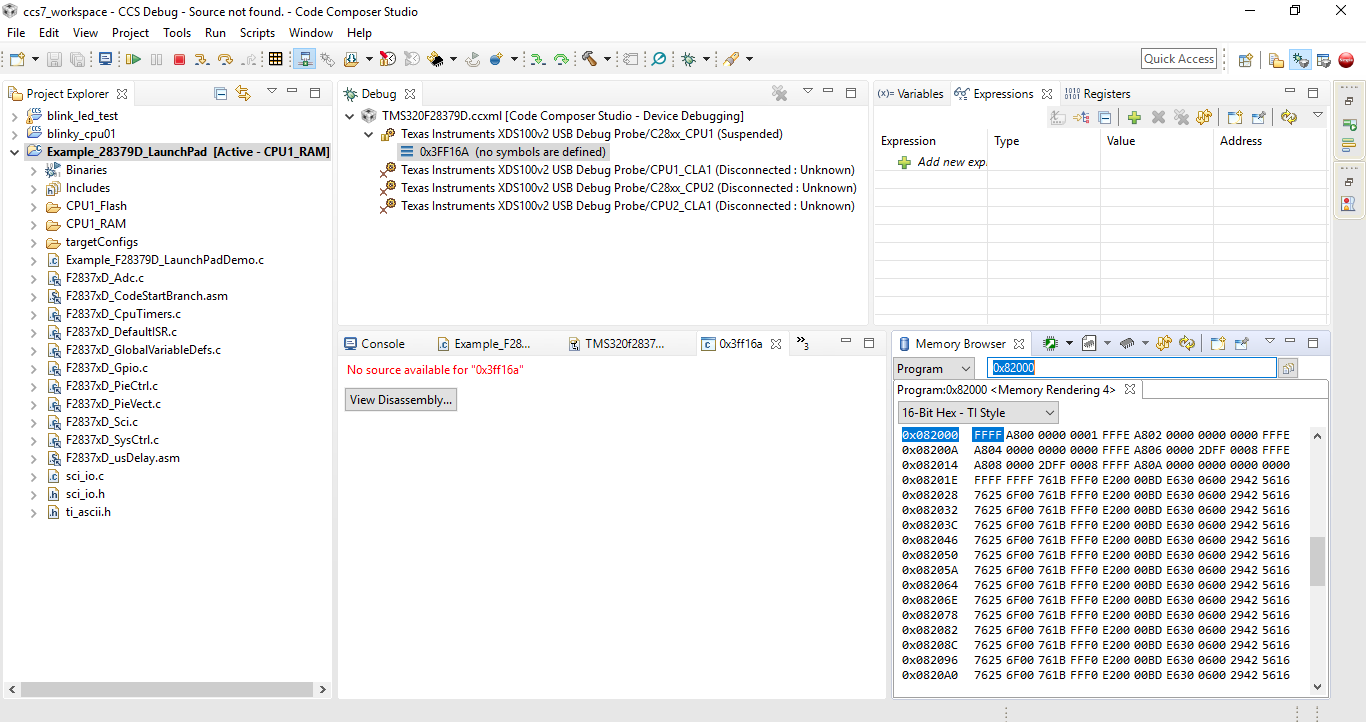
    And final I can't write to the memory address that was failing with the original post.

    Best regar,

    Anh Nguyen

  • Hi,

    Please apologize; I missed your last reply. 

    anh nguyen said:
    I have tried your suggestion and when i connect targer this error  occoured :No source available for "0x3ff16a" 

    This is expected when manually launching, as the CCS debugger is not aware of the code loaded to the target (the project and/or executable is not loaded yet). 

    anh nguyen said:

    And when I try loading file( D:\hoc_tap\ccs7_workspace\Example_28379D_LaunchPad\CPU1_Flash\Example_28379D_LaunchPad.out) this error appeared :

    C28xx_CPU1: File Loader: Verification failed: Values at address 0x86000@Program do not match Please verify target memory and memory map.
    C28xx_CPU1: GEL: File: D:\hoc_tap\ccs7_workspace\Example_28379D_LaunchPad\CPU1_Flash\Example_28379D_LaunchPad.out: a data verification error occurred, file load failed.
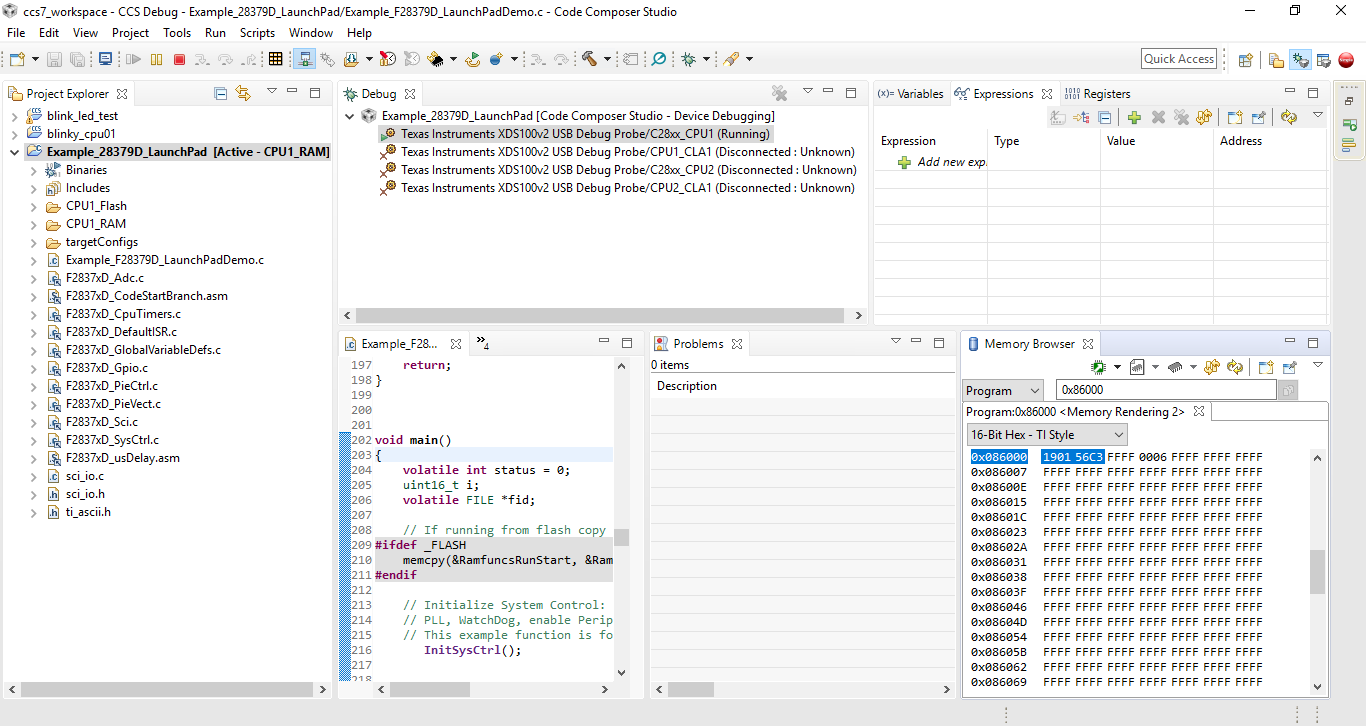
    That indicates to me the project has code allocated at address 0x86000, which corresponds to sector D of the Flash memory (check table 6-2 of the TMS320F28379D datasheet). However, the memory may either not being erased properly or the device may have this segment locked via the DCSM. 

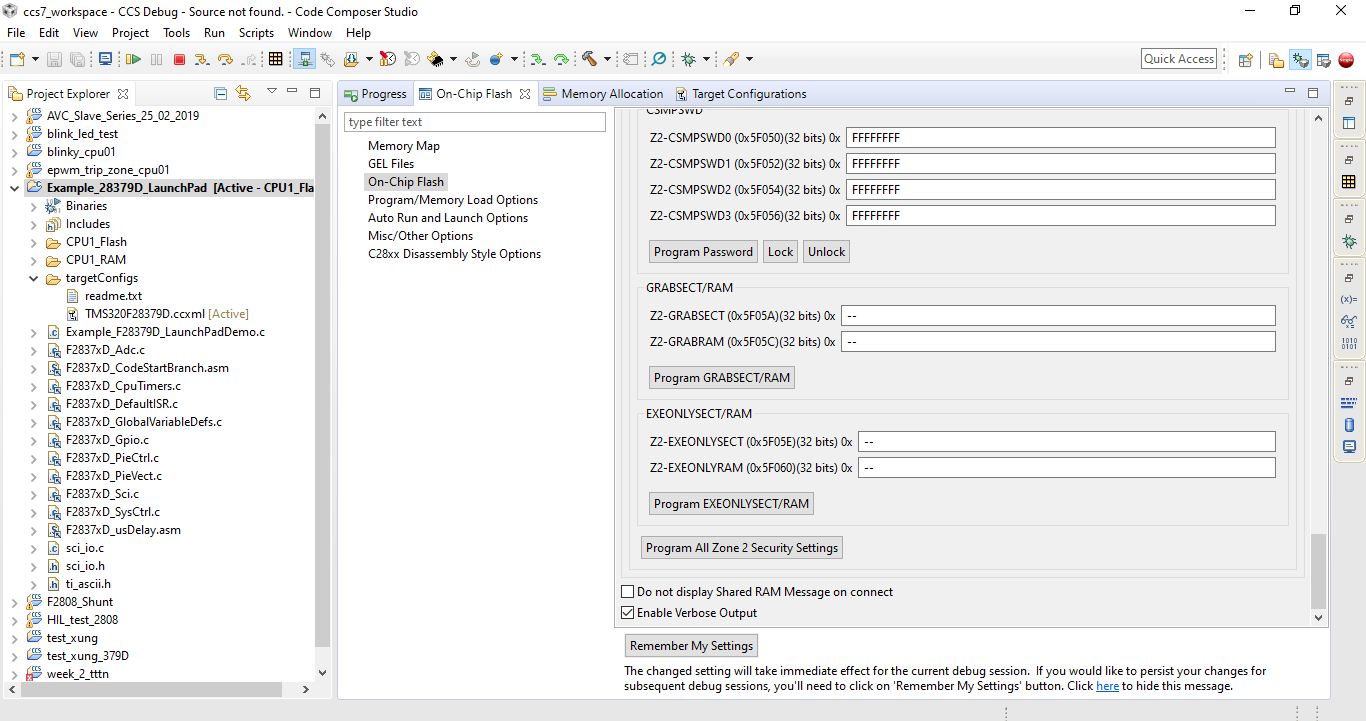
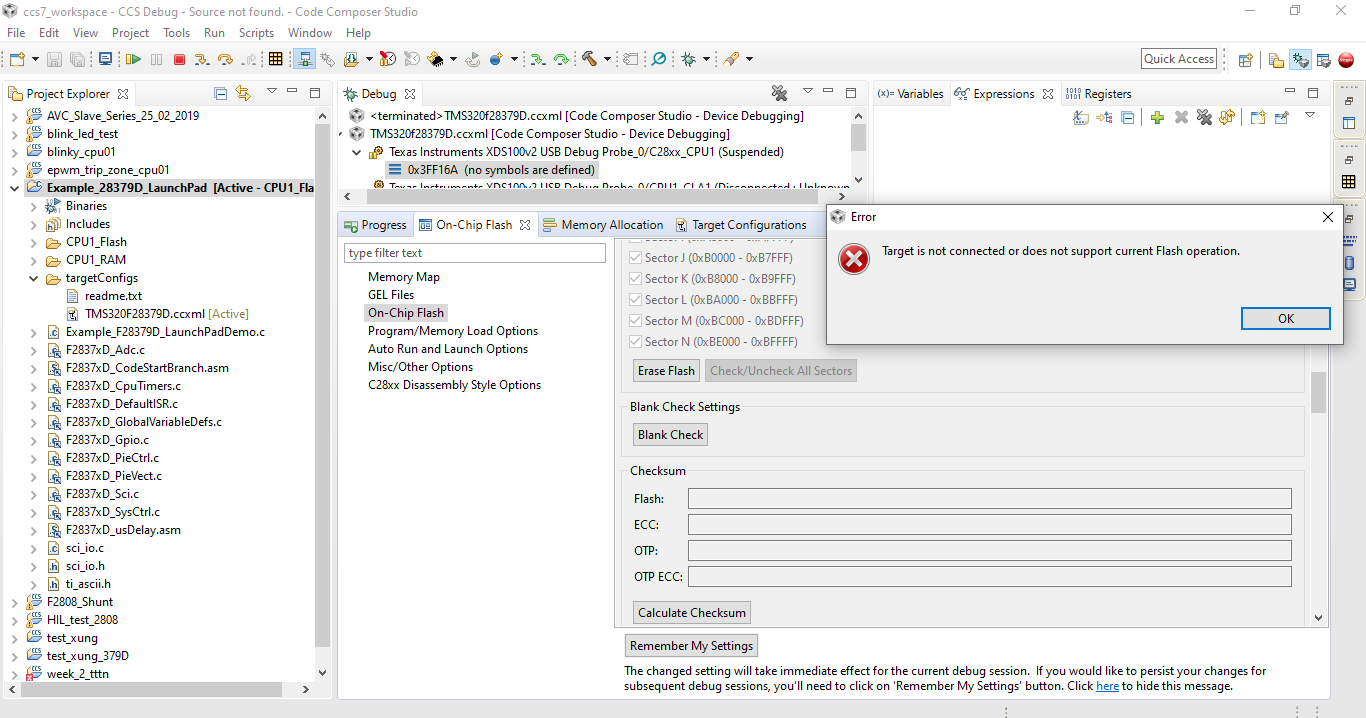
    With the debug session open, can you go to menu Tools --> On Chip Flash and scroll down to the bottom and check the box that says Enable verbose output. After that, scroll up to the section Erase Settings and click on the button to erase the entire Flash. This way you can spot if there is a segment that is failing. 

    An expected output for the Erase Flash followed by a program load (via menu Run --> Load --> Load Program) is shown at the bottom of this post. 

    anh nguyen said:

    And final I can't write to the memory address that was failing with the original post.

    Sorry; I had the impression the address was located in RAM. This is not the case, thus the Memory Browser is unable to write over this. 

    Hope this helps,

    Rafael

    console said:

    C28xx_CPU1: GEL Output:
    Memory Map Initialization Complete
    C28xx_CPU1: If erase/program (E/P) operation is being done on one core, the other core should not execute from shared-RAM (SR) as they are used for the E/P code. Also, CPU1 will be halted to determine SR ownership for the CPU which will run the Flash Plugin code, after which CPU1 will be set to run its application. User code execution from SR could commence after both flash banks are programmed.
    C28xx_CPU1: Erasing Flash memory...
    C28xx_CPU1: PLL configuration status = 1. PLL configured successfully.
    C28xx_CPU1: Erasing Flash Bank 0, Sector A
    C28xx_CPU1: Erasing Flash Bank 0, Sector B
    C28xx_CPU1: Erasing Flash Bank 0, Sector C
    C28xx_CPU1: Erasing Flash Bank 0, Sector D
    C28xx_CPU1: Erasing Flash Bank 0, Sector E
    C28xx_CPU1: Erasing Flash Bank 0, Sector F
    C28xx_CPU1: Erasing Flash Bank 0, Sector G
    C28xx_CPU1: Erasing Flash Bank 0, Sector H
    C28xx_CPU1: Erasing Flash Bank 0, Sector I
    C28xx_CPU1: Erasing Flash Bank 0, Sector J
    C28xx_CPU1: Erasing Flash Bank 0, Sector K
    C28xx_CPU1: Erasing Flash Bank 0, Sector L
    C28xx_CPU1: Erasing Flash Bank 0, Sector M
    C28xx_CPU1: Erasing Flash Bank 0, Sector N
    C28xx_CPU1: Operation completed successfully.
    C28xx_CPU1: Writing Flash @ Address 0x00080000 of Length 0x00000002 (page 0)
    C28xx_CPU1: PLL configuration status = 1. PLL configured successfully.
    C28xx_CPU1: Erasing Flash Bank 0, Sector A
    C28xx_CPU1: Erasing Flash Bank 0, Sector B
    C28xx_CPU1: Erasing Flash Bank 0, Sector C
    C28xx_CPU1: Erasing Flash Bank 0, Sector D
    C28xx_CPU1: Erasing Flash Bank 0, Sector E
    C28xx_CPU1: Erasing Flash Bank 0, Sector F
    C28xx_CPU1: Erasing Flash Bank 0, Sector G
    C28xx_CPU1: Erasing Flash Bank 0, Sector H
    C28xx_CPU1: Erasing Flash Bank 0, Sector I
    C28xx_CPU1: Erasing Flash Bank 0, Sector J
    C28xx_CPU1: Erasing Flash Bank 0, Sector K
    C28xx_CPU1: Erasing Flash Bank 0, Sector L
    C28xx_CPU1: Erasing Flash Bank 0, Sector M
    C28xx_CPU1: Erasing Flash Bank 0, Sector N
    C28xx_CPU1: Data has been buffered at the end of the current data block for 64-bit aligned writes.
    C28xx_CPU1: Writing Flash @ Address 0x00082000 of Length 0x0000008d (page 0)
    C28xx_CPU1: Data has been buffered at the end of the current data block for 64-bit aligned writes.
    C28xx_CPU1: Verifying Flash @ Address 0x00082000 of Length 0x00000118
    C28xx_CPU1: Writing Flash @ Address 0x00082090 of Length 0x00001f6f (page 0)
    C28xx_CPU1: Data has been buffered at the end of the current data block for 64-bit aligned writes.
    C28xx_CPU1: Verifying Flash @ Address 0x00082090 of Length 0x00003ED8
    C28xx_CPU1: Writing Flash @ Address 0x00084000 of Length 0x00000f39 (page 0)
    C28xx_CPU1: Data has been buffered at the end of the current data block for 64-bit aligned writes.
    C28xx_CPU1: Verifying Flash @ Address 0x00084000 of Length 0x00001E70
    C28xx_CPU1: Writing Flash @ Address 0x00086000 of Length 0x0000003b (page 0)
    C28xx_CPU1: Data has been buffered at the end of the current data block for 64-bit aligned writes.
    C28xx_CPU1: Verifying Flash @ Address 0x00086000 of Length 0x00000070
    C28xx_CPU1: Writing Flash @ Address 0x00090000 of Length 0x000011a8 (page 0)
    C28xx_CPU1: Verifying Flash @ Address 0x00090000 of Length 0x00002350
    C28xx_CPU1: Writing buffered data @ Address 0x00080000 of Length 0x00000004
    C28xx_CPU1: Verifying Flash @ Address 0x00080000 of Length 0x00000008
    C28xx_CPU1: Writing buffered data @ Address 0x0008208C of Length 0x00000004
    C28xx_CPU1: Verifying Flash @ Address 0x0008208C of Length 0x00000008
    C28xx_CPU1: Writing buffered data @ Address 0x00083FFC of Length 0x00000004
    C28xx_CPU1: Verifying Flash @ Address 0x00083FFC of Length 0x00000008
    C28xx_CPU1: Writing buffered data @ Address 0x00084F38 of Length 0x00000004
    C28xx_CPU1: Verifying Flash @ Address 0x00084F38 of Length 0x00000008
    C28xx_CPU1: Writing buffered data @ Address 0x00086038 of Length 0x00000004
    C28xx_CPU1: Verifying Flash @ Address 0x00086038 of Length 0x00000008

  • Hi;

    Thank for your reply.

    I tried erase flash said. but below error occored.

    Thank you !

    Tuan Anh

  • Tuan,

    I see that you are using CCS 7.4. With this older version of CCS it is likely that you also have an older version of C2000 device support package and/or other components, and that is most probably contributing to the error.

    Please check this thread for components that need to be updated in CCS:
    https://e2e.ti.com/support/microcontrollers/c2000/f/171/p/729543/2692390#2692390

    If possible, I would recommend installing the latest CCS version 9.1.0 (which should already have these updated components). Or at a minimum install CCS 8.3 and make sure that the components mentioned in the referenced thread (C2000 device support, Debug Server flash and TI Emulator package) are all updated via CCS menu Help->Check for Updates.

  • Everything ok when I  install CCS 9.1 ; thank you very much