This thread has been locked.

If you have a related question, please click the "Ask a related question" button in the top right corner. The newly created question will be automatically linked to this question.

CCS/LAUNCHXL-CC1310: Saved 'Perspective view' is changing when debugging

Part Number: LAUNCHXL-CC1310


Tool/software: Code Composer Studio

Saved 'Perspective view' of CCS v9 is changing to single screen default view every time when I enter debugging. Then again I have to open my already saved perspective view. Could anyone please help me in this issue, I would like to see the state of tabs and all windows (of CCS) unchanged (like I saved), during debugging and at all times.

Thanks 

Subil Krishnan

  • Subil,

    By default CCS will use 2 perspectives: CCS Edit and CCS Debug.  When you launch a debug session it switches automatically to the CCS Debug perspective.

    I think what you would like is to have a single perspective for both Edit and Debug.  I am guessing that you have saved these settings in either the CCS Edit perspective or your own custom one.

    You are able to control this behaviour.

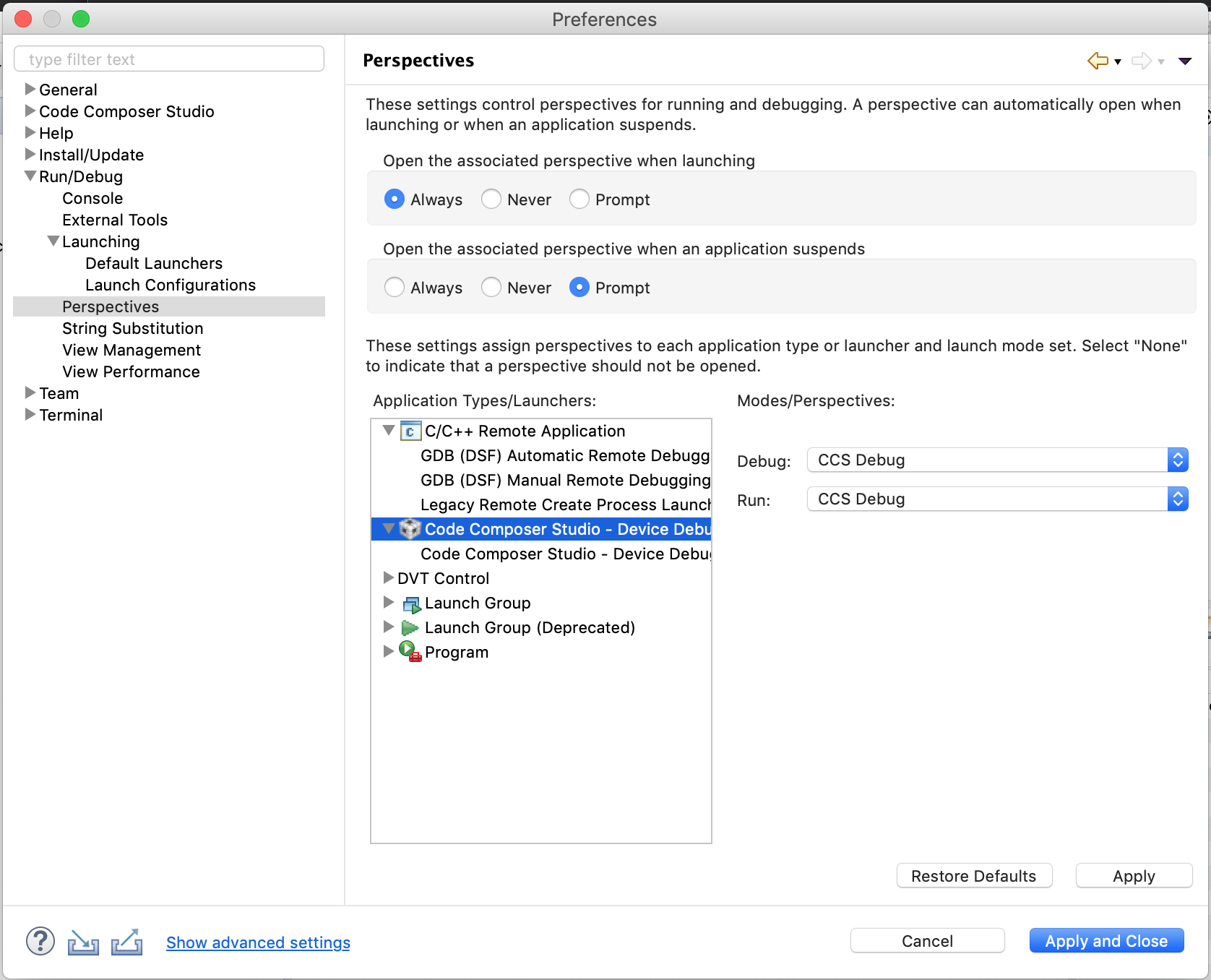
    In the preferences dialog you can change the seeing to not open the associated perspective.  Or you can also specify for it to open a different perspective.

    Regards,

    John