This thread has been locked.

If you have a related question, please click the "Ask a related question" button in the top right corner. The newly created question will be automatically linked to this question.

CCS/TMS320F2812: Uniflash 5.1 Unlock DSP "Failed: Unknown Property: FlashKey0"

Part Number: TMS320F2812
Other Parts Discussed in Thread: UNIFLASH

Tool/software: Code Composer Studio

While using Uniflash 5.1 and code composer 9 I created a command line script to target 1 of 2 TMS32f2812 DSP's which need the flash unlocked.   The script aborts with "Failed: Unknown Property: FlashKey0"

The generated.ufsettings file has the keys in a json structure but the dslite.exe does not appear to like the syntax of the file.   Any ideas.   I cannot get the GUI to reprogram over JTAG but it looks like the command line tool has a connection to the XDS100V2 it just can't parse the json structure?  

generated.ufsettings output = 

{"Texas Instruments XDS100v2 USB Emulator_0/C28xx":{"FlashOSCCLK":30,"FlashKey7":"7777","FlashKey6":"7777","FlashKey5":"7777","FlashKey4":"7777","FlashKey3":"7777","FlashKey2":"7777","FlashKey1":"7777","FlashKey0":"7777","FlashVerboseMode":false}}

Running on Windows 10 Pro.

  • Hi James,

    What is the exact command that you are using when you call dslite?

    Thanks

    ki

  • The generated command within dslite.bat is as followed:

    set GERATED_COMMAND = -c user_filers/configs/f2812.ccxml -l user_files/settings/generated.ufsettings.ufsettings -s VerifyAfterProgramLoad="No verification" -e -f -v "user_files/images/XYZ.out"


    When running the dslite.bat from command line, we do not include any args. 

  • Thanks. I see you are trying to use the generated package. The only odd thing I see is the name of the connection type. You have:

    James Van Volkenburgh1 said:
    {"Texas Instruments XDS100v2 USB Emulator_0/C28xx":

    We changed the name of the connection type to: 

    {"Texas Instruments XDS100v2 USB Debug Probe/C28xx":

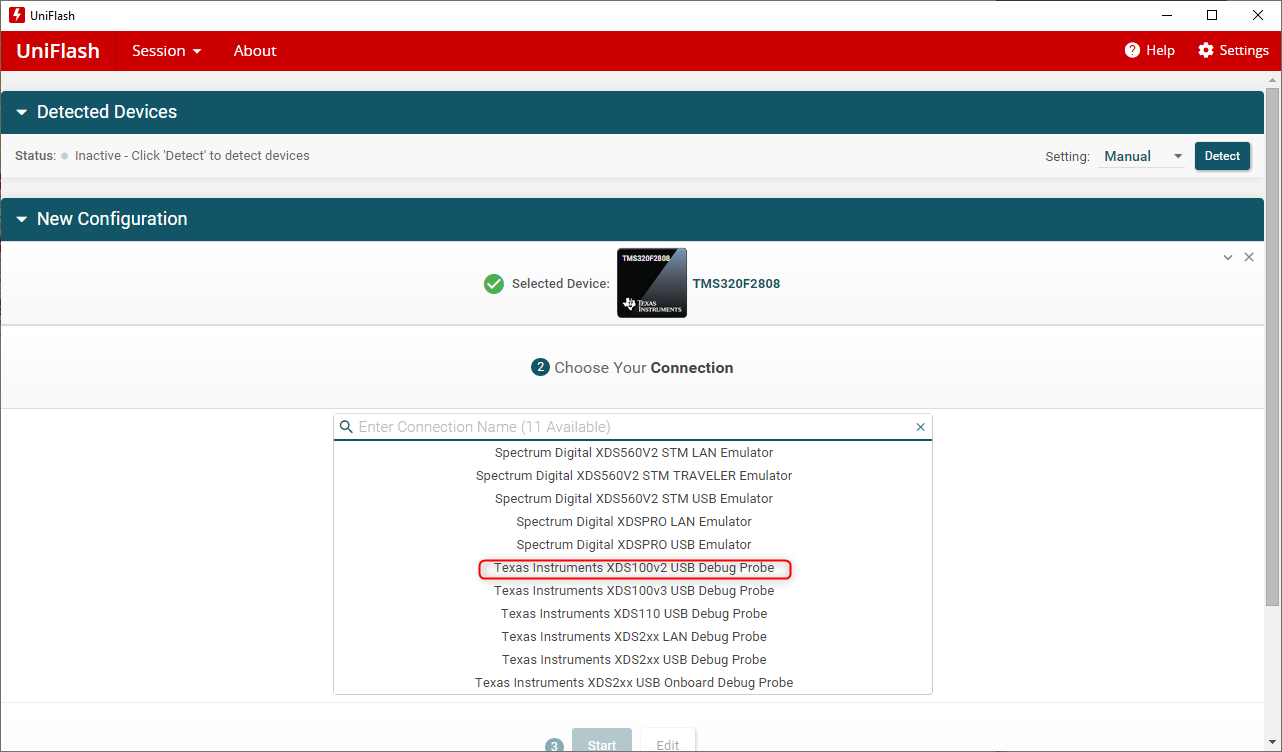
    UniFlash 5.1 is fairly recent, and should be using the new name. When I generate a package using UniFlash 5.1, it uses the new name. Try renaming the connection type in the settings file to the new name. When i try the old name with UniFlash 5.1, I see the same error as you.

    Thanks

    ki

  • Ki said:
    ry renaming the connection type in the settings file to the new name

    To clarify, you want the name to match what is in the generated ccxml file in: user_filers/configs/f2812.ccxml

  • This didn't work. I replaced the Emulator_0 with Debug Probe in the /user_files/settings/generated.ufsettings and re-ran the dslite.bat - no change in the Failed: Unknown Property: FlashKey0 error. 

    As a test, I actually changed the entire Texas Instruments XDS100v2 USB Emulator_0 with XXX to try and get a different error... but this to did not change the Failed: Unknown Property: FlashKey0 error. 

    Is this Texas Instruments XDS100v2 USB Emulator_0 supposed to match what I see in Device Manager? Because this is not the case. Within Device Manager, there is a pull down with the name "Texas Instruments Debug Probes" and within that I see "XDS100 Class Auxiliary Port" and "XDS100 Class Debug Port"

    Note: I may have found a potential route cause... there was an inconsistency within the f2812.ccxml:
    line 3: <configuration XML_version="1.2" id="Spectrum Digital XDS510USB Emulator_0">
    line 5: <connection XML_version="1.2" 
    id="Texas Instruments XDS100v2 USB Emulator_0">

    I'm not sure how the XDS510USB got involved... I've changed that to reflect the "Texas Instruments XDS100v2 USB Emulator_0", but the same error occurs. 

    Thoughts? Could this mysterious XDS510USB have messed anything else up? 

  • James Van Volkenburgh1 said:
    Is this Texas Instruments XDS100v2 USB Emulator_0 supposed to match what I see in Device Manager?

    It should match what you see in the ccxml file being used. 

    For example, when I generate the package, the related ccxml file looks like:

    <?xml version="1.0" encoding="UTF-8" standalone="no"?>
    <configurations XML_version="1.2" id="configurations_0">
    <configuration XML_version="1.2" id="configuration_0">
    <instance XML_version="1.2" desc="Texas Instruments XDS100v2 USB Debug Probe" href="connections/TIXDS100v2_Connection.xml" id="Texas Instruments XDS100v2 USB Debug Probe" xml="TIXDS100v2_Connection.xml" xmlpath="connections"/>
    <connection XML_version="1.2" id="Texas Instruments XDS100v2 USB Debug Probe">

    ...


    That name needs to be recognized by the debug server in UniFlash. 

    What does the name look like in UniFlash GUI?

    James Van Volkenburgh1 said:
    I'm not sure how the XDS510USB got involved

    XDS510 USB is not supported by current versions of CCS and UniFlash. Strange

    Where did this f2812.ccxml file come from? I doubt it was generated by the package creation wizard in UniFlash 5.1.


  • James Van Volkenburgh1 said:
    Thanks for the help. I've generated a new standalone package and now longer have the FlashKey0 error...

    Good to hear. I have split your last reply off into a new thread since it is a new issue. I will continue the discussion there and close this one off.

    ki