This thread has been locked.

If you have a related question, please click the "Ask a related question" button in the top right corner. The newly created question will be automatically linked to this question.

CCS: No errors in built console, but still errors in 'Problems' section


Tool/software: Code Composer Studio

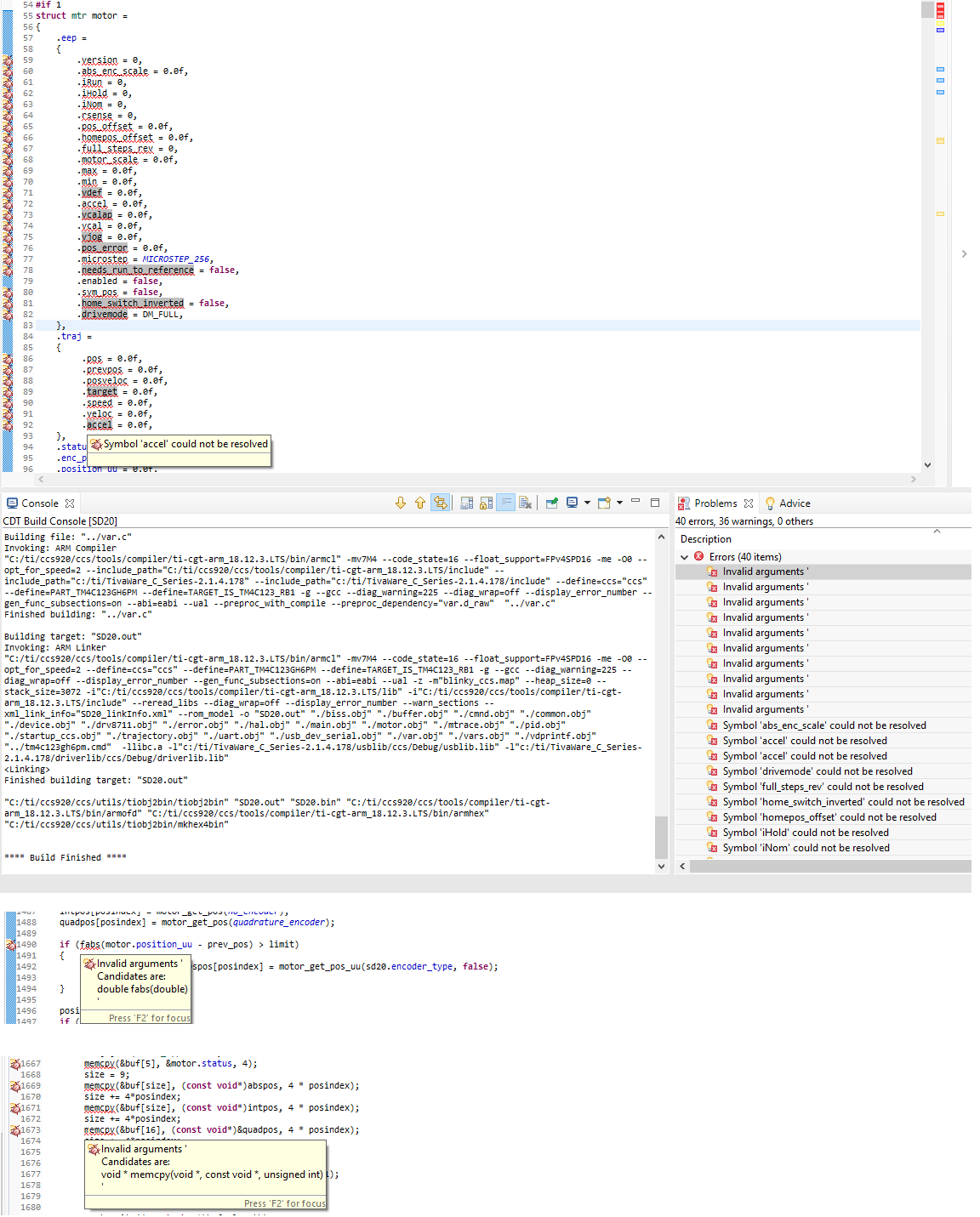
I have this quite annoying bug which came along CCS9. So when I take fresh copy from my code from svn and import it to CCS and build if, every thing works fine. I can send the code to hardware and debug it. But If I open some of the files to the editor, then CCS will find some errors and it prevents me to debug the code. And I haven't change a thing in the code.

I started to find out the problem (couldn't found anything similar from forums). I checked the build log, which comes to CDT Build console and I can't find any errors from there, so basically the code is built just fine. But still I have errors in Problems -section.

Down below are some of the errors, what I'm having. I really don't have any idea which may cause this kind of behavior. My best ques is that it is some how CCS ide related, but my knowledge isn't good enough to fix it.

Now I'm running CCS  Version: 9.2.0.00013.
  • Tomi,

    These errors are coming from the Code Analysis feature.  By default this is disabled but it seems to have become enabled in your environment.  Probably one of the options was touched (either in the workspace settings or in the project settings).

    You can control which rules it is checking in the Preferences dialog from the Help menu.  Select show advanced settings at the bottom and then go here:

    In the project options you can control when the analysis tool runs. Similarly you have to select to show advanced settings:

    In general I find that I have to go uncheck the boxes for the rules to check to get it to stop checking once it has started.  

    Regards,

    John

  • Thank you John. This fixed my issues!!

    // Tomi L