This thread has been locked.

If you have a related question, please click the "Ask a related question" button in the top right corner. The newly created question will be automatically linked to this question.

CCS: CCS 9.2.0.00013 goes into debug mode when only flash is selected


Tool/software: Code Composer Studio

I keep getting this annoying issue with the last update of Code Composer Studio, v9.2.0.00013 

I hit the "Flash" button in the IDE interface to load the program to my target, and the IDE loads its Debug environment instead ... only it is partially active.    The program does  indeed load to the target.    Something is wrong with this last update and I can't tell if it is somewhere in my settings or if it is a problem with the last update.  

For example, after hitting only the Flash button, the interface changes to what appears to be a partially-active Debug mode. All the windows and tabs change position to be somewhat in a debug context:
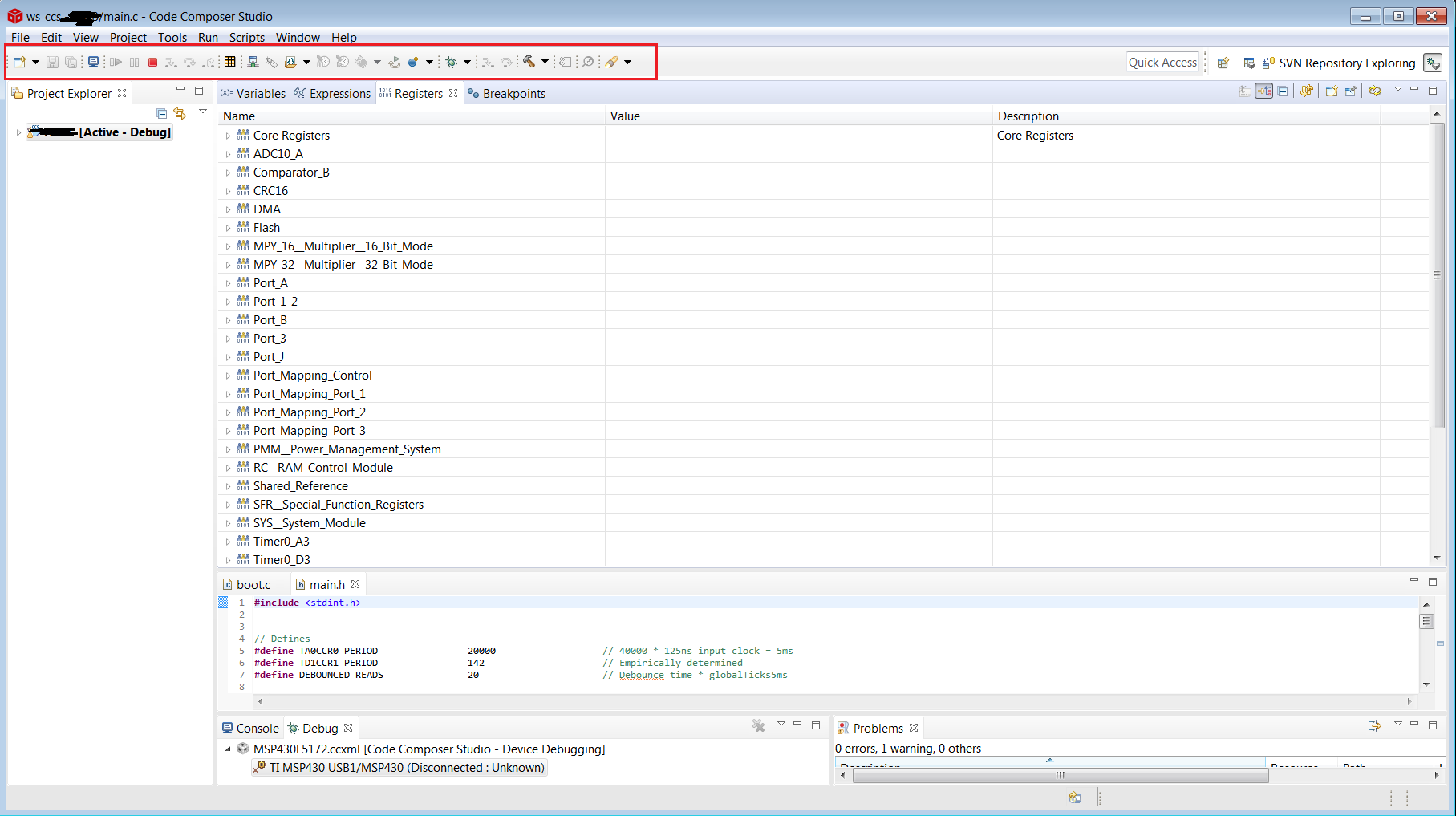
Notice that the IDE looks as if I just entered a debug session, and it is running in debug mode.   I never hit the debug button nor did I intend to start a debugging session.  This behavior happens sporadically and is not predictable. 

Also during a debug session, sometimes the "Restart" button becomes grey'd out and the only way to return back to initial conditions is to terminate the debug session and start a new one.    

I think this last update has some serious bugs in it.  Can anybody on the TI side confirm these findings and speculate on a possible fix update? 

  • Hi Adam,

    Adam Pasternak said:
    I hit the "Flash" button in the IDE interface to load the program to my target, and the IDE loads its Debug environment instead ... only it is partially active.    The program does  indeed load to the target.    Something is wrong with this last update and I can't tell if it is somewhere in my settings or if it is a problem with the last update.  

    I can reproduce this behavior. I see with every CCSv9.x version. The last version that didn't exhibit this behavior was CCSv8.3.1.

    Did you update from CCSv8.3.1 to CCSv9.2.0?

    ki

  • Yes ... you're correct ... 

    The last CCS version I had installed was 8.xx ( had the grey cube icon ) and this issue wasn't present.  Then I updated ... 

    All CCS v9.xx ( with the red cube icon ) have this issue.  

    Thank you for confirming that it isn't something I had setup with Preferences or Environments settings...

  • It certainly sounds like some regression. I filed a bug for this. Tracking ID: CCDSK-3766

    Adam Pasternak said:
    All CCS v9.xx ( with the red cube icon ) have this issue.  

    Note that the new red icon for CCS started with CCSv9.2.0. CCSv9.1.0 and earlier still used the old grey icon.

    Thanks

    ki

  • Good to know there is a bug track already in place.  Thank you, ki, for responding!!!  


    Also thanks to all TI personnel for keeping these forums functional and responsive.