Part Number: CC2650
Other Parts Discussed in Thread: UNIFLASH
Tool/software: Code Composer Studio
How can I eliminate the error message, allow for proper memory allocation, and successfully flash these two files onto my launchpad?
I am combining outputs from 2 projects, one bin file and one hex file, and flashing those files to a Launchpad. I have tried with Uniflash and with CCS, both with the same results - failure during the verification step, with some variation of the error message in the title.
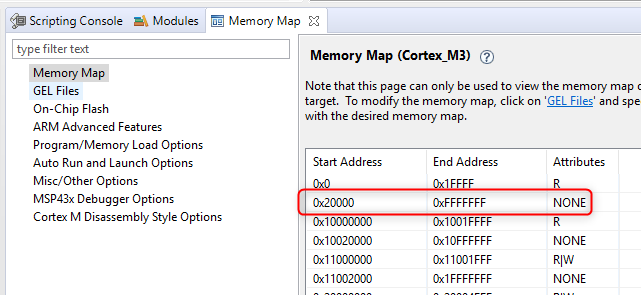
If I look at the memory location referenced in the error message using UniFlash, I see "Memory map prevented reading <addr>". In my case, the address is 0x56000. As you can see in in the memory maps below, all of the file locations are readable (have never heard of "write only" memory in any case). Also, the memory location in question is the start address for the second project's FLASH_BIM memory allocation. Note also that there is overlap between that allocation and the FLASH allocation in project 1. Is this overlap a problem, or is this what provides the inter-project dependency?
Here's the memory maps from both projects:
MEMORY CONFIGURATION - PROJECT 1 / MAIN PROJECT
name origin length used unused attr fill
---------------------- -------- --------- -------- -------- ---- --------
FLASH_IMG_HDR 00000000 00000050 00000040 00000010 R X
ENTRY 00000050 00000040 0000003c 00000004 R X
FLASH 00000090 00056090 0004078c 00015904 R X
RTOS_SRAM 20000000 0000012c 000000e4 00000048 RW X
SRAM 20000fdf 00013021 00009663 000099be RW X
MEMORY CONFIGURATION - PROJECT 2 / BIM OFFCHIP PROJECT
name origin length used unused attr fill
---------------------- -------- --------- -------- -------- ---- --------
FLASH_BIM 00056000 00001f54 00000ecc 00001088 R X
FLASH_CERT 00057f54 0000004c 00000000 0000004c R X
FLASH_FNPTR 00057fa0 00000004 00000000 00000004 R X
FLASH_CCFG 00057fa8 00000058 00000058 00000000 R X
SRAM 20000000 00013d00 0000020c 00013af4 RW X
By the way, I have successfully flashed both files before, and this problem popped up after some changes to the main project. Those changes, I'm sure, resulted in a change in the size of the flash, but it wouldn't have been a significant change.