This thread has been locked.

If you have a related question, please click the "Ask a related question" button in the top right corner. The newly created question will be automatically linked to this question.

CCS/CC2640: Issue with XDC tool

Part Number: CC2640

Tool/software: Code Composer Studio

I am trying to compile C:\ti\simplelink_cc2640r2_sdk_1_50_00_58\examples\rtos\CC2640R2_LAUNCHXL and facing this error.

C:\ti\ccs920\xdctools_3_60_01_27_core\xs: error:
 C:\ti\ccs920\xdctools_3_60_01_27_core can't find a 64-bit JVM. Upgrade to CCS 9.0 or newer, or install XDCTools with JVM, or set the environment variable XDCTOOLS_JAVA_HOME to a 64-bit JVM, for example "C:/Program Files/Java/jdk1.8.0_121/jre".

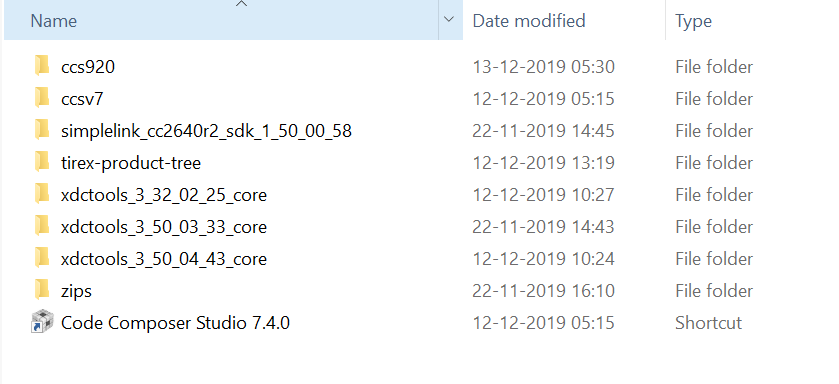
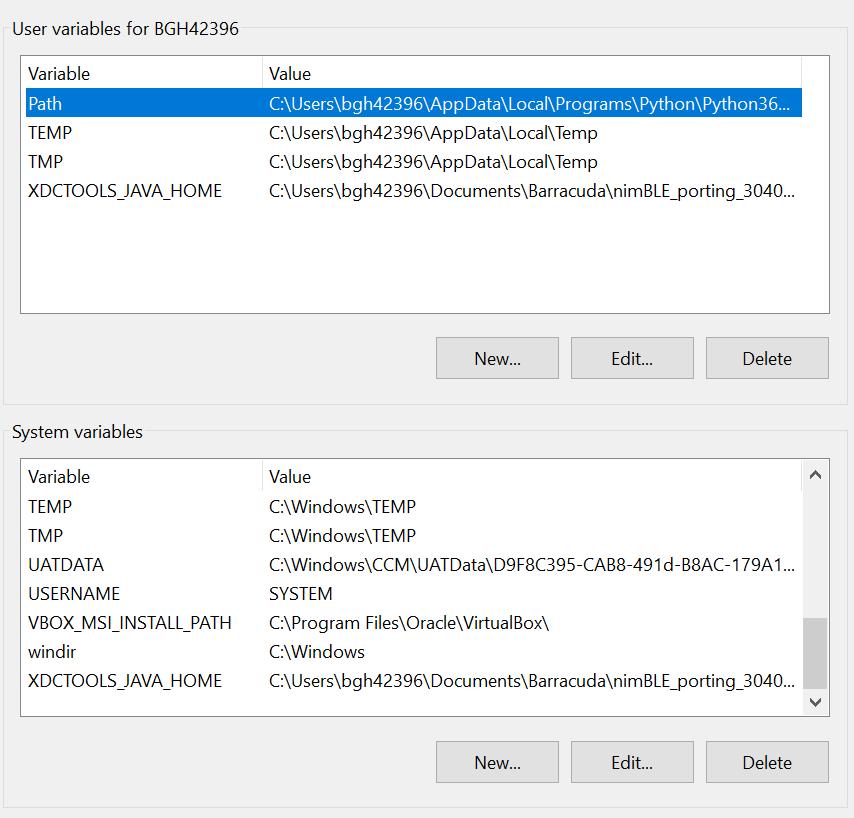
I have installed CCS9, XDCtools and Java SE 13.0.1(64bit) updated the system environment variables many times, but facing this issue repetitivel. Below is the screenshots of ti folder and setting environment variables,
  • Deepthi,

    Are you trying to build from the command line or within CCS? What version of Windows do you have?

    Todd

  • deepthi ts,
    For that functionality to work we need to know some details of the internal directory structure of the JVM installation. We are little behind in supporting the newer JVM releases. I don't think we ever tested anything newer than the version 10. I'll file the bug to address this problem, but in the meantime, you should try pointing to a version of JVM in your ccs920/ccs/eclipse/jre directory.