This thread has been locked.

If you have a related question, please click the "Ask a related question" button in the top right corner. The newly created question will be automatically linked to this question.

CCS/LAUNCHXL-F28069M: HTTP ERROR: 404

Part Number: LAUNCHXL-F28069M
Other Parts Discussed in Thread: MOTORWARE

Tool/software: Code Composer Studio

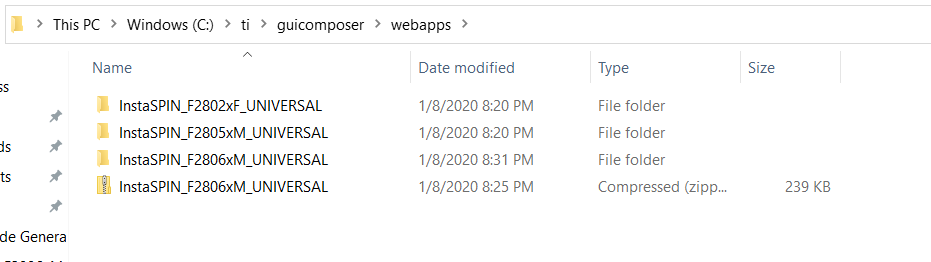
I want to work with GUIv1 in the ccsv9, I downloaded it from ccs app center and unzipped InstaSPIN_F2806xM_UNIVERSAL into ti >ccs930>ccs>Webapps.

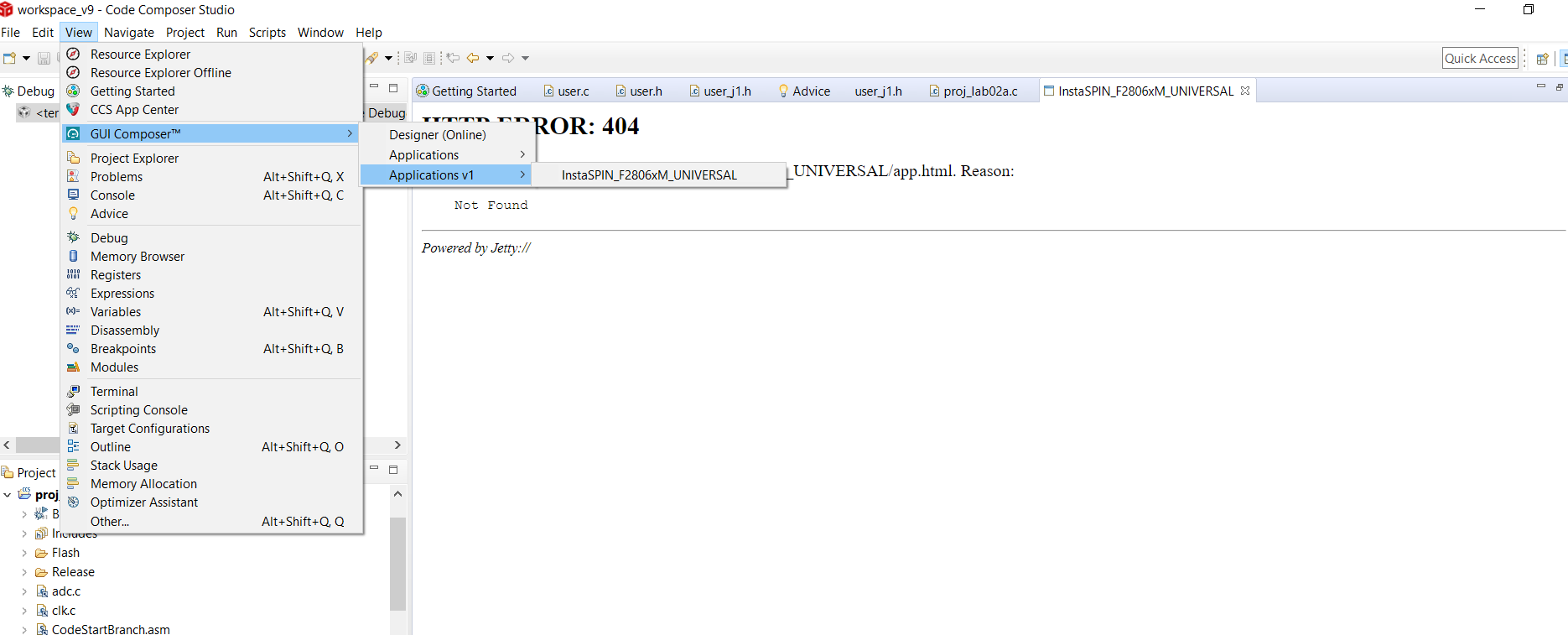
This error shows up ,

HTTP ERROR: 404

Problem accessing /gc/webapp0/InstaSPIN_F2806xM_UNIVERSAL/app.html. Reason:

    Not Found


What could be the reason ?

Here is a screenshot of my screen


A quick response is highly recommended.
Thank you.
  • Please have a look at this post which mentions the steps to follow for running the InstaSPIN_F2806xM_UNIVERSAL GUI from CCS. Let us know if that helps.

    Edit: The steps are also documented in the InstaSPIN UNIVERSAL GUI Quick Start Guide (qsg_gui_universal.pdf), which can be found in Motorware installation under \docs\guis\universal.

  • I have read them both before posting my question. The strange thing about that, is that at first it worked, but when I repeated the lab , this error keeps on showing. I uninstalled and reinstalle the gui to make sure it is in its right directory 

    what should I do ? 

  • I'm not sure why it no longer works after previously working. 

    All I had to do was copy the InstaSPIN_F2806xM_UNIVERSAL folder from C:\ti\guicomposer\webapps into the \ccs\webapps directory inside by CCS installation. Then I was able to open the GUI from within CCS.