Part Number: LAUNCHXL-CC3235S
Other Parts Discussed in Thread: CC3235S, UNIFLASH
Tool/software: Code Composer Studio
Hello team!!!
I need your help to resolve this problem, Actually I am trying to use "subscribe_publish_sample_CC3235S_LAUNCHXL_freertos_ccs", to conncet with AWS cloud, this example is belongs to AWS_IOT_SDK "C:\ti\aws_cc32xx_3_30_00_03\examples\rtos\CC3235S_LAUNCHXL\aws\subscribe_publish_sample" FYI i have gone through following steps
1) I have create aws account, as per the instruction that came in doc section of the AWS_IOT_SDK.
2) during that i have downloaded
a) public key
b) private key
c) certificate
d) root certificate'
3) i changed the name of the files and i wrote same name in aws_iot_config.h
4) and i changed host, id,port and things as i created .
5) and i attached certificate to the things
6) and policy to the certificate
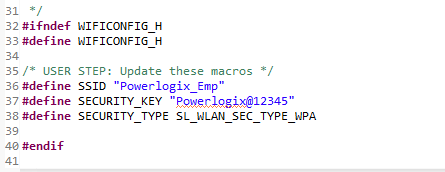
7) configured wifi ssid and key as per my router.
8) in unflash i kept certificate,private key and root CA(/starfield also)
please see following pic ,to know how i kept file and where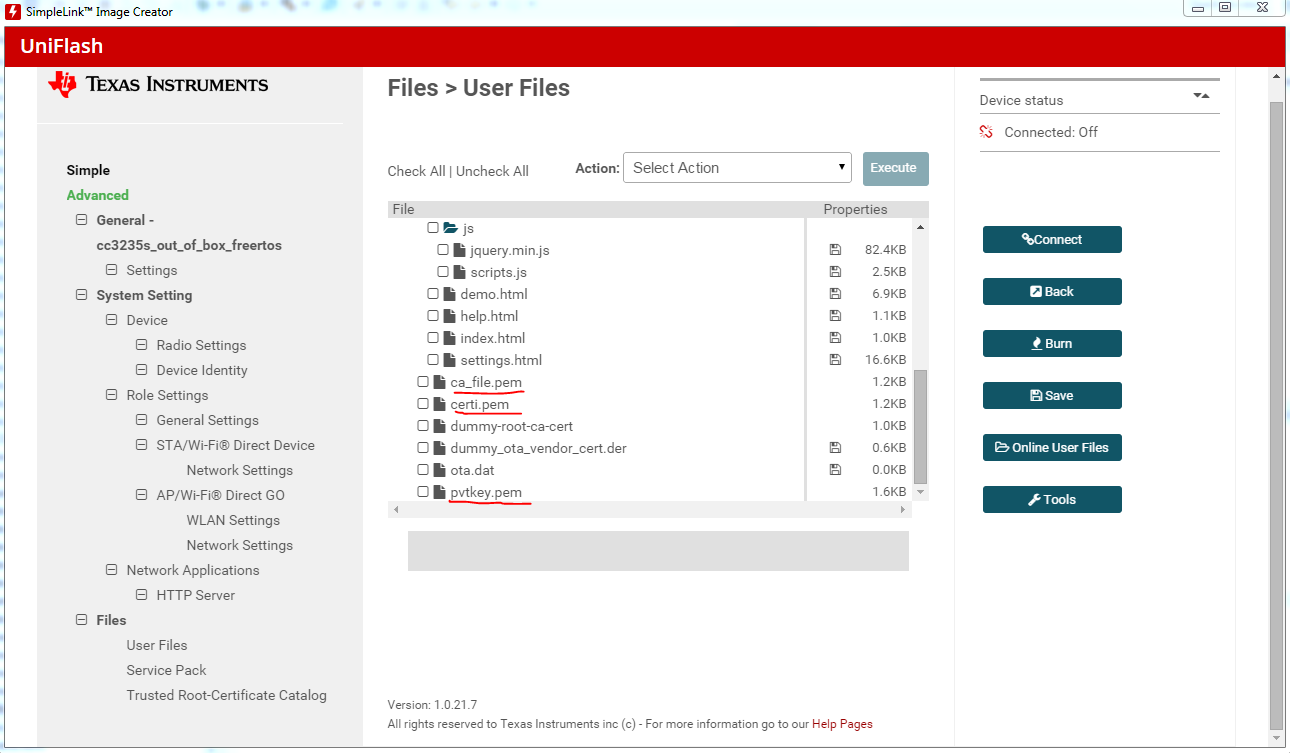
after that i took binary file of the project and i burned the program inside cc3235s . and i got this.....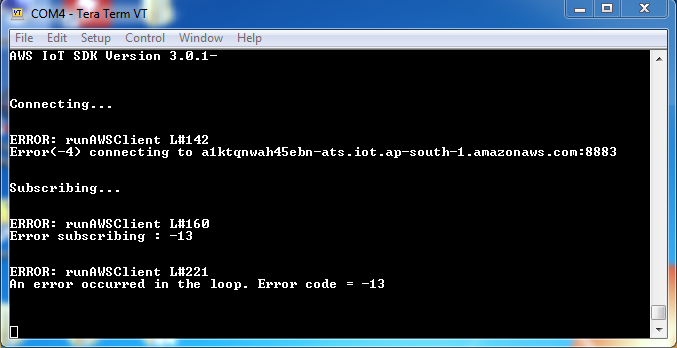
it recognized all the certificate and keys successfully but its not getting connect with the AWS server or connection is not getting established or TLS handshake failed.
please guide me to resolve this problem.
waiting your response....
i will appreciate you help
thanks in advance...