This thread has been locked.

If you have a related question, please click the "Ask a related question" button in the top right corner. The newly created question will be automatically linked to this question.

CCS/AM5718: Adding custom function to trace

Part Number: AM5718
Other Parts Discussed in Thread: SYSBIOS, TMDSEMUPROTRACE

Tool/software: Code Composer Studio

Hi,

I am using ccsv8.2. I was enabled hardware trace viewer using your documents.But trace always shows TI's functions. Can i able to include my own function name to trace??.

  • HI,

    If you are using one of the pre-configured Trace jobs in CCSv8.x and no exclusion filters to remove specific memory regions, the displayed function on the Trace Viewer is entierly dependent on the status of the program in execution.

    In other words, if the running code is either in the middle of a runtime support library function (common if you are using one of the very large console I/O functions such as printf) or if the code is at the SYSBIOS idle loop (common if the processor CPU usage is small), then you will see a prevalence of functions running from a TI library or code. 

    You can potentially add fences to limit the memory where Trace will take place, or use an external Trace POD such as the TMDSEMUPROTRACE with an enormous amount of memory when compared to the internal Embedded Trace Buffer (ETB). But that last option will depend if the hardware in your board has a high density MIPI-60 Trace connector. 

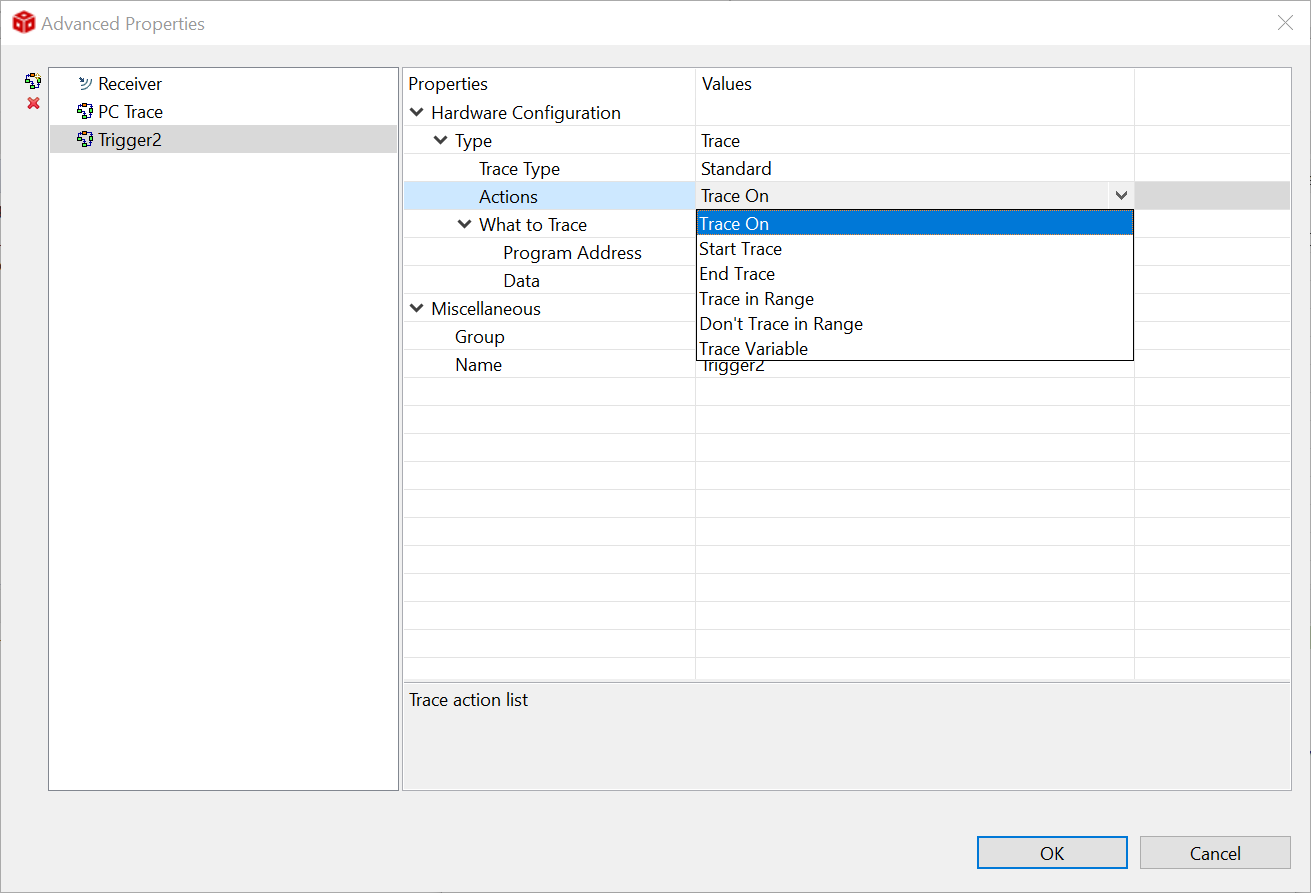
    To add fences, from the Trace Viewer you can click on the Advanced button, add a new Trace trigger and enable one of the inclusion/exclusion options in the "Actions" option, as shown below. 

    I know there is a limitation on the number of triggers, which is dependent on the device. However, I can't recall what are the limitations for the AM571x family of devices. 

    Hope this helps,

    Rafael