This thread has been locked.

If you have a related question, please click the "Ask a related question" button in the top right corner. The newly created question will be automatically linked to this question.

CCS/TMDSCNCD28379D: Expressions Value Issue - Identifier Not Found

Part Number: TMDSCNCD28379D
Other Parts Discussed in Thread: TIDM-1000, C2000WARE, TMS320F28377D, POWERSUITE, CONTROLSUITE

Tool/software: Code Composer Studio

Hi All, 

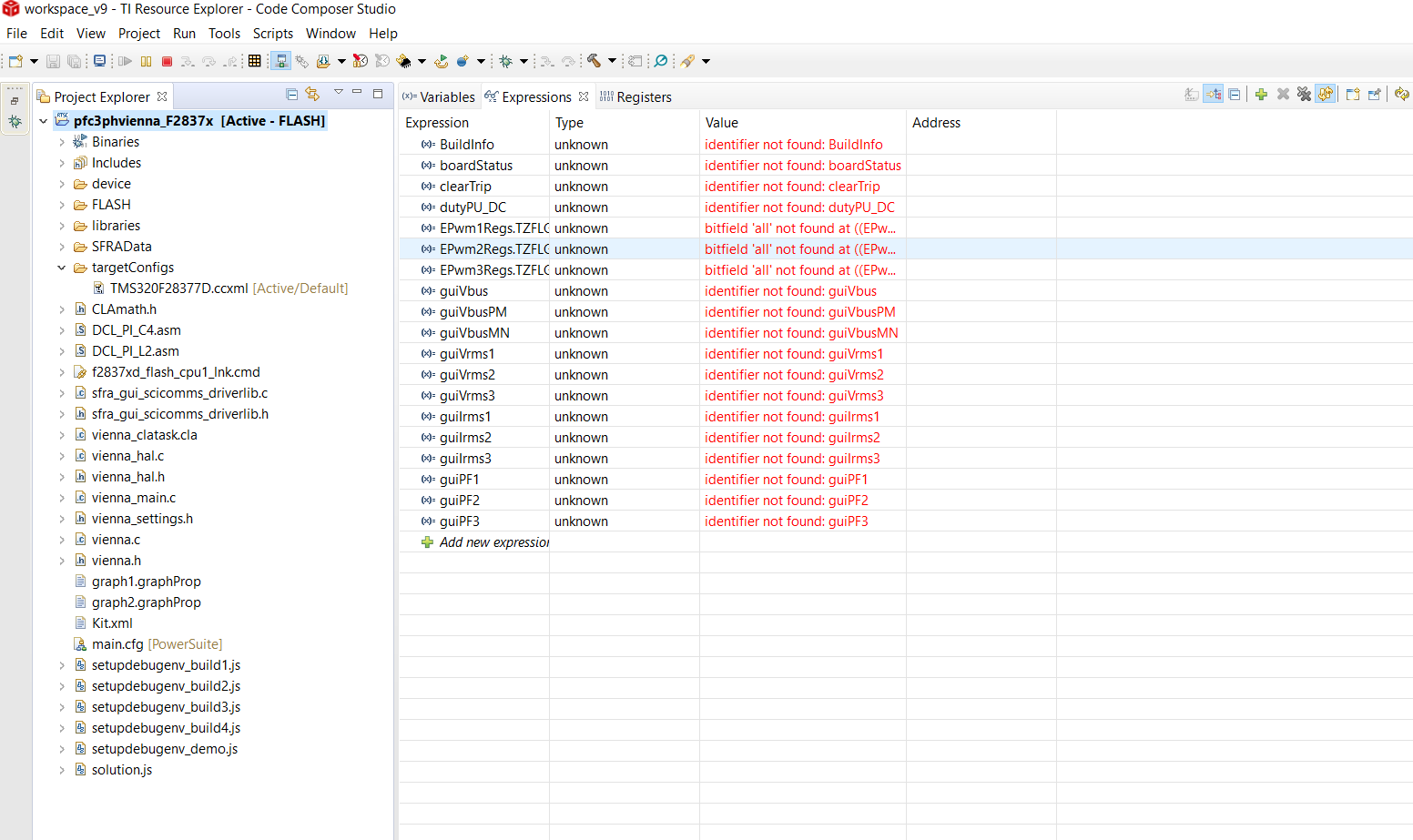
When following the Design Guide: TIDM-1000 and when attempting to connect the debugger, our Expressions variables display a value of identifier not found: [ example expression name].

We have verified through the Basic configuration set up (in the .ccxml file) that the JTAG connection has been successfully made. Believing that our hardware is properly configured, we can not understand why the variables in our Expressions viewer are not found. We are exactly on step 6.4.1.3 SetUp Debug Environment Windows, of the Getting Started Firmware (TIDUCJ0F - November 2016). 
  • Hello,

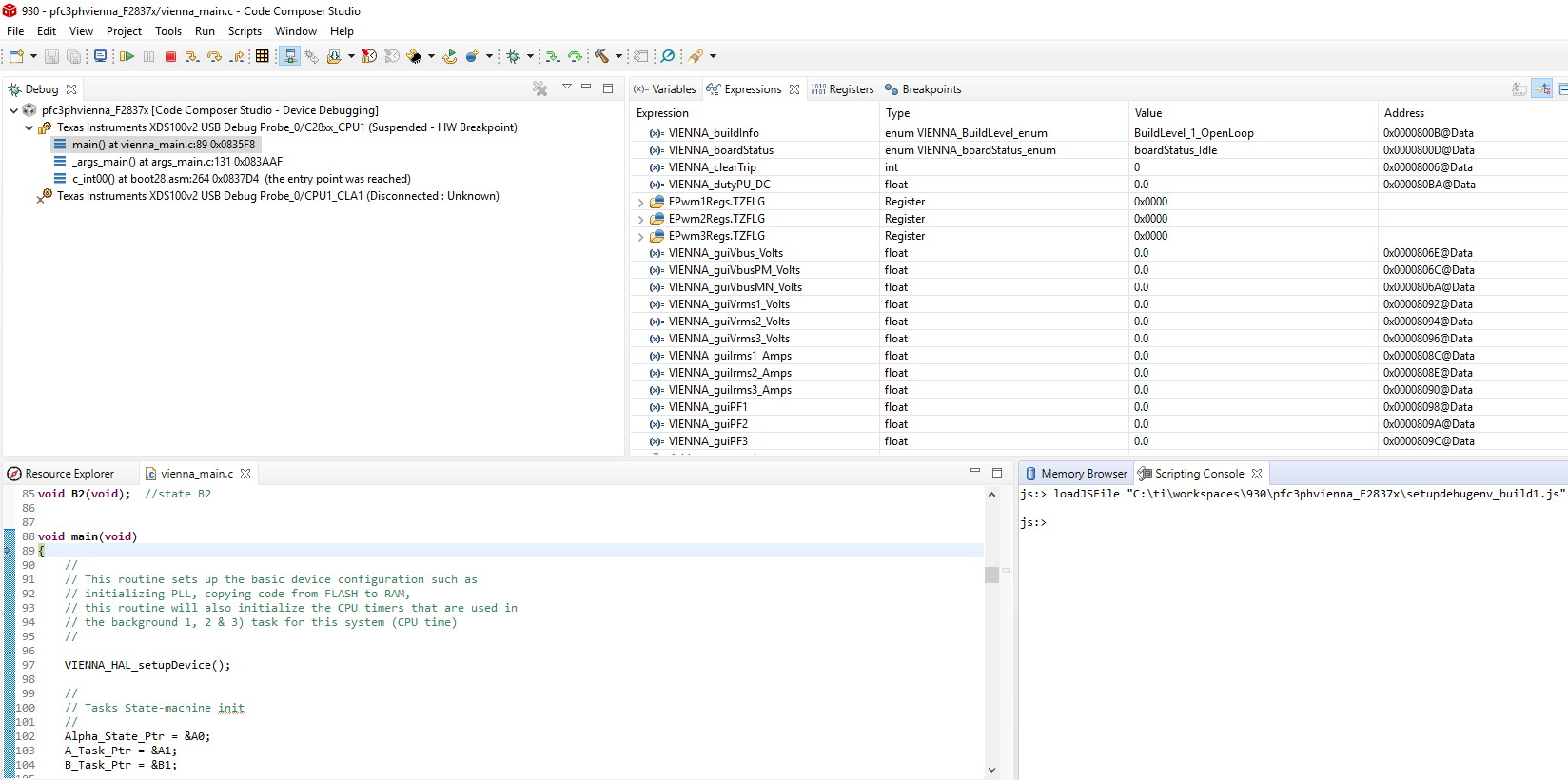
    Can your re-try step 6.4.1.2 and when you are halted at main, run the js script and see if have the same issue. If so, please provide a screenshot of your debug perspective that shows the same views as below. It is important that you have the 'Debug' view open (I see that it is minimized in your environment)

    Thanks

    ki

  • I also noticed that you variable names are different than what I see and what is in the document. Which js file did your run? And what version of C2000Ware are you using?

  • Hi Ki - Thank you very much for your timely response. 

    To answer you questions - we are using C2000Ware 2.01.00.00 and the most update CCS environment. The .js file we are using is the setupdebugenv_build1.js 

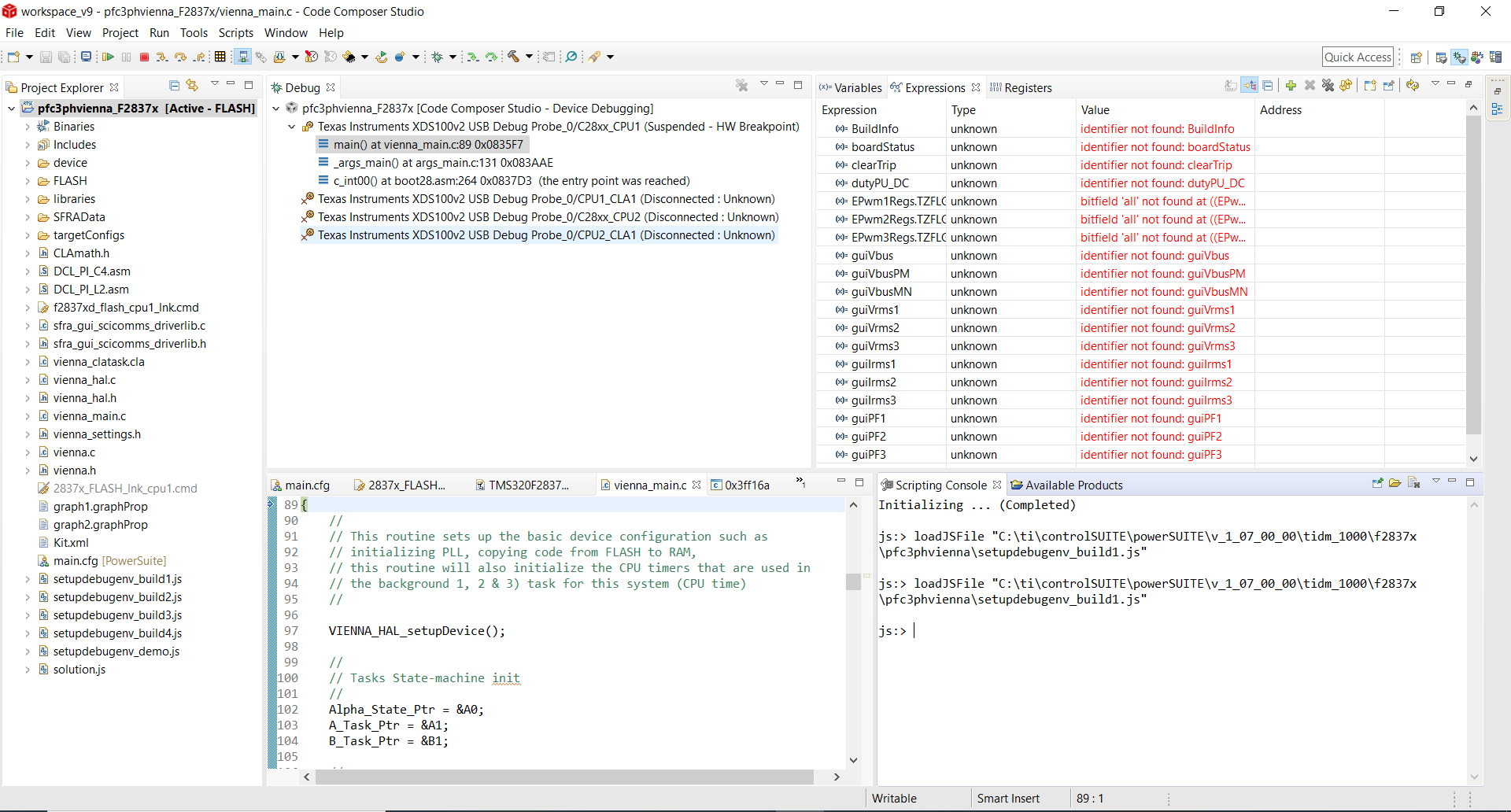
    Below you can see our screenshot of our IDE at the breakpoint at main. When we tested our connection in the TMS320F28377D.ccxml, with the connection being our XDS100v2 USB Debug Probe, and our board or device being checked as the 28377D, the test file ran successfully and returned no errors. However, during this process we did not, and have not once, noticed that the A:D3 or A:D4 LEDs have been lit.

    Under our project explorer, next to the top directory, should we be seeing "[Active - RAM]" or "[Active-FLASH]"? We noticed that when we load the project through the TI resource explorer, as outlined in step 6.1, we see "Active-Flash" but when loading the pfc3phvienna folder through File < Import it shows Active-Ram. When running it when loaded with Active Ram, our variables in our Expressions actually displayed values and did not show any errors. However the variable names were still different from the ones you showed above, and match the variable names seen below in our screen shot. When running the file as imported through the step listed in 6.1, we see the screen shot below.  

    Thanks for your time and help. 

  • Aiden Kravitz said:
    we are using C2000Ware 2.01.00.00

    In your screenshot, the js file you are running is from an old version of powersuite from controlsuite.

    Can you try using the js file in your project folder?

  • This did the trick. Thank you so much.