This thread has been locked.

If you have a related question, please click the "Ask a related question" button in the top right corner. The newly created question will be automatically linked to this question.

CCS/TMS320F28379D: Gui Composer Standalone App does not launch in Windows Platform.

Part Number: TMS320F28379D


Tool/software: Code Composer Studio

Dear Team,

I have created an App in Gui Composer (dev.ti.com/gc). I have exported this App as a Standalone App. I have installed latest GCRuntime 7.4.0 and have extracted the content to below location. 

C:\Users\myUser\guicomposer\runtime\gcruntime.v7

Project Directory : C:\Users\myUser\guicomposer\runtime\gcruntime.v7\B2B_F28379D

On double clicking "launcher.exe" nothing happens. I don't even see the task in task manager. I have tried this with GCRuntime 7.3.0, still it did not work.

I have tried this on Ubuntu and there it has been working successfully. However I am facing challenges on Windows platform. 

Please help me out and let me know if you need any more details.

Thanks and regards,

Abhay

  • Hi Abhay,

    It sounds like you are doing everything right. Not sure why it is not launching for you. What version of Windows are you using? Can you attach the zip for standalone gc app to this thread?

    Thanks

    ki

  • i Ki,

    Thanks for replying. I am using Windows 10 Version 1903. (OS Build 18362.657).

    If by some means, logs can be generated by "launcher.exe", we can get more insight of the problems.

    As requested I am attaching the standalone app.

    Thanks and regards,

    Abhay

  • Thank you. I can run your app fine in my environment:

    Hence your app is fine. There is something specific to your environment that is preventing it from running.

    Can you temporarily disable any antivirus/security software running on your PC and try again?

    Thanks

    ki

  • Hi Ki.

    I have disabled Windows Defender and even firewall. Even Antivirus is disabled, but still nothing happens. I tried running this with Administrative privileges as well but still nothing happened.

    Is there some way I can activate logging to see if NodeJs server has started and whether runtime is working? I tried CCS Desktop View, at least that is working. However, I am desperate to solve the issue with Standalone App.

    Thanks and regards,

    Abhay

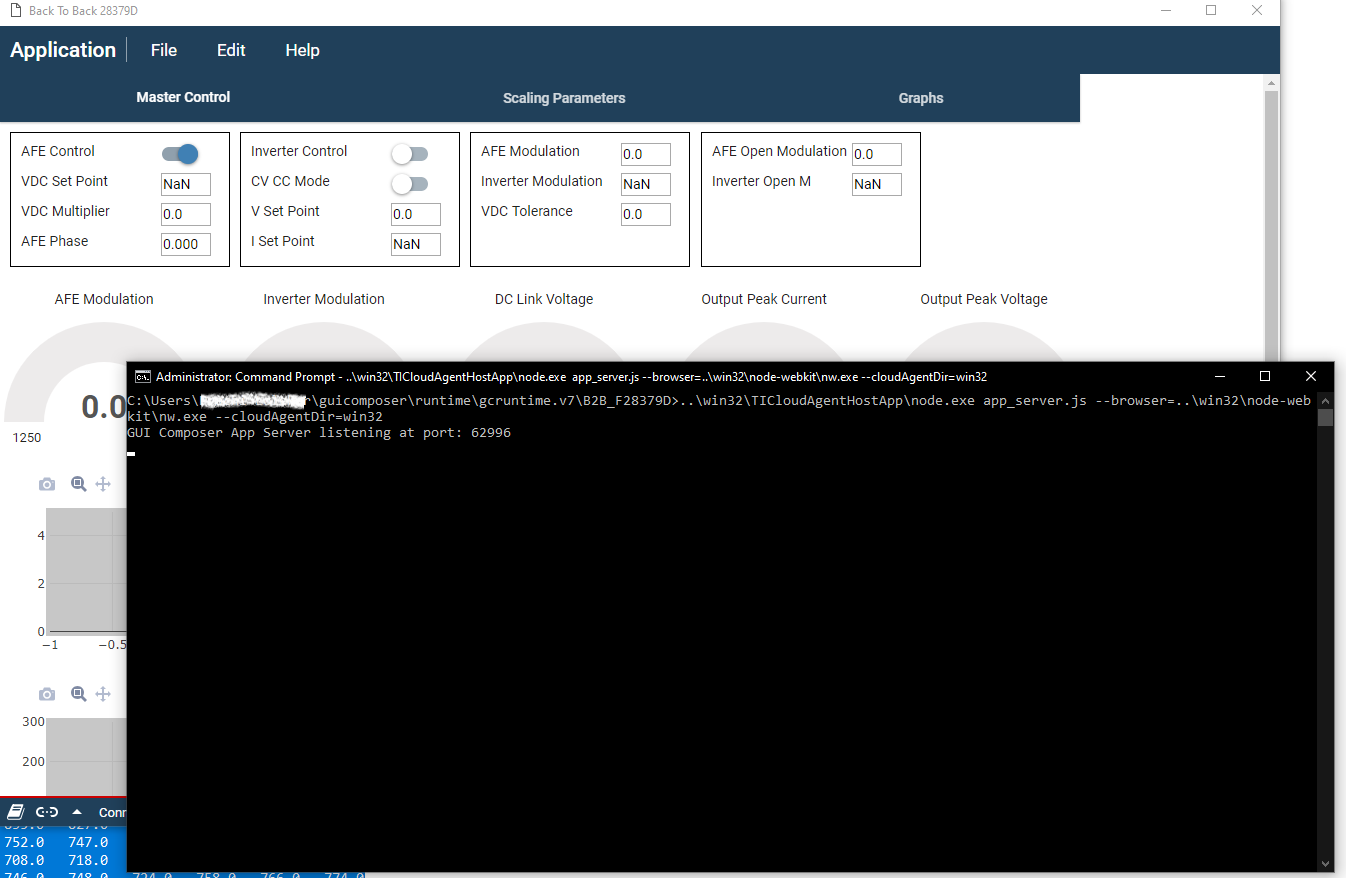
  • Can you open a command prompt and browser to the location of your app folder and then run the following command:

    > ..\win32\TICloudAgentHostApp\node.exe app_server.js --browser=..\win32\node-webkit\nw.exe --cloudAgentDir=win32

    Example: 

    This should try to launch the app. Prove any messages you see that appear in the console. 

    Thanks

    ki

  • Hi Ki,

    If I execute this using the above command it works. PFB screenshot. It seems there is some issue with 'Launcher.exe'.

    Thanks and regards,

    Abhay

  • If you try running launcher.exe from the command prompt, does nothing happen?

    Does your username have any non-alphanumeric characters in it?

  • Hi Ki,

    If I try running 'launcher.exe' from command prompt nothing happens, it does not even show errors.

    My Username has one space.

    Warm regards,

    Abhay

  • Abhay Lolekar said:
    My Username has one space.

    the space in the path may be an issue. Can you try copying the whole "guicomposer" folder out of your home folder and to a location without any spaces? Then try running launcher.exe

  • Hi Ki,

    If I copy guicomposer to path not containing spaces, then launcher.exe is able to open application window.

    Thank you so much for your support. 

    I am not sure if you need to file a bug to get this fixed or the readme file needs to be updated to mention this defect.

    Anyways thanks a lot.

    Thanks and regards,

    Abhay

  • Abhay Lolekar said:
    I am not sure if you need to file a bug to get this fixed or the readme file needs to be updated to mention this defect.

    It's a known issue across many of our tools:

    https://e2e.ti.com/support/tools/ccs/f/81/t/740719

    But agreed, we need to document this better.

    Thanks

    ki