This thread has been locked.

If you have a related question, please click the "Ask a related question" button in the top right corner. The newly created question will be automatically linked to this question.

CCS/AWR1843BOOST: AWR1843BOOST

Part Number: AWR1843BOOST
Other Parts Discussed in Thread: AWR1843, AWR1642, IWR6843AOP, SYSBIOS

Tool/software: Code Composer Studio

in Code composer studio , i have loaded gesture code which is there for 1642 , which i have modified for AWR1843BOOST, 

1> Build project is successful

binary files are also created  after Building both MSS and DSS .

later i tried lauching new target configuration and after launching i have loaded the binary file from DSS which was also successful ,

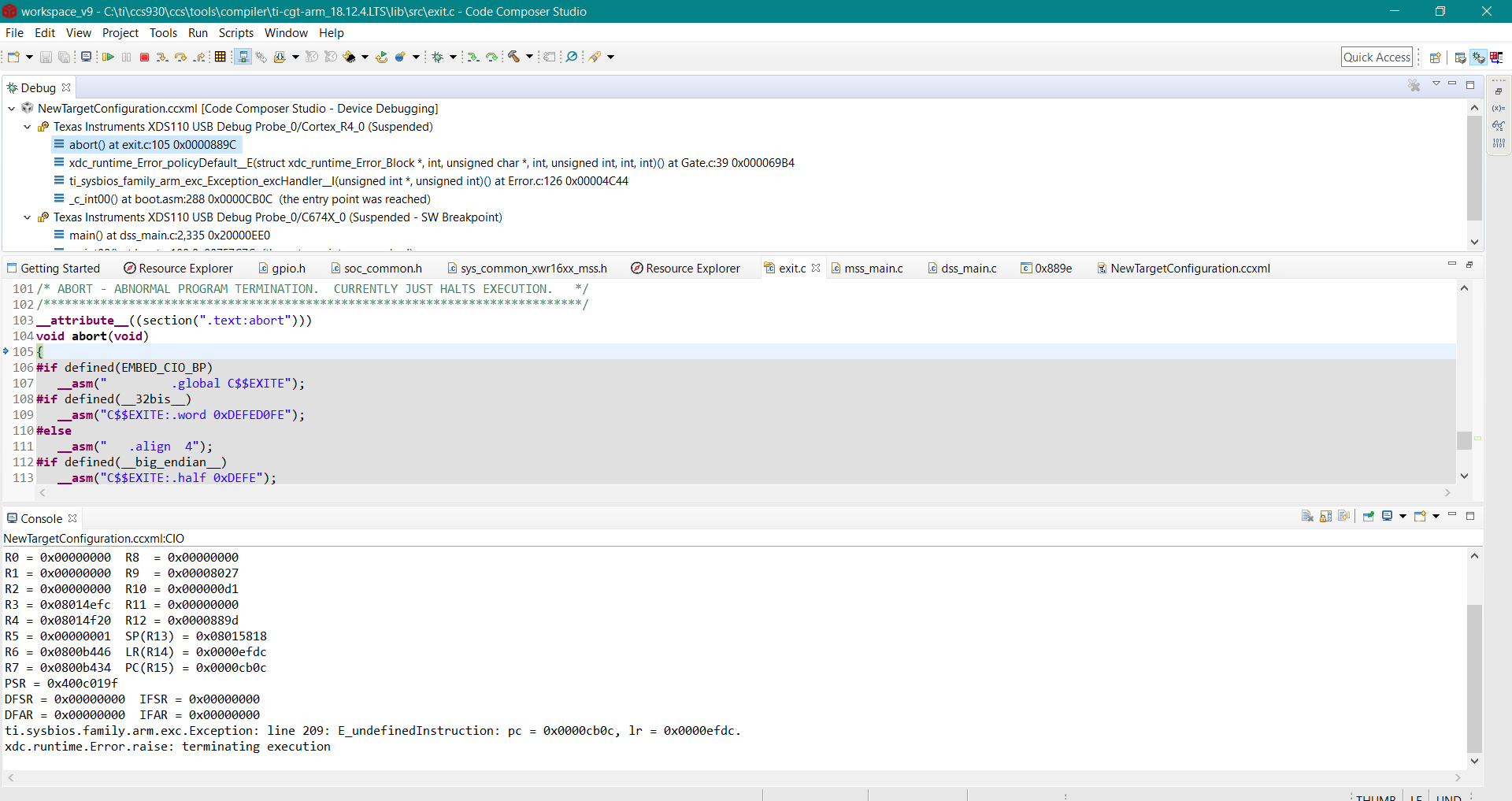
then i tried to load binary file from MSS during the process it shows error and the code enters Abort and spins forever FOR Loop

PFA code files . https://e2e.ti.com/cfs-file/__key/communityserver-discussions-components-files/81/gesture.7z

  • Gesture flashing gave error New (as PDF).pdf

    could you please provide the code which i can run directly on AWR1843Boost , along with the software versions recommended

  • Hi Vanishree,

    I just tried flashing the pre-built binary from TI-Rex: multi-gesture application (lab0009_multi-gesture-16xx) to AWR1843 device and it works fine even with CCS built binary file. And with SDK 3.1.1 version. 

    SDK 3.3 version has many changes where one of the change is to run ADCBuf_open from MSS instead of DSS. So I would recommend to either move it to MSS in gesture application or use SDK 3.1.1 version only.

    For that error [ Hwi Undefined intnum: 59], you need to execute MSS first then DSS code from CCS.

    Regards,

    Jitendra

  • could you share the code  through  which u generated CCS built binary file

    and also can u suggest me the software versions required?

  • Here is the change you need to make in the application with SDK 3.3 version

    dss_main.c --->

    /* ADCBUF Params initialize */

    ADCBuf_Params_init(&ADCBufparams);
    ADCBufparams.chirpThresholdPing = GESUTURE_ADCBUFF_CHIRP_THRESHOLD;
    ADCBufparams.chirpThresholdPong = GESUTURE_ADCBUFF_CHIRP_THRESHOLD;
    ADCBufparams.continousMode = 0;
    ADCBufparams.socHandle = gGestDssMCB.socHandle;

    /* Open ADCBUF driver */
    context->adcbufHandle = ADCBuf_open(0, &ADCBufparams);

    Regards,

    Jitendra

  • could you please share  the entire code files with us , so that i don't get any errors

    also could you  share the software versions used

  • could you please suggest steps to directly run demo using gui\Gesture_Feature_Plot.exe’ on AWR1843Boost

  • I have picked up the application from TI-Rex automotive v2.7.1 version and imported the project to CCS. WIth that change the SDK version in CCS project properties and above code addition in dss_main.c make it build successfully.

    To use GUI, please refer the user guide available in the same package under 'docs' directory.

    Regards,

    Jitendra

  • could u also share SDK and CCS version u have used?

  • could u also share the screen shots of the properties u have set for the gesture project , because i have tried following steps mentioned in document and i m still facing issues , so i want to know the versions of SDK and CCS and also project properties

    these are the versions m using 

    Windows 10

    SDK version: mmwave_sdk_03_03_00_03

    CCS:ccs930

    we are working on a POC ,  it would be helpful if u could provide us the exact solution or if we could have a webex session

  • Hi Vanishree,

    Pre-built executables for AWR1642 will normally run on AWR1843 without any modification. You normally only need to pay attention to the antennas that are selected.  In this case, the demo differs from the norm in two ways: 1) the configuration is internally loaded (not contained within a config file), and 2) the 1642 antenna pattern is for the ODS antenna pattern.

    TI document SPRUIK1 shows the antenna pattern for the AWR1642ODS EVM.  The gesture demo code expects 8 virtual antennas (channels) that are spatially oriented (and ordered) as you would expect from looking at Figure 10 of SPRUIK1, and the board orientation in the gesture demo user guide:

    6  2  5  1

    7  3

    8  4

    AWR1843Boost cannot replicate this pattern with it's antenna configuration.  Using its TX1 and TX2 antennas, it's virtual channels will be spatially ordered like this:

            5  6  7  8

    1  2  3  4

    So, if you just run the code with the AWR1843Boost antenna, the channel data will not be in the correct spatial locations that the code assumes.  This will cause a loss of performance unless channel order is accounted for. There is no way to get the same spatial resolution in both azimuth and elevation directions with the AWR1843Boost antenna.  Either the IWR6843ODS, IWR6843AOP or similar antenna could be used.

    As to why the MSS is throwing an error code, we would need to see what the error is.  Very likely, it is a configuration error.

      -dave

  • as per the user guide it says demo is run on Tera term , do we need to download it separately ? if yes is there any specific version?

    i tried the solution provided by jitendra gupta , unfortunately its not working,

    we need exact steps to be followed for AWR1843 along with Code files

  • Any serial terminal emulator will work.  TeraTerm is popular and free, and any version will work.

    The gesture demo has not yet been updated to SDK 3.3 (it will be updated to SDK 3.4 in the near term).  A faster/easier solution for you in the near term would be to install SDK 3.1.1, so that you do not need to worry with the API change.  Having multiple SDKs installed will not cause any issues/conflicts.  I have about 12 SDKs installed.

    As I mentioned before, you can simply flash the AWR1642 pre-built executable on the AWR1843, but with reduced performance due to antenna differences.

     -dave

  • Hello dave:

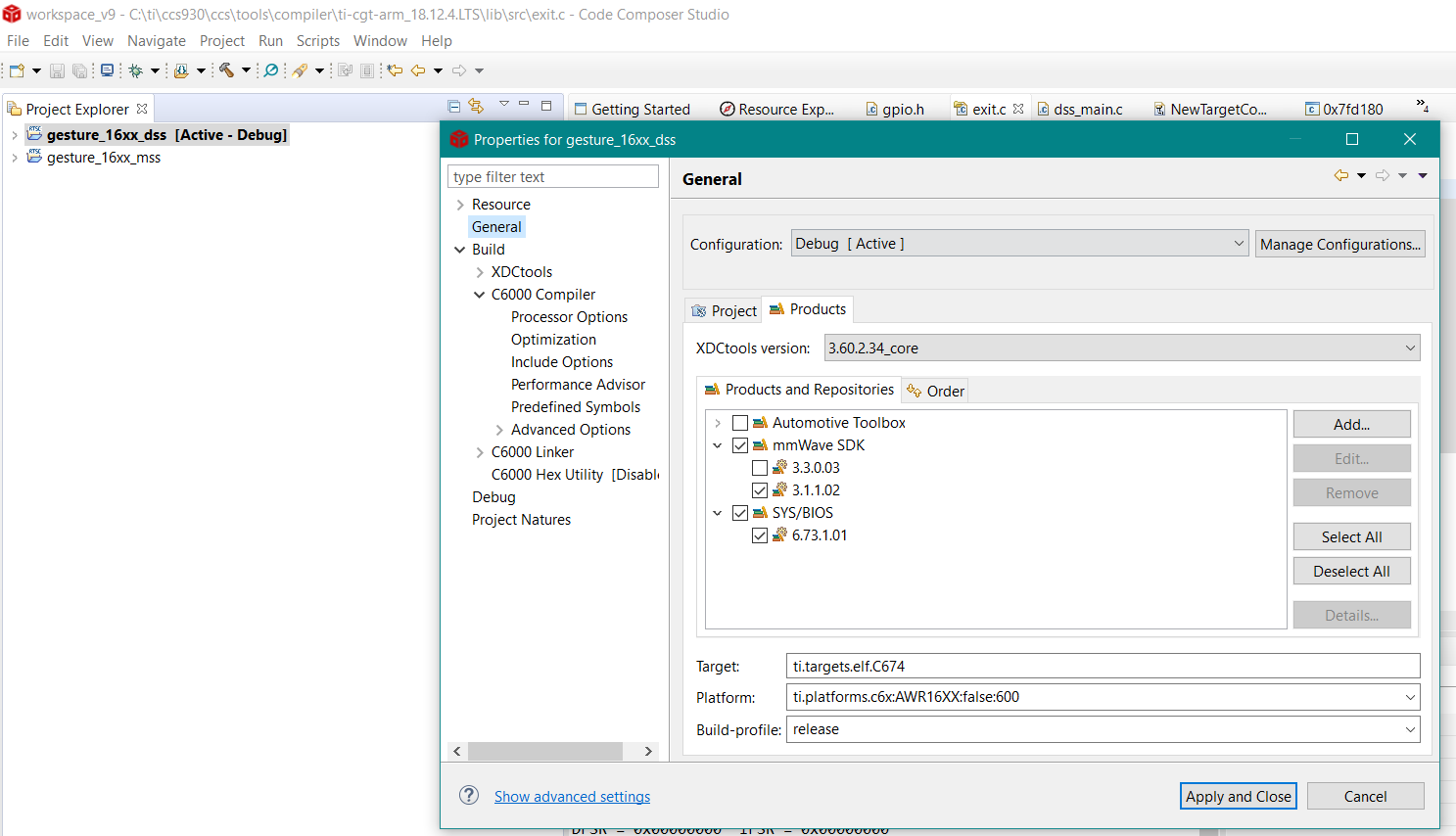
    i have installed SDK 3.1.1. i have this warning is it okay? i haven't tried  yet

  • Yes, it should be fine.  The warning is because the demo's CCS projectspec calls for version 6.73.1.00, and it is not installed.  The SDK's installer will install the required tool versions if you allow it to.

      -dave

  • Can we have a WEBEX session ? 

  • Hi Vanishree,

    I have attached Multi-gesture application built with SDK 3.3 version and tested generated binary on AWR1843BOOST.

    https://e2e.ti.com/support/sensors/f/1023/p/884708/3282451#3282451

    SysBios Version: 6.73.1.01

    SDK: v3.3.03

    XDCTool: 3.55.2.22_core

    CCS: v9

    Could you try flashing the binary attached in the above zip file (in other e2e thread) to AWR1843BOOST and check the UART outputs on TeraTerm (refer multi_gesture_user-guide.pdf: section 5.4).

    Now if you need to load the this application image over CCS (in development mode) then for that refer mmwave_sdk_user_guide.pdf (section 3.2.2) from SDK 3.3 and after loading the MSS & DSS debug images from CCS, execute the MSS core first then DSS core.

    Let me know if you face any error while following the exact steps mentioned above.

    Regards,

    Jitendra

  • i have installed 3.3SDK

    and CCS V9 

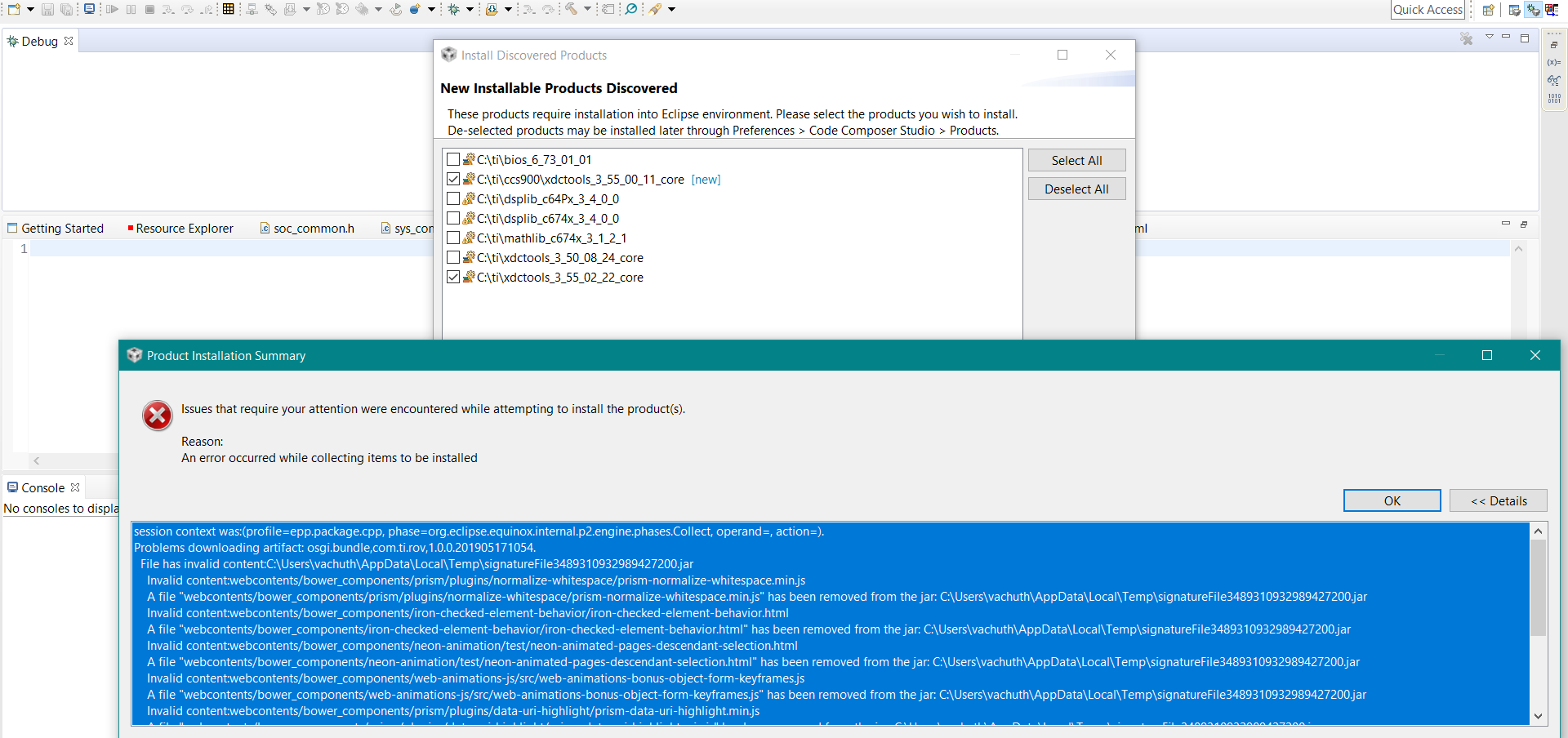
    separately i have downloaded 3.55.02.22 Core (Windows)   and ltr i m trying to open CCS V9 . i m getting above message

  • I'm not sure what is going on with your environment.  You have said earlier that BIOS 6.73.1.1 was installed, but the message above says either it isn't installed, or has not been "installed" into CCS.

    It is normally best to let the SDK installer install the components it needs to use (unless you're sure that version is already installed).  Then, the next time you start CCS, it "discovers" the newly installed components and "installs" them into Eclipse.  It discovers them because they have been installed into C:\ti.  It should not ask each time you start CCS.

    For the sake of running the demo successfully, I would suggest following Jiten's advice to simply flash the build he created and run the demo.

    For the sake of correcting your environment, I would exit and restart CCS.  Let it "install" everything it finds.  If you get errors, I would delete these components from C:\ti, and re-run the SDK installer.  If you still get errors when you restart CCS, your CCS workspace may be corrupt. The CCS workspace is normally stored under C:\Users\<username>.  You can exit CCS, delete or rename this folder and restart CCS. This will prompt you for a new workspace folder, and then it will auto-discover the components again.  Which should work this time.  NOTE:  If you have any code changes that you want to keep, you will need to save those files somewhere if you delete your workspace. By default, many projects store source code locally in the workspace, and *not* in the original source location.

     -dave

  • what should be the SOP mode? 

  • To flash the binary file to device it should be in SOP-5 (jumpers closed on SOP-0 and SOP-2).

    And to run the application it should be in functional : SOP-4 (jumper only on SOP-0 of EVM).

    Please follow the mmwave sdk user guide document for any concern around usage of the application of development process with CCS.

    Regards,

    Jitendra