This thread has been locked.

If you have a related question, please click the "Ask a related question" button in the top right corner. The newly created question will be automatically linked to this question.

CCS/DRV8312-C2-KIT: Error communicating with the device

Part Number: DRV8312-C2-KIT


Tool/software: Code Composer Studio

Hi Team,

A customer is using DRV8312-C2-KIT but can't connect to the XDS100v1 USB Emulator. 

He was using CCS v9 and the instructions called for CCS v4. After uninstalling v9 and installing v4, he received the following errors that the device is not communicating.
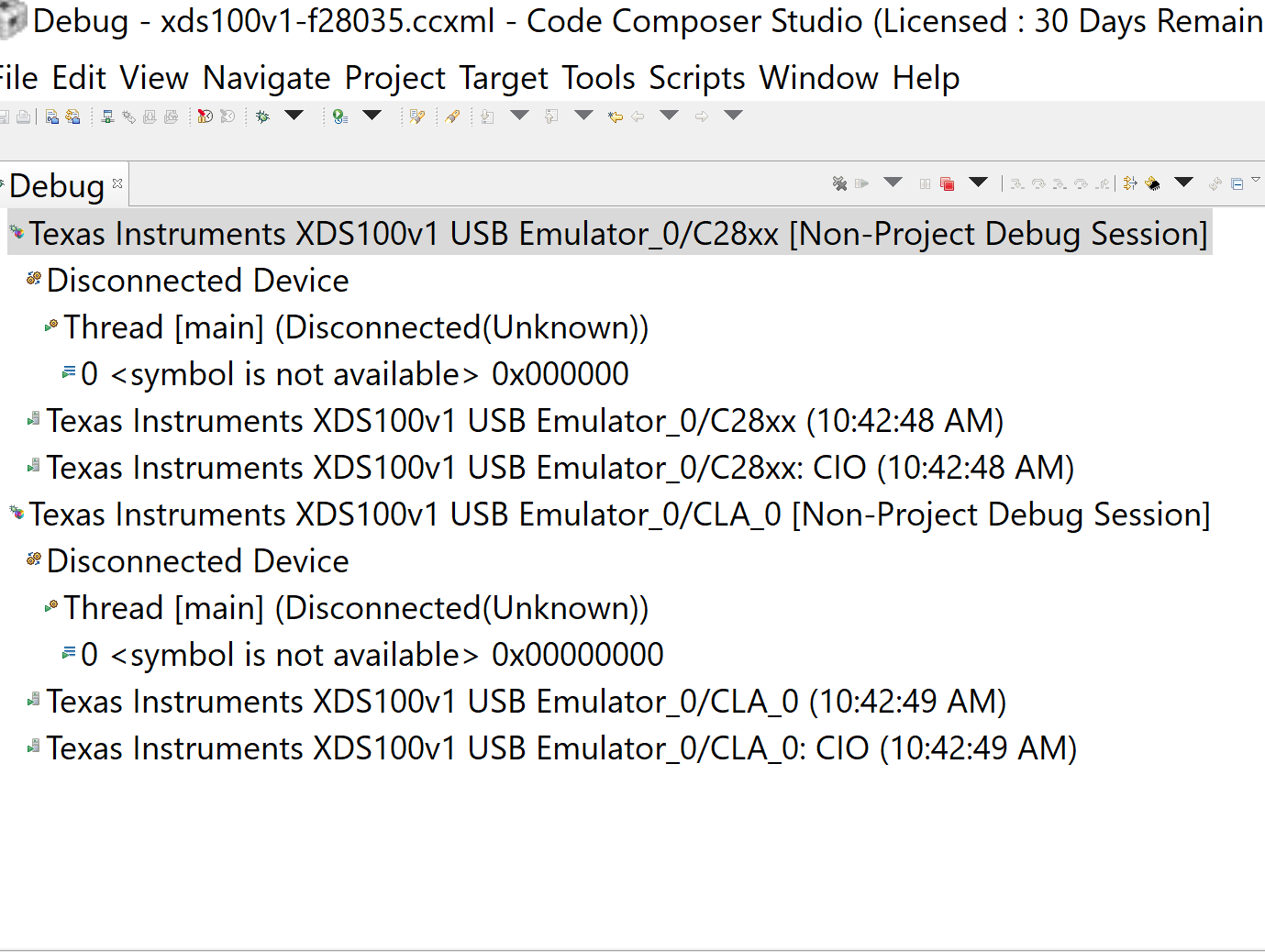
How can we fix this error?

Regards,

Danilo

  • Hello Danilo,

    I don't see any errors in the screenshot. The debugger is not connected any of the CPUs (which is default behavior for a project-less debug session). You can manually connect to the target using the option under the "Target" menu.

    Also note that CCSV4 is very old and unsupported. I'm pretty sure he can use his kit with CCSv9.

    Thanks

    ki

  • Hi Ki,

    Thank you for the clarification. The customer sent this feedback.

    Noticing now that "Disconnected Device" is same as instructions, I am able to get to the point of loading the out file, but receive this error:
     
    CLA_0: Breakpoint Manager: Retrying with a Legacy Hardware breakpoint
    CLA_0: Trouble Setting Breakpoint with the Action "Finish Auto Run" at 0x3f6000: (Error -2126 @ 0x3F6000) Device does not support software breakpoints. If available, use a hardware breakpoint. (Release 5.0.429.0)
    CLA_0: Trouble Setting Breakpoint with the Action "Finish Auto Run" at 0x3f6000: Failed to set one or more HW BPs.  You may have  exceeded the total number H/W breakpoints available.  Disable one and try again.  Please note that another  module may have claimed one or more HW BPs.
    CLA_0: Trouble Removing Breakpoint with the Action "Finish Auto Run" at 0x3f6000: (Error -2044 @ 0x3F6000) Internal error: Requested breakpoint does not exist. Restart the application. If error persists, please report the error. (Release 5.0.429.0) 
    Regards,
    Danilo
  • It looks like the customer is either not using a debugger memory map, or using a wrong one that does not have 0x3F6000 (FLASHA) as flash. Hence the debugger thinks it is RAM and initially trying to use SW breakpoints and such. 

    Assuming that the out file is built correctly with code allocated for FLASHA, make sure a correct debugger memory map is used which designates this as flash memory. The f28035.gel start up GEL file sets up the memory map correctly and the customer may want to use that in their ccxml file.

    And again, CCSv4 is extremely old and not recommended.

    Thanks

    ki 

  • I also recommend the below article:

    http://dev.ti.com/tirex/explore/node?node=APy2XbLelxyqBB2Yz0WR.w__FUz-xrs__LATEST

    It details the relationship between your linker cmd file, the debugger memory map, and the target memory map. Understanding this relationship will help explain the root cause of the above errors.

    Thanks

    ki