This thread has been locked.

If you have a related question, please click the "Ask a related question" button in the top right corner. The newly created question will be automatically linked to this question.

CCS: Code Composer Studio on Mac OS Catalina

Other Parts Discussed in Thread: CCSTUDIO

Tool/software: Code Composer Studio

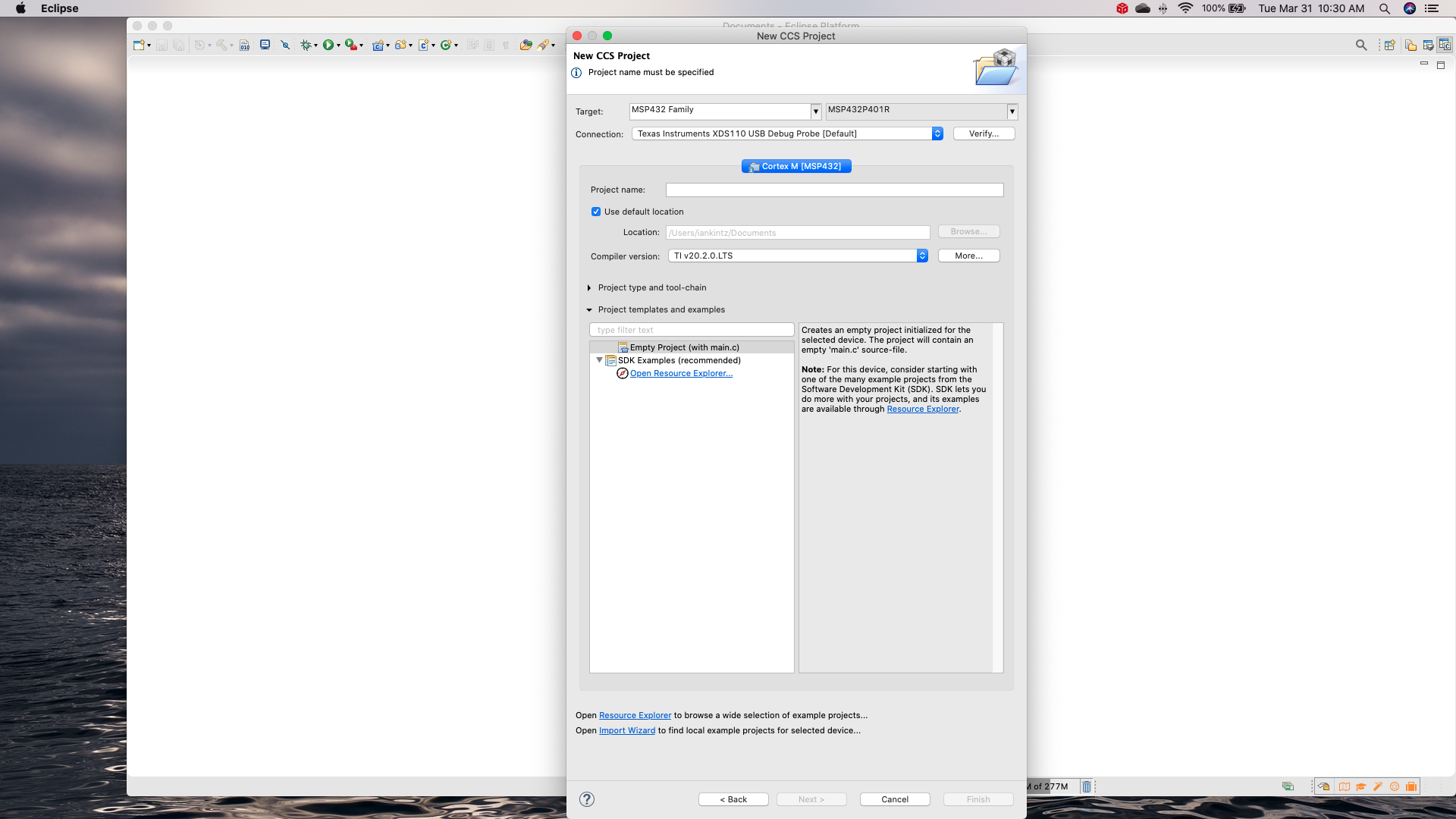
I am trying to run Code Composer Studio on a Mac with the latest Mac OS Catalina. I want to create a new project from the resource explorer, eventually to work with a TI msp432 p401r board. The problem I have encountered is that when I click on the link to the resource explorer my new project window disappears, and new project is not created. How can I fix this? My instructor told me that a long file path causes problems, but my working directory is only in documents, not in any nested file structure or anything.

  • Ian,

    Lets see if we can figure out what is going on.

    Which version of CCS are you using?

    I think what is happening is that there is an issue with the link from the project wizard to Resource Explorer.  Likely due to the update to Resource Explorer.  Instead what you can do is open Resource Explorer directly.  This is the recommended method.

    Go to the View menu and select Resource Explorer.

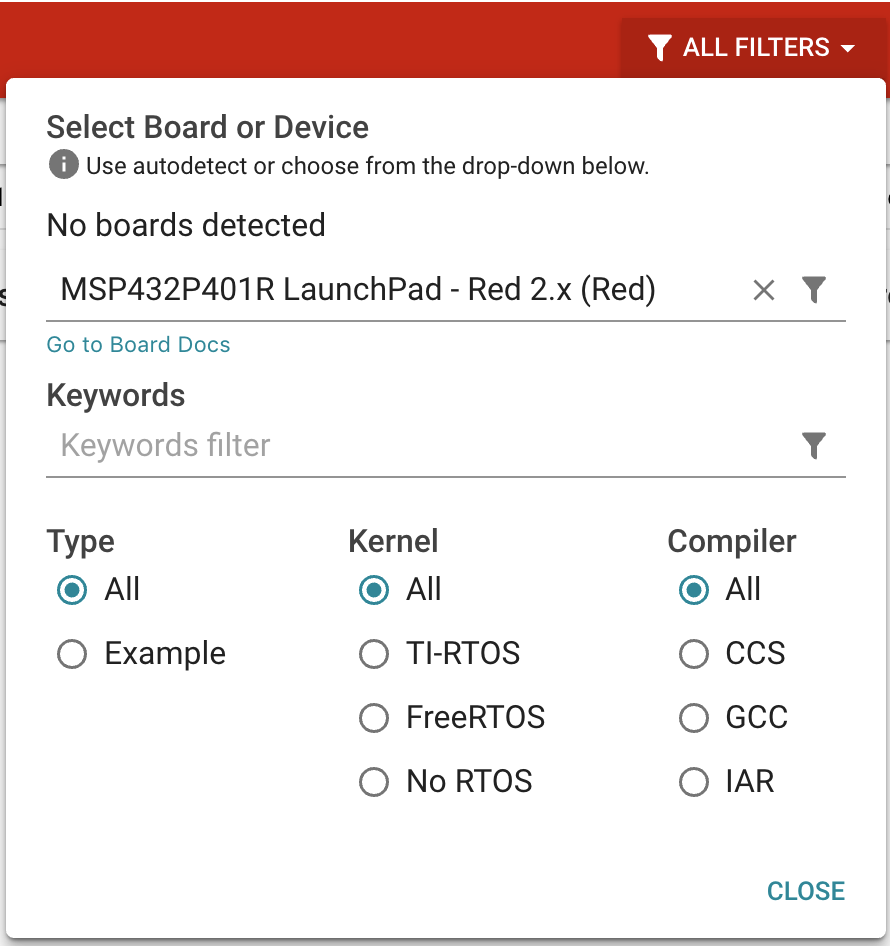
    One thing I do when using Resource Explorer is to set a filter so that it only shows the content relevant to the board I am using.  If you click on the filters button you can start typing MSP432P and then select the filter shown below.

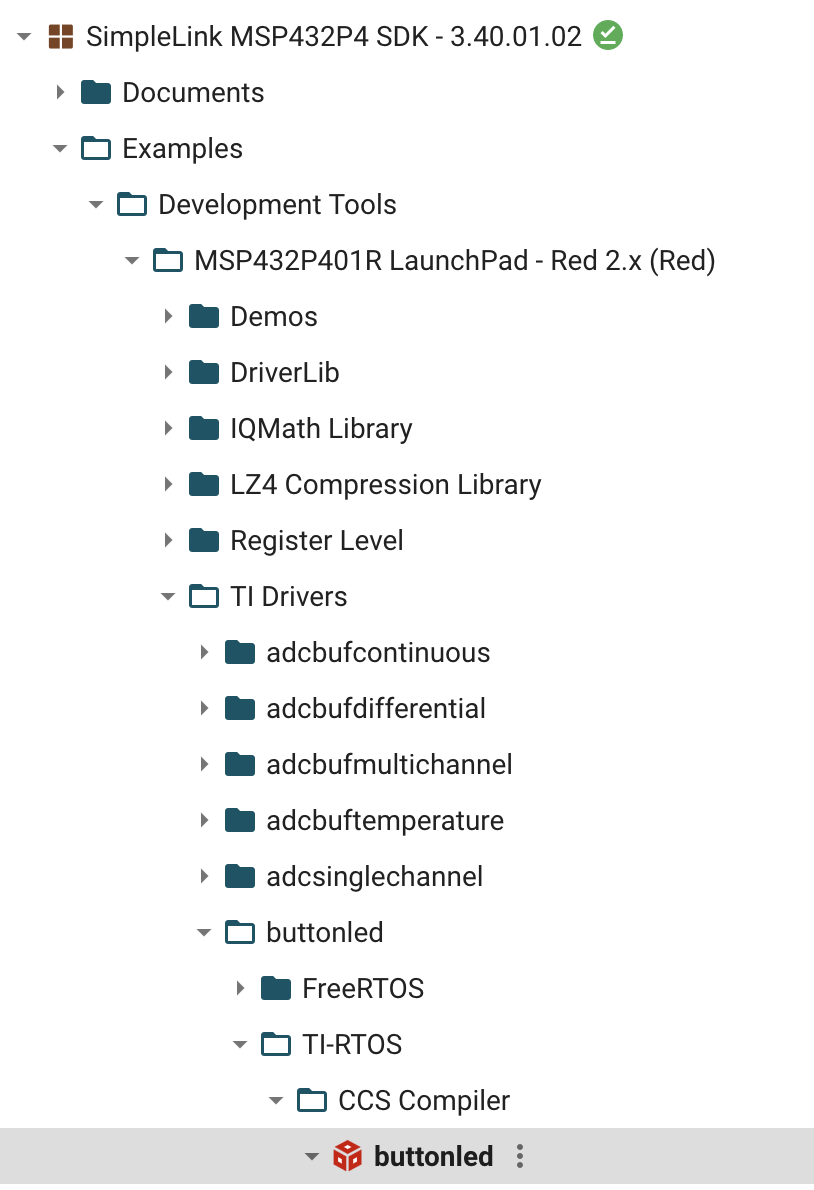
    The software package you want to use is the SimpleLink MSP432P4 SDK.  If it looks like below without a green circle with a checkmark in it then you will need to install the package.

    You can install it by clicking the install button at the top right:

    Next select a project to import such as this:

    I then click:

    I get this message when importing as my XDCTools verison is a bit different than the one specfied by the project:

    After clicking ok I end up with these two projects (yours would not have the top level MSP432P node as I created a working set to organize my projects).

    Can you let me know if that works.

    Regards,

    John

  • I am using the Eclipse Platform. When I click on the view tab it gives me project explorer instead of resource explorer. This is the window that disappears when I click resource explorer and no new project is made

    Version: 2019-12 (4.14)

    Build id: I20191210-0610

  • Ian,

    I can reproduce the issue where that "Open Resource Explorer" link does not work.  The way to work around this is to open Resource Explorer directly.  Normally that just involves selecting it on the View menu or on the Getting started view that opens in CCS.  However in your case that is going to be a challenge.

    To open resource explorer you are going to need to switch to the CCS Edit Perspective.  Once you do that the menu item will be visible on the view menu.

    Is this a stock Eclipse platform install with CCS then installed into it or is this a CCS install and it was run from the eclipse executable instead of the ccstudio one?

    I would highly recommend running CCS and not stock Eclipse.

    Regards,

    John

  • I believe I ran the wrong install. I am going to reinstall using the Ccstudio executable and see if that helps.

  • Ian,

    The latest CCS is available here: 

    https://software-dl.ti.com/ccs/esd/documents/ccs_downloads.html

    Generally I recommend the offline installer.

    The install will create a desktop shortcut for CCS that you can use to run after installation.

    Regards,

    John

  • I ended up not reinstalling. I found the ccs app through the spotlight search and it ran as expected. I was using eclipse before because that was what installed in my applications and I did not know that ccs was a separate app. Thanks for the help!!

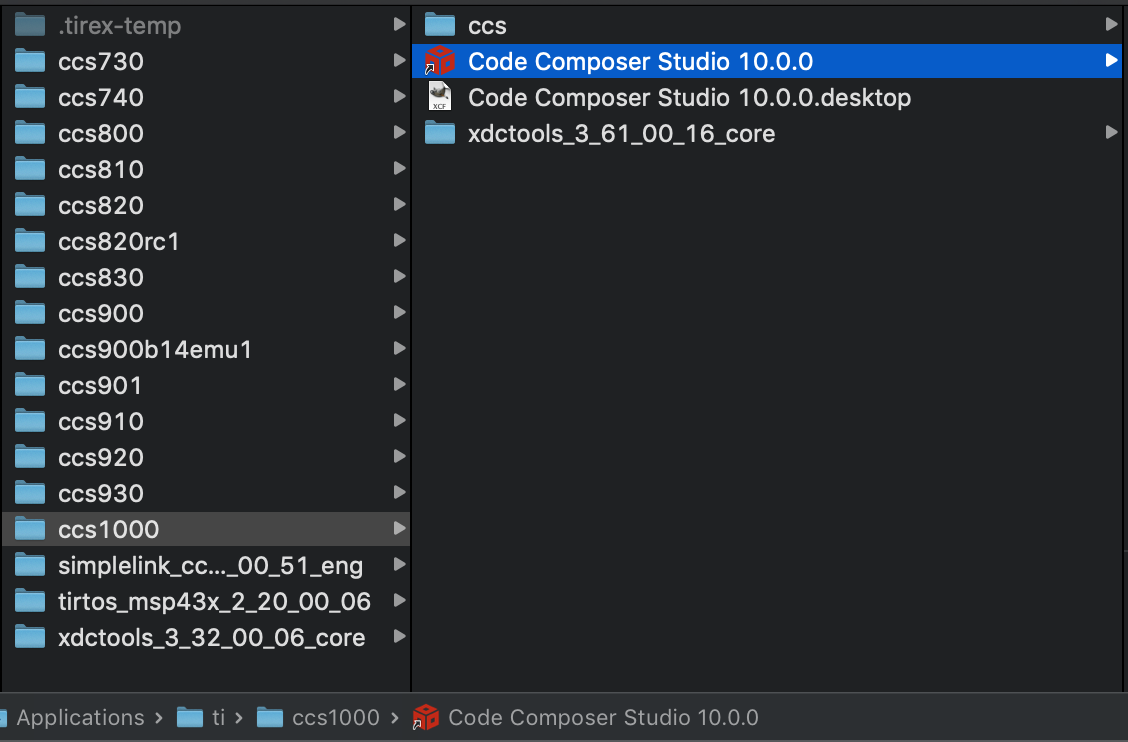
  • The app for eclipse should be pretty hidden.  The shortcut to CCS should be on the desktop and also in the root of the installation folder:

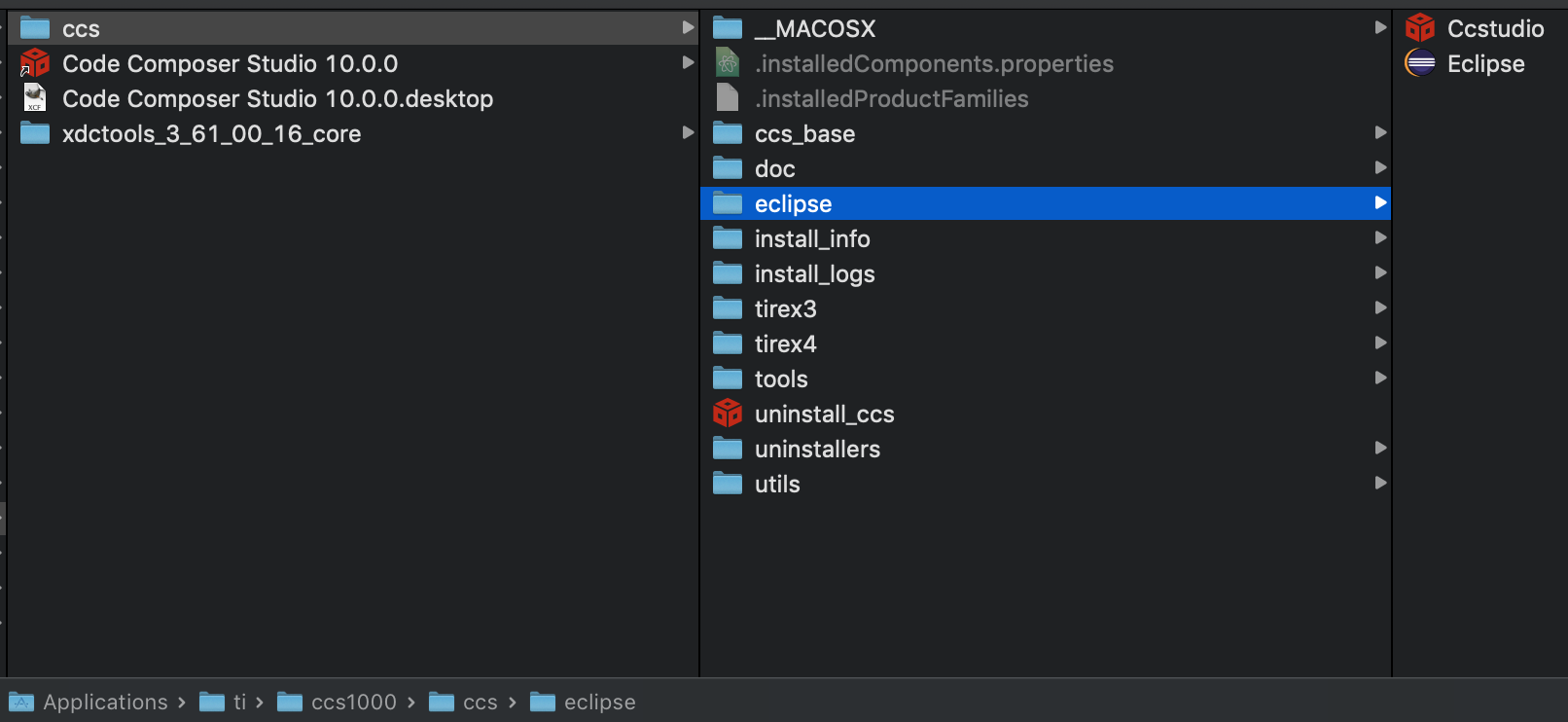
    To get to the Eclipse app it should be buried down here:

    For you is the desktop shortcut and shortcut in the root installation folder missing?  Just wondering if something went wrong with the install.

    Regards,

    John

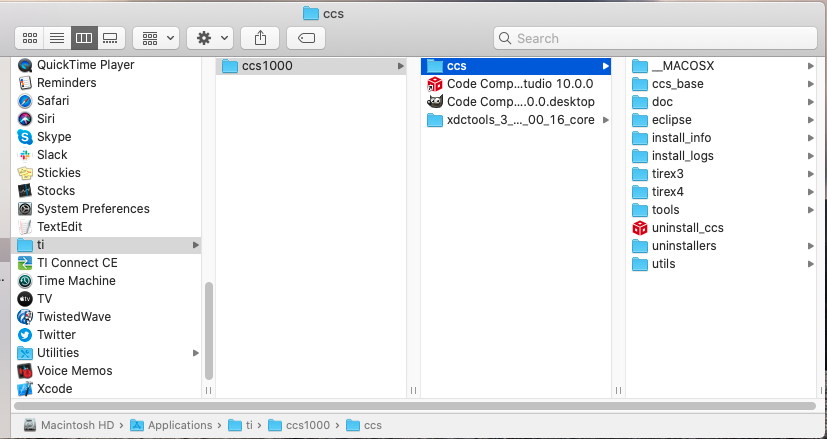
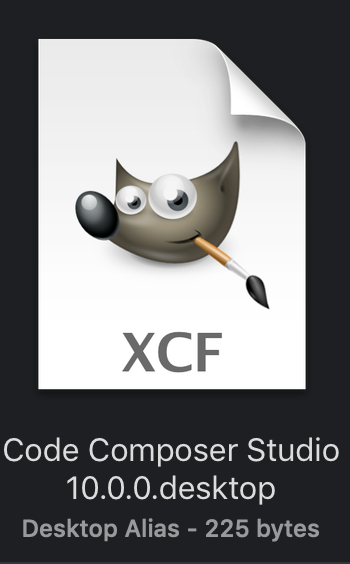
  • The only weird thing that happened was that for some reason gimp was grouped in the ccs1000 folder. I don't really know why. FYI Gimp is a knock off photoshop app that's free. Not sure if you want to try to replicate this, but that's what my installation looks like. Thanks for all the help!

  • Looks like Gimp associates its icon with .desktop.  It is doing something similar on mine but with a slightly different icon.  Looking at the file listing I can't see it but if I select the item to get the details I can see it.

    Anyway.  Good to hear that you are up and running.