This thread has been locked.

If you have a related question, please click the "Ask a related question" button in the top right corner. The newly created question will be automatically linked to this question.

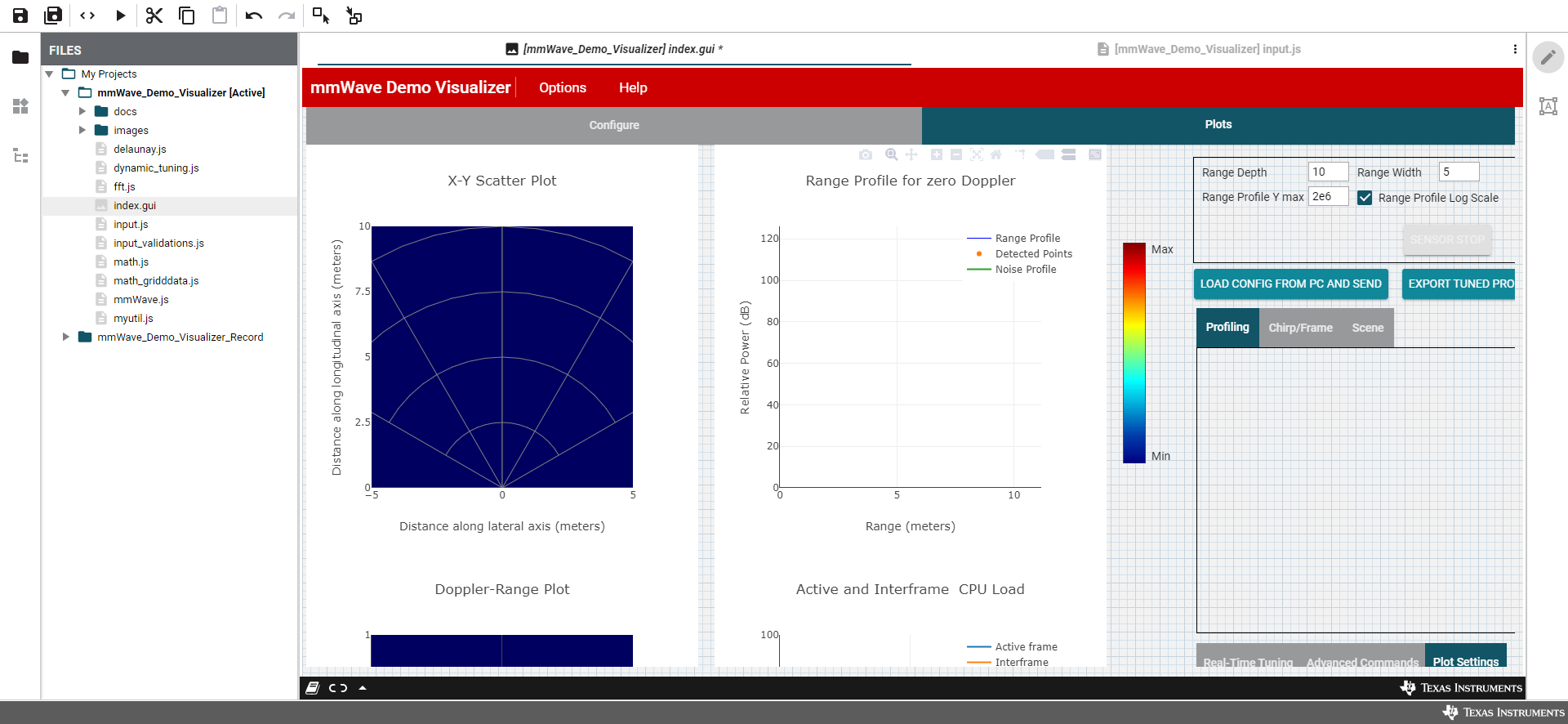
GUI Composer does not allow the full .gui file to be viewed.


Dear all,

I am trying to view the mmWave visualizer GUI through GUI Composer and I can not view the entire GUI when looking at the .gui file. Originally I used my 13" laptop and could only see the upper left corner of the GUI. I switched to a 23'' monitor and it improved, but I couldn't see the very bottom of the GUI. Attached it is a picture of that view. As you can see a portion of the GUI is cut off at the bottom. Please let me know if there is work around for this.

Best Regards,

Connor Desmond
  • Connor,

    Have you tried changing your display resolution and does that have any impact at all?

  • In the short term, you could click on a particular tab, (to select it) then open properties page (right hand side) and click on Style tab, near bottom right there should be overflow property that is blank, choose "auto" setting, this will activate scroll bars... at least in Design mode. 

    I believe there is also updated version of mmwave demo visualizer in the works that should have scroll bars issue resolved. 

    Martin