


Part Number: AM3352
Tool/software: Code Composer Studio
Hello,
I am using CCS7. connecting to a Sitara device.
I am enhancing a large project, and I discovered that it has several targetConfig CCXML files in the root level, using different debugger connections.
So I created a new targetConfig ccxml file. Set it to my XDS100v2, and made it active.
I also set the project properties, under" Debug" to XDS100v2 USB debug Probe/CortexA8, and the necessary "Run to Main", "Connect on Startup" etc...
And yet, the environment refuses to connect and load to the A8 core. It insists on trying to load the M3 core.

How/Where to I tell this environment to NOT connect and load to the M3., and instead load the primary A8 core??
When I have created new projects, and began debugging them, I have gotten this:
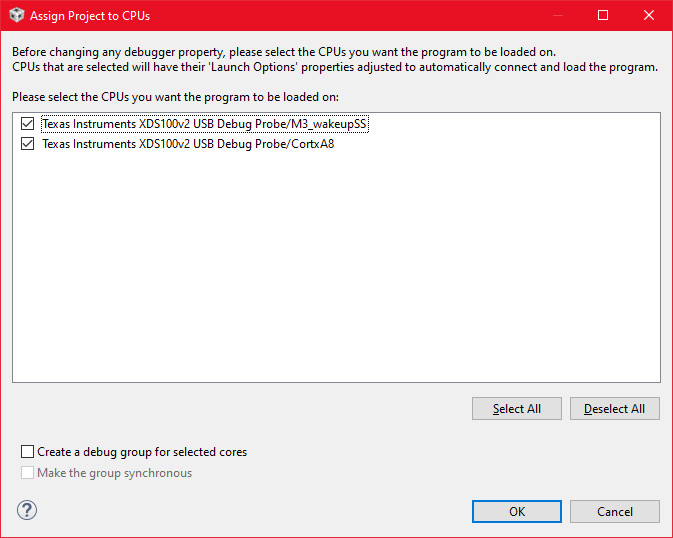
However, no menu, button, or context setting I have found will ever bring this dialog up again. It seems the only way to get this selection dialog is to completely erase the entire project and create a new one.


