This thread has been locked.

If you have a related question, please click the "Ask a related question" button in the top right corner. The newly created question will be automatically linked to this question.

CCS/PACKET-SNIFFER: Packet Sniffer packet issue

Part Number: PACKET-SNIFFER
Other Parts Discussed in Thread: TIMAC, TIDA-010024, TIDA-010032

Tool/software: Code Composer Studio

Sir,

For debug purpose of Data Collector/DCU to Node architecture, I'm using a packet sniffer.

For installing I'm following this link http://software-dl.ti.com/lprf/packet_sniffer_2/docs/user_guide/html/users_guide.html

Wireshark version is 3.0.10

Packet sniffer version Smart RF sniffer agent - v 1.8.0

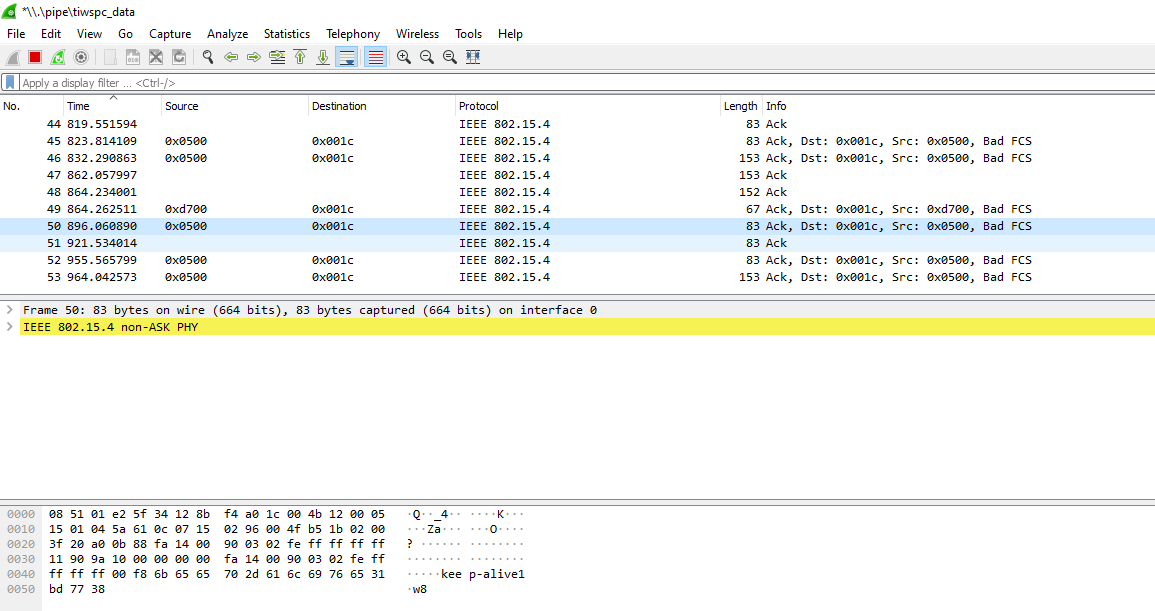
This sniffer is not able to decode my packets.

Its showing wrong or no value in source and destination address.

Please guide what I'm doing wrong or what other setting is required for the right result.

Thanks in advance 

Sourabh Vyas

For better understanding, I'm attaching the picture of a packet sniffer.

My destination address is 0x26d7

my source address is 0xf48b
  • Hi,

    We will look into it and get back to you ASAP. Please bear with us.

    Thanks,

    PM

  • For better understanding, I'm attaching a pcapng file(Wireshark traffic).

    This files might be helpful for you to understand my problem.

    In this file Source is 0xf52e (0x02 0x12 0x4B 0x00 0x1C 0xA0 0xF5 0x2E)

    destination is 0x26d7  (0x02 0x12 0x4B 0x00 0x1C 0xAA 0x26 0xD7)

    Thanks 

    Sourabh VyasCase 1.rar

  • Sourabh,

    Is the network secured?

    Can you check the settings on the packet sniffer tool, and verify you have the same network key on the tool as in the device and concentrator software?
    Also, make sure the tool picks up the association process. This will ensure the tool has the necessary information for decoding packets.

    Regards,

    AB

  • Sir,

    Thanks for reply

    FEATURE_MAC_SECURITY is enabled at both the side and I have added the decryption key in Wireshark which is mention in the  http://software-dl.ti.com/lprf/packet_sniffer_2/docs/user_guide/html/users_guide.html  (12:34:56:78:9A:BC:DE:F0:00:00:00:00:00:00:00:00)

    In the pcapng file which I have added earlier, starting traffic of that file is showing the joining sequence for each join state (sync, joined, I checked the CCS debugging window, whenever Node is changing the jdllc state a new traffic entry is coming in the Wireshark) a new entry is coming to the Wireshark traffic.

    I'm adding the Wireshark file of this traffic. Please guide me where I'm doing wrong setting

    Sourabh Vyas6116.Case 1.rar

  • Hi,

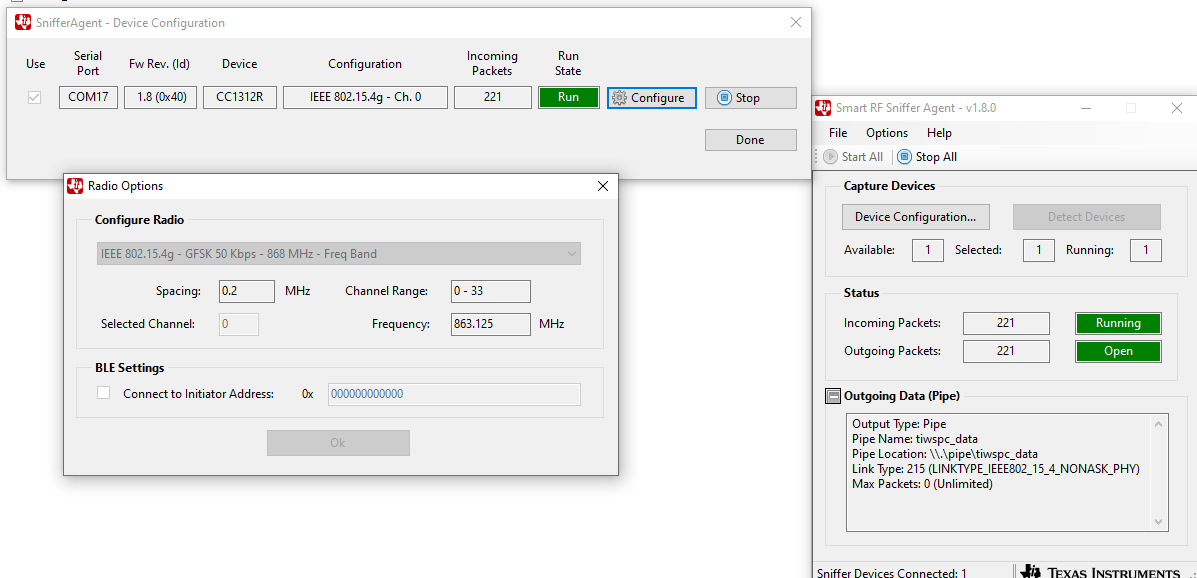
    How is the Sniffer Agent configured when you captured this? Could you please take a screenshot of the Pipe Config panel (Options->Pipe Config), and also the Device Configuration (Options->Device Config) panel?

    Regards,

    Bjørn

  • Thanks for reply sir,

    please find both configuration image in the attachment 

    The link Type name is            LINKTYPE_IEEE802_15_4_NONASK_PHY

    The device is configured as    IEEE802.15.4g-GFSK50 kbps -  868mhz

  • Hi,

    Can you please try set Link Type to LINKTYPE_IPV4 then test again. Are the Wireshark data then closer to what you expected?

    Regards,

    Bjørn

  • Thanks for reply sir,

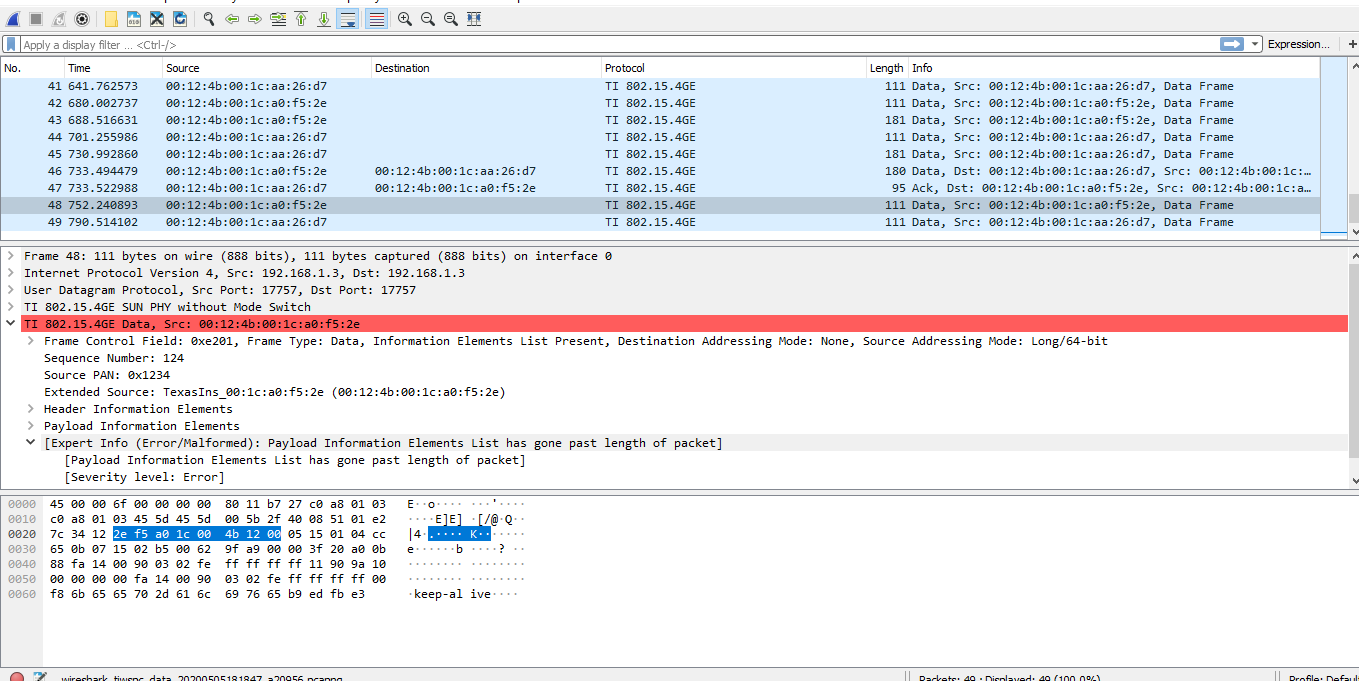
    I selected LINKTYPE_IPV4.

    In the port section, I chose the TIMAC/ TI 802.15.4ge  is this correct?

    I got the result as mention in the datasheet but some of the packets have some error. I'm attaching the screenshot can you please help me out

  • Hi,

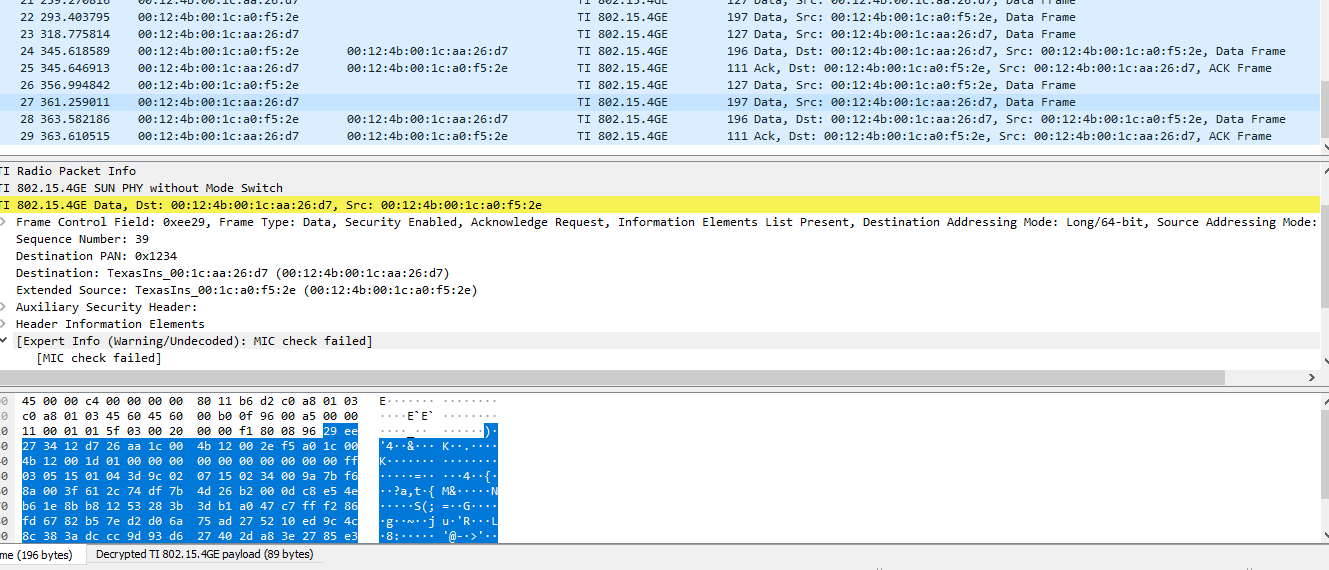
    Can you please try select LINKTYPE_IPV4 and port TI Radio Packet Info (17760)? Then check in Wireshark if your packets looks correct.

    Thanks,

    Bjørn

  • thanks for reply

    With this LINKTYPE_IPV4 and port TI Radio Packet Info (17760) setting, I'm getting 2 different error.

    1.Expert Info (Error/Malformed): Payload Information Elements List has gone past length of packet

    2. Expert Info (Warning/Undecoded): MIC check failed

    I have attached the screenshot for the same.

    Is this packet right or some other setting is required sir?

    Sourabh Vyas

  • Hi,

    Can you please give some more information about your setup: Which HW boards do you have, and what software stack do you use? Did you try any of the software examples in the SDK to see if it fails in the same way?

    Regards,

    Bjørn

  • Thanks, Sir,

    all required details are I'm mentioning below

    HW board info

    NODE = CC1312

    Data Collector = RaspberryPi + CC1312

    SW info

    1. Node =  TIDA-010024 (Debug poll example)

    2. Data Collector = TIDA-010032 in RaspberryPI and In CC1312 CoProcessor (based on SimpleLink CC13x2 SDK v2.40)

    This Configuration is suggested in the TIDA-010032 datasheet.

    I'm using this method and debugging the data packet over sniffer.

    Thanks 

    Sourabh Vyas

  • Sir, 

    is any other setting required for that error.

    Thanks 

    Sourabh Vyas

  • Sourbah,

    We do not test the the sniffer with this reference design. 

    That being said, I do not see why it would not work since this mainly deals with the PHY and that has not chnaged.

    I recommend the following:

    1. try default configuration on packet sniffer
      1. Trying to rule out any potential problems with your settings
    2. try using out of the box sdk examples (collector and sensor)
      1. trying to rule out any potential problems with the mesh eample you are using
    3. Reinstall sniffer
      1. last resort, I once had a problem similar to this and reinstalling sniffer help me clear out the issue

    Regards,

    AB